Whole-class quiz hosts
Teachers who need remote participants to see several pupils or teams, rather than only the presenter. Plan the camera position around the seats that must appear on screen.


Choose the camera around who needs to be seen and heard. A presenter-focused webcam suits a quiz led mainly by the teacher or a whiteboard; a video bar deserves consideration when remote participants need to follow several pupils, provided its view and audio work from the planned classroom position. Check the seating layout, pupil answers, computer connection and school video procedures before relying on resolution alone.
Teachers who need remote participants to see several pupils or teams, rather than only the presenter. Plan the camera position around the seats that must appear on screen.
Teachers whose quiz centres on spoken prompts, a whiteboard or a demonstration area. Presenter framing may be useful, but it does not establish that pupils elsewhere in the room will be seen or heard.
Staff connecting a camera to a classroom computer shortly before a quiz. The host connection, mounting position and cable route matter as much as a simple connection method.
Decide whether the remote group must watch the teacher or follow answers from across the classroom; then test the view and sound from the positions pupils will actually use.
Consider it when: Pupils spread across a wide frontal area need to remain in view. Jabra specifies a 180° panoramic view for PanaCast 50.
Trade-off: That view helps only if the mounting position faces the relevant seats; check room-system compatibility and sound separately.
Consider it when: A smaller classroom or quiz station needs a camera, microphones and speaker together. Logitech positions MeetUp 2 for small rooms.
Trade-off: A stated microphone range does not establish clear answers throughout a larger or echo-prone classroom.
Consider it when: The teacher or whiteboard is the main subject. Insta360 describes tracking or auto-framing options across its Link 2 and Link 2C range.
Trade-off: Presenter framing does not establish whole-class visibility or microphone coverage for pupils answering from their seats.
| Concern | What to check | Who this matters to |
|---|---|---|
| Whole-class visibility | Map the seats that must appear together, then check the exact camera’s field of view and framing mode from its intended mounting point. | If several teams answer, I need the remote group to see more than the presenter. Around 36% of consumers put whole-class visibility first. |
| Audible answers | Test a call from ordinary and furthest pupil seats; check the model’s stated microphone features and the room’s speaker arrangement. | When pupils answer from their seats, I need their voices to reach the remote group over classroom noise. Clear questions and answers come first for around 29% of consumers. |
| Classroom setup | Check the host computer and call platform, available connections, mounting point and safe cable route. | If different staff run the quiz, I need a setup they can connect and operate promptly. Around 21% of consumers make straightforward deployment their primary concern. |
| Teacher and whiteboard | Check whether the exact model offers the framing needed for the teacher, board or prompt area, and test what remains in shot. | When the prompts are on a board, I need remote participants to follow the explanation rather than watch a fixed room view. Presenter-focused framing matters most to around 14% of consumers. |
Resolution does not determine whether every responding team fits in shot. Logitech specifies a 120° diagonal field of view for MeetUp 2, while Jabra specifies a 180° panoramic view for PanaCast 50; these describe different views, not a guarantee for a particular seating plan.
Sketch the seats remote participants must see and check the view from the proposed mounting point before comparing resolution.
Microphone features are model-specific, and classroom noise and echo affect whether pupil answers can be understood. Logitech states a pickup range of up to 7 m for MeetUp 2; that figure alone does not establish intelligibility in the room.
Make a test call with answers from normal and furthest seats, then adjust the audio arrangement if some positions cannot be heard clearly.
A room that fails this test may need additional microphones or speakers.
Even a suitable view can be impractical if the camera cannot face the relevant seats or connect safely to the host computer. Logitech lists a supplied 3 m USB-C cable for MeetUp 2.
Measure the planned cable route and check the mounting and power positions without creating a trip hazard.
The final position may require a different mount or installation work.
The Department for Education identifies video of identifiable pupils as personal data. Recording and sharing decisions therefore need attention alongside the choice of camera.
Before the quiz, establish whether it will be live-only or recorded and follow the school’s procedure for access, storage and retention.
MeetUp 2 is an all-in-one video bar that Logitech positions for small rooms and computer-connected meetings.
PanaCast 50 is a panoramic video bar for a layout that calls for a wide frontal view and integrated audio.
The Link 2 and Link 2C webcams offer presenter-oriented framing options for a teacher-led quiz.
These cameras offer two ways to frame a remote quiz: an all-in-one webcam for a compact group or quiz station, and a remotely adjustable webcam for a presenter-led session. Check classroom-wide visibility and audibility against your own seating plan before choosing either.
 No image available
Consider it for a compact quiz station where integrated camera and audio are useful. The named configuration has a Sony sensor, fixed focus, a four-microphone array, dual speakers and USB connectivity. Check whether the 98° adjustable view includes the required seats, test answers from the furthest pupils and confirm compatibility with the classroom computer and call platform.
 No image available
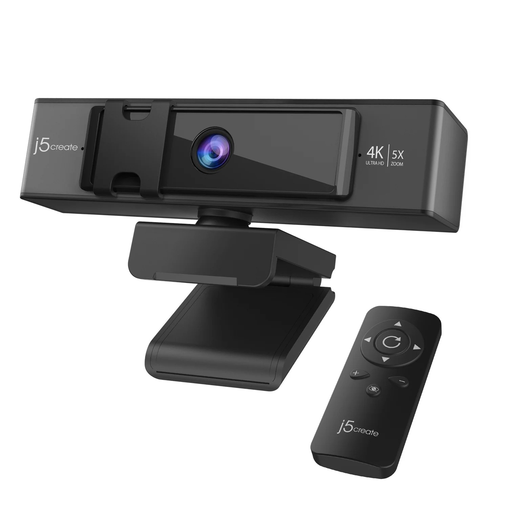
Consider it for a teacher-led quiz where the host can adjust framing with the included remote. The named configuration offers 5× digital zoom; remote-controlled framing is not automatic teacher tracking. Check the width of the classroom view and test whether pupil answers can be heard before relying on it for group participation.
Do not assume consent is always the required basis. The Department for Education treats video of identifiable pupils as personal data; ask the school’s data-protection lead to establish the appropriate arrangements for the particular live session or recording before it takes place.
Check the school’s procedures before recording or using AI-enabled camera features with identifiable pupils. The Department for Education’s school guidance covers protection of personal data, and the Information Commissioner’s Office notes that data-protection requirements still apply to education technology. Confirm who can access a recording, where it will be stored and how long it will be kept.
Run a call with a remote colleague using the planned camera position, normal seating, quiz display and whiteboard. Ask pupils at ordinary and furthest seats to answer at a normal speaking level. For Logitech MeetUp 2, compare the layout with Logitech’s stated pickup range of up to 7 m and check that its supplied 3 m USB-C cable reaches the host computer safely.