What to prioritise when choosing a remote-work connection
Check the connection at the router before deciding whether the problem calls for in-home equipment, a service change or a separate backup connection.
Mesh Wi-Fi
Consider it: When broadband at the router is satisfactory but Wi-Fi is weak across several rooms or floors.
Trade-off: It adds equipment and cannot improve the broadband service entering the home.
Ethernet for a work device
Consider it: When one relatively fixed device can be connected to the router and needs a more consistent local link.
Trade-off: The cable limits where you can work, and a laptop without an Ethernet socket may need a compatible adapter.
Router replacement
Consider it: When you have identified the existing router as the in-home bottleneck and one suitable location can serve your workspace.
Trade-off: A third-party router may take more setup and may receive less support from your broadband provider.
Broadband service change
Consider it: When a wired test and provider checks point to an inadequate incoming connection.
Trade-off: A faster package will not by itself fix a Wi-Fi dead zone inside the home.
Mobile backup
Consider it: When fixed-line interruptions are the main problem and a usable mobile signal is available at the property.
Trade-off: Check the SIM and data arrangement, indoor coverage and whether the exact equipment switches automatically.
| Concern |
What to check when buying |
Who this matters to |
| Wi-Fi coverage in the workspace |
Compare the connection near the router with the signal at your desk; check node placement, backhaul options and pack size. |
If calls fail only in rooms away from the router, I want coverage there without paying to change a service that is already sound. Around 29% of consumers put multi-room Wi-Fi coverage first. |
| The incoming broadband service |
Test by Ethernet where possible, compare service terms and check predicted download and upload speeds for your postcode and property. |
If the connection struggles even beside the router, I need to know whether the incoming service can handle calls and other household use. Around 24% of consumers put broadband service first. |
| A stable link for one work device |
Check the device connector and operating-system compatibility, the router’s LAN port and whether the cable route is practical. |
If one laptop stays at a desk, I would rather connect it by cable than rely on a weak local Wi-Fi link. Around 18% of consumers prioritise wiring one work device. |
| Continuity during fixed-line outages |
Check mobile coverage at the address and indoors; confirm the SIM arrangement and whether the exact setup switches automatically. |
If losing the fixed line would interrupt my working day, I need a separate connection that is usable at home. Around 17% of consumers prioritise protection against fixed-line outages. |
| An ageing router under shared use |
Ask whether your provider offers an updated hub; check ISP connection requirements, available ports and support for the exact model. |
If I have ruled out poor service and weak room coverage, I want to check whether the router itself is the remaining problem. Around 12% of consumers prioritise replacing an ageing router. |
Joybuy products for different home-working connection needs
These Joybuy products cover mobile backup, multi-room Wi-Fi, wired connections and router replacement. Match the product type to the connection problem you have identified.
 Product image unavailable
TP-Link Archer NX500 5G AX3000 Wireless Dual Band Gigabit Router
Consider it for fixed-line interruptions only if mobile service is usable at your property; the product description says its 5G/LTE connection can provide backup WAN connectivity.
The description specifies a SIM slot and a 2.5 Gbps WAN/LAN port. Check indoor coverage, SIM and data terms, and whether your intended setup switches connections automatically.
View on Joybuy
 Product image unavailable
TP-Link Deco BE22 3-Pack BE3600 Whole Home Mesh Wi-Fi 7 System
Consider a mesh system when broadband at the router is satisfactory but Wi-Fi is weak across several rooms. Mesh addresses in-home coverage, not the incoming broadband service.
The product title identifies a 3-pack and Wi-Fi 7; its description specifies wired and wireless combined backhaul. Check that the nodes can maintain a workable connection to each other.
View on Joybuy
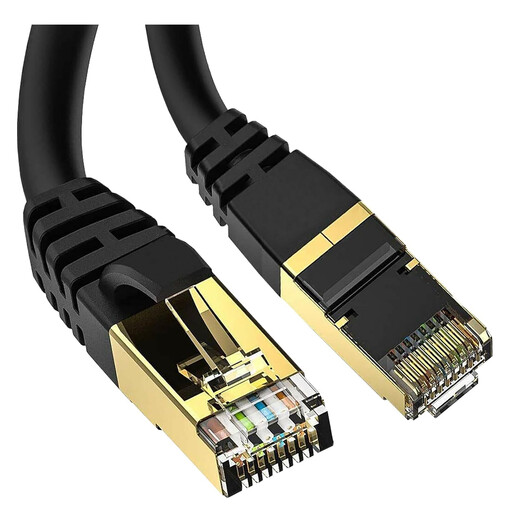 Product image unavailable
5 Meter Cat 8 Ethernet Cable
Consider a wired connection when a work device can be connected to the router and the cable route is practical.
The title specifies a 5 Meter Cat 8 cable with RJ45 connections. Check that the length suits the route from your device to the router.
View on Joybuy
 Product image unavailable
TP-Link Archer BE230 BE3600 Dual-Band Wi-Fi 7 Router
Consider a replacement router only if you have identified the existing router as the in-home bottleneck. A new router will not improve the incoming broadband service.
The product description specifies EasyMesh compatibility, one 2.5 Gbps WAN port and four 2.5 Gbps LAN ports. Check the connection method against your ISP equipment before buying.
View on Joybuy
 Product image unavailable
V7 V7UC-U3CRJ45HDVG-BLK USB-C Adapter with Gigabit Ethernet, HDMI and VGA
Consider it if a work device needs a wired router connection, lacks an Ethernet socket and supports the adapter’s stated USB-C compatibility.
The description specifies USB-C Alt Mode compatibility and Gigabit Ethernet. The product title also lists 4K HDMI, VGA, 100W Power Delivery and dual USB 3.0 ports; confirm the device supports the required connections.
View on Joybuy
Frequently asked questions
How can I tell whether a video-call problem is Wi-Fi or broadband?
Compare a wired connection near the router with performance in your workspace, and check whether other household devices are affected. If the wired connection is also poor, check provider service information; if the issue is confined to a distant room, assess router position and in-home coverage. Ofcom’s postcode checker shows available service estimates, which may differ from actual availability or speeds at a property.
Will mesh Wi-Fi make a slow broadband service faster?
No: mesh is for in-home Wi-Fi coverage and cannot make the incoming broadband service faster. Check the connection near the router first; if that is adequate but several rooms have weak Wi-Fi, assess mesh placement and the links between nodes.
Does a USB-to-Ethernet adapter make broadband faster?
No: it can replace a device’s local Wi-Fi connection with a wired link, but it cannot raise the speed of the broadband service arriving at the router. Check that the adapter connector and operating system suit your device.
Does a SIM router automatically provide backup when broadband goes down?
Not necessarily: a SIM slot alone does not confirm automatic failover. Check indoor mobile coverage, SIM and data terms, and compatibility with the exact router and hub; EE documents automatic 4G backup for specified compatible hubs.
Do wireless routers have the same conformity rules throughout the UK?
The applicable rules differ between Great Britain and Northern Ireland. UK Government guidance describes the Radio Equipment Regulations 2017 for Great Britain and says some provisions apply differently in Northern Ireland. Check the applicable market and the specific product’s conformity information; this does not establish that any particular unit complies.


