Homeowner coordinating the project
You mainly organise plans, PDFs, quotes and budgets, research options online and communicate with trades. Complex 3D modelling may not be part of your work.


For renovation research, budgets, PDFs and correspondence, start with a general-purpose laptop that has 16GB of memory and a screen you can work on comfortably. If you will regularly edit substantial Revit or other demanding 3D models, consider a Windows laptop with discrete graphics and more memory, then check its configuration against your software requirements. A Mac can suit compatible planning tools, but Autodesk lists Windows as the operating-system requirement for Revit 2026.
You mainly organise plans, PDFs, quotes and budgets, research options online and communicate with trades. Complex 3D modelling may not be part of your work.
You want to sketch rooms or layouts with SketchUp or another compatible tool. Decide whether you need a browser-based or desktop application before choosing the laptop’s graphics configuration.
You work with Revit, CAD or substantial 3D models. Software compatibility, memory and graphics matter more to this choice than thinness alone.
Choose the software and the largest project you expect to work on before choosing a laptop specification. Document work, visual layouts and regular BIM modelling place different demands on the machine; portability can change the choice at any level.
| Concern | What to check | Who this matters to |
|---|---|---|
| Documents and budgets | Compare memory, usable screen space and storage for plans, photographs and simultaneous documents. | I need to keep quotes, plans and budgets open while coordinating the work. Roughly 37% of consumers would put document coordination first. |
| Visual layout planning | Choose your web or desktop tool, then check its browser, memory and graphics guidance. SketchUp recommends discrete graphics for its desktop Windows hardware. | Sketching and adjusting room layouts is my main task, rather than simply reading drawings; around 27% of consumers would prioritise visual planning. |
| Revit and demanding CAD | Confirm the application version, operating system, memory and graphics requirements for your projects. Autodesk lists Windows for Revit 2026. | Regular model editing determines what I can buy, and I need the laptop to fit that workflow; approximately 18% of consumers would put BIM or demanding CAD first. |
| Working between locations | Compare laptop and charger weight, screen size and connectivity; assess battery claims against how you expect to use the machine. | I take plans and project documents to meetings or the renovation site, so carrying the laptop is my main concern. About 18% of consumers would prioritise mobility. |
Autodesk lists 64-bit Windows 10 v1809 or later, or Windows 11, for Revit 2026. A Mac that suits other planning tasks should not be assumed to run Revit natively.
If Revit is essential, check the exact application and supported operating-system arrangement before buying.
A Windows virtualisation route can also take time to arrange and support.
Model complexity changes the demands on memory and graphics. Meeting an entry-level requirement does not establish how a laptop will handle your largest project.
Compare the intended model and workflow with the current guidance for your exact software, particularly if you will edit 3D models frequently.
Revit and SketchUp guidance also makes graphics and memory relevant to the choice. A processor name cannot establish whether the complete configuration fits your work.
Check memory, graphics, operating system and the connections you need together; for document-focused planning, establish whether your software calls for discrete graphics at all.
A laptop helps organise plans and correspondence, but it cannot determine which approvals a particular renovation requires. GOV.UK treats planning permission and building regulations as separate topics.
Check the requirements for the property’s location and the proposed work with the appropriate authority and project professionals.
MacBook Air is a portable option for documents and planning tools that support macOS or run in a compatible browser.
ThinkPad P mobile workstations are relevant to buyers considering Windows-based professional design workflows.
ZBook mobile workstations cover Windows design workflows that can include 3D CAD and BIM.
Dell Pro Precision mobile workstations are another Windows route for professional-application-focused work.
These laptops have discrete NVIDIA graphics and are worth comparing for visual layouts or more demanding 3D planning. Match each configuration to your chosen software; a laptop used mainly for documents need not be chosen around graphics hardware.
 No image available
Consider this configuration for regular 3D work if it meets your application requirements. The product name specifies Windows 11 Home, 64GB RAM, a 2TB SSD and GeForce RTX 5080 graphics with 16GB graphics memory. Check the camera and battery runtime if calls or work away from power are important.
 No image available
This is a configuration to assess for visual layout work alongside everyday renovation files. Its product name specifies 16GB RAM, a 1TB SSD and GeForce RTX 5050 graphics. If substantial Revit work is likely, check the software’s memory needs and this configuration’s upgrade options before buying.
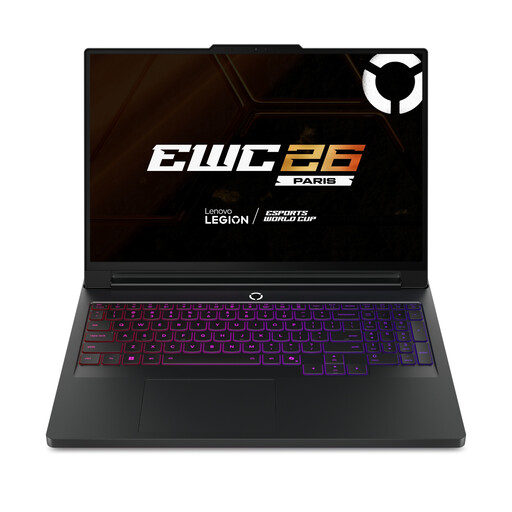 No image available
For substantial modelling, compare this configuration with the requirements of your particular projects. Its product name specifies a 16-inch display, Windows 11 Home, 64GB RAM, a 2TB SSD and GeForce RTX 5090 graphics. Check carrying needs, battery runtime and camera details if the laptop will also travel to meetings.
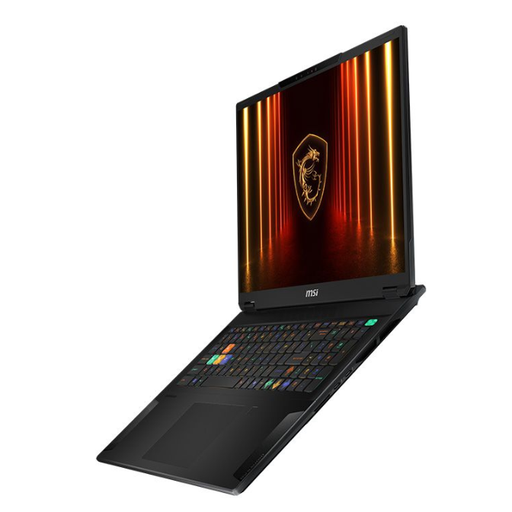 No image available
The 18-inch format may suit work involving large plans when carrying size is acceptable. The named configuration includes a 2TB SSD and GeForce RTX 4070 graphics; compare its full specification with your 3D software. Its stated weight is 2.89kg, and its battery claim is up to five hours depending on use.
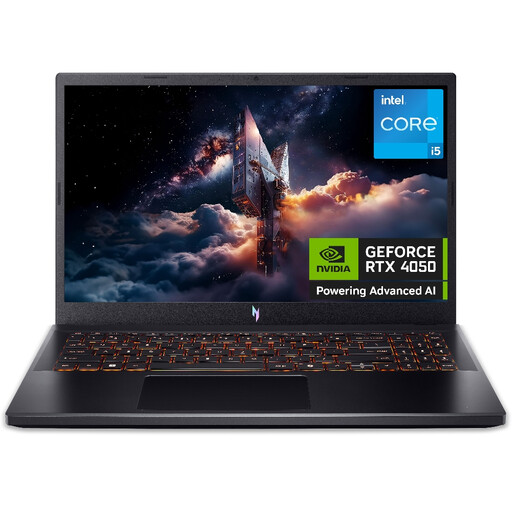 No image available
Consider this for documents and visual planning after checking your 3D tool’s graphics requirements. Its product name specifies 16GB RAM, a 512GB SSD and GeForce RTX 4050 graphics; the stated 6GB graphics memory is below the 8GB recommendation given for SketchUp desktop’s Windows hardware. Confirm the display refresh rate before buying, as the stated configurations differ.
No: budgeting, PDFs, research and compatible browser or macOS planning tools do not by themselves call for Windows. If you need Revit 2026, Autodesk lists 64-bit Windows 10 v1809 or later, or Windows 11, as its operating-system requirement.
Do not choose on memory alone. SketchUp’s guidance also addresses graphics, and the appropriate configuration depends on whether you use its web or desktop version and how complex your models are. Check the requirements for your chosen version before buying.
Choose by balancing how often you carry the laptop against how much space you need for plans and documents side by side. Check the actual screen dimensions and carrying weight of the configuration you intend to buy.
It is worth considering for precise 3D work: SketchUp recommends a three-button scroll-wheel mouse for navigation and positioning. Ordinary document and budget work does not require one for that reason.
No. It can help you organise plans and find guidance, but the answer depends on the property and proposed work. GOV.UK separates planning permission from building regulations, and its planning-register search covers England and Wales only; check with the authority relevant to the property.