Detail-focused renovation planner
If you spend long sessions comparing floor plans, dimensions, finish boards and supplier documents, prioritise readable detail and a screen position that works at your desk.


For a study desk used to review renovation plans and documents, a 27-inch 4K monitor with an adjustable viewing position is a sensible starting point. Give more weight to documented colour features if you prepare digital finish boards, or to suitable USB-C connections if you work from a laptop; consider a larger screen when you have room to position it comfortably. Check laptop compatibility and model-specific acoustic information rather than assuming that either follows from a monitor's features.
If you spend long sessions comparing floor plans, dimensions, finish boards and supplier documents, prioritise readable detail and a screen position that works at your desk.
If drawings, quotations and browser tabs live on your laptop, check whether a monitor's display connection, charging and hub features fit the way you connect it at your desk.
If you prepare mood boards or presentations, stated colour-space coverage and calibration information can help you assess a display for digital work. Use physical samples in the intended room before settling on finishes.
Start with the plans and documents you need to see, then check how the monitor will connect and fit on your desk. If colour-sensitive presentation work is central to the purchase, assess its colour specifications separately.
| Concern | What to check | Who this matters to |
|---|---|---|
| Plan and document detail | Compare screen size and native resolution, then confirm your computer's video output supports the display setting you intend to use. | If I regularly compare small annotations with quotations, I want room to arrange both without losing readable text. Around 31% of consumers would put plan and document detail first. |
| Laptop connections | Check USB-C video support, the monitor's stated power delivery against your laptop's requirements, and any ports you need. | When I bring a laptop to the study desk, I want to connect it without repeatedly rearranging chargers and peripherals. Laptop connections are the primary need for around 31% of consumers. |
| Position and reflections | Check stand adjustment, available desk depth and the screen's position relative to windows or task lights. | I need to place the screen comfortably for longer planning sessions without distracting reflections. Around 23% of consumers would make positioning and glare control their main concern. |
| Digital colour work | Review stated colour-space coverage and calibration information; use physical samples for final finish decisions. | If I prepare mood boards or presentations, I care about how digital colour is handled, while recognising that a screen cannot settle how materials look in the room. Colour-sensitive work comes first for around 15% of consumers. |
A larger display still needs a comfortable viewing position. The Health and Safety Executive advises placing the screen about an arm's length away, with its top around eye level.
Measure the usable desk depth and stand footprint; check height adjustment or VESA mounting if the supplied stand will not suit your setup.
An alternative arm or desk rearrangement may be needed to achieve that position.
Video, charging and peripheral connections depend on the laptop and the exact monitor, not the presence of a USB-C socket alone.
Check the laptop's video-output and charging requirements against the monitor's connections, power delivery and supplied cable.
An incompatible setup may require a separate charger, cable, adapter or dock.
Stated colour coverage and calibration features relate to digital images; they cannot establish how paint, fabric or tile will appear under the intended room lighting.
Use the monitor to organise options and presentations, then review physical samples in the room before making final finish decisions.
A speaker specification does not establish whether a particular monitor will meet a strict acoustic requirement in a quiet study.
If that requirement is decisive, ask for model-specific acoustic information before choosing.
The DesignVue and Creative Pro lines are relevant when renovation planning also involves CAD views or digital presentation work.
UltraSharp hub monitors are relevant to laptop-centred work involving documents and multiple connected devices.
The PA279CRV is relevant when digital finish boards call for documented colour specifications alongside laptop charging.
Its docking-oriented monitors are relevant to a fixed laptop desk where wired networking and connected devices matter.
The UltraFine 27UP850K-W is a conventional 27-inch 4K option for digital reference images and an adjustable study setup.
These choices include 27-inch 4K monitors for a study desk and larger 4K displays to consider when there is room for a comfortable viewing position. Compare each model's stated connections and screen finish with your own setup.
 No image available
Consider this model for plans and documents if a 27-inch screen fits your desk. Its title specifies a 4K IPS panel, USB-C and a height-adjustable stand. The Nano Glossy finish makes reflections worth checking against your study lighting; confirm laptop video and charging compatibility separately.
 No image available
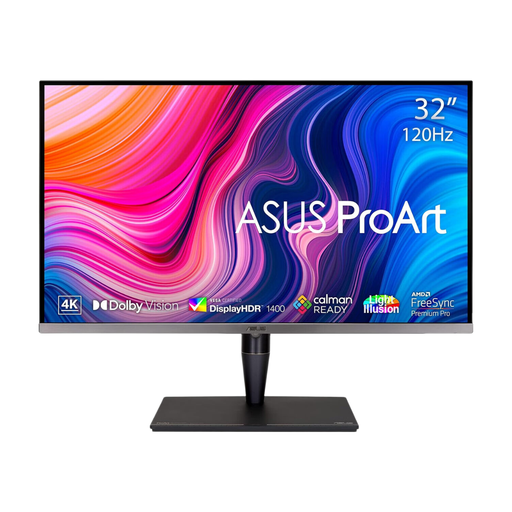
Consider the larger screen for arranging plans and other documents if your desk permits a comfortable viewing distance. The title identifies a 4K IPS Mini LED display, 120 Hz refresh rate, hardware calibration and Thunderbolt 3. Confirm the exact brightness specification before relying on it, and check laptop charging requirements separately.
 No image available
This is another larger-screen choice for reviewing renovation documents where desk space allows. Its title specifies a 4K IPS panel, USB-C and a height-adjustable stand. Check reflections on the Nano Glossy surface and confirm that your laptop supports the connection and charging arrangement you want.
 No image available
Consider this 27-inch option for reviewing plans if HDMI or DisplayPort suits your computer. The title also states a 60 Hz refresh rate and 95% DCI-P3 coverage. Check the screen surface against your study lighting, and confirm the exact connections if you need USB-C docking.
 No image available
Consider this model for a laptop-based planning desk if its connections meet your needs. The title specifies a 4K IPS display, Google TV and 65 W USB-C power delivery. Check that your laptop supports USB-C video output and whether 65 W meets its charging requirement.
Yes, if it gives you enough room for the drawings and documents you review and fits your desk comfortably. Before moving to a 31.5- or 32-inch display, check whether you can position it about an arm's length away with the top around eye level, as the Health and Safety Executive advises.
No. Confirm that the laptop supports video output through the intended USB-C connection and compare its charging requirement with the monitor's stated power delivery. BenQ UK lists 90 W for the PD2706UA and ASUS UK lists 96 W for the PA279CRV, but neither figure establishes compatibility with every laptop.
No. They are monitor features, not substitutes for positioning the screen and managing reflections. The Health and Safety Executive advises arranging the desk and screen to avoid glare, with the screen about an arm's length away and its top around eye level.
No particular consumer monitor model or stand is specified by the Health and Safety Executive guidance cited here. For workers who use display screen equipment daily as part of normal work, continuously for an hour or more, the HSE says employers must carry out a workstation assessment; its guidance includes home workers within the possible scope.