Who needs which kind of charger?
Whether you need a replacement now or a spare for another desk, the same starting point is your laptop’s exact charging specification.
Replacing a lost or damaged charger
Find the laptop’s full model identifier and, if available, its original adapter label or manufacturer part number. Check the connector and output before buying: a similar-looking tip does not establish that a charger suits your laptop.
Using USB-C for work or study
Check the manual or official specifications for inbound USB-C charging before considering a shared charger. Dell and ASUS guidance shows why this matters: USB-C port functions vary by laptop model. You also need to compare the power available from the charger with your model’s requirements, particularly if you use a dock.
Keeping a charger at a second location
A spare at home, work or a study desk can save repeated packing, but it needs the same compatibility checks as your main charger. If it will connect through a dock, check how much power the dock can pass on to the laptop.
What to check before buying
Identify the laptop and its supported charging route first; then assess power, the connector and the intended place of use.
| Concern |
What to check |
Who this matters to |
| Connector and output match |
Use the exact laptop model and original adapter label or manufacturer guidance to compare connector type and stated output voltage, current and wattage. |
When a lost charger prevents me from using my laptop for work or study, I need a replacement that matches its connection and output. About 42% of consumers would put that exact-specification need first. |
| USB-C charging and power |
Confirm that the laptop accepts inbound USB-C charging, then compare its documented power requirement with the charger’s output and any dock’s passthrough limit. |
Sharing a charger across my work or study devices only helps if my laptop actually charges through USB-C. About 33% of consumers would make verified USB-C flexibility their primary need. |
| A practical spare |
Match the spare to the laptop’s supported connection and power needs; check its UK plug arrangement and any relevant product-safety alert. |
If I leave a charger at a second desk, I want to avoid carrying the main one back and forth without accepting an unverified fit. About 25% of consumers would put a correctly matched second-location spare first. |
Laptop brands and charging guidance
These manufacturers publish model-specific information that can help you check a replacement. A brand name alone does not establish that any particular charger fits.
Apple
Apple provides adapter guidance for Mac models using USB-C or MagSafe charging.
- Apple Support UK says a Mac that charges through USB-C can use a USB Power Delivery adapter or display; identify the Mac model and its recommended adapter wattage.
- That guidance does not establish that every third-party charger is suitable for every Mac model.
ASUS
ASUS laptop models differ in adapter specifications and USB-C port functions.
- ASUS support explains where to find adapter voltage and current information and how to check a model’s USB-C functions.
- Check the exact laptop model and charging connection; a USB-C port or a broadly described ASUS-compatible plug is not sufficient evidence of fit.
Dell
Dell charging options, USB-C port functions and dock power requirements vary by model and setup.
- Dell support information can help identify whether a particular USB-C port supports charging and whether a dock supplies enough power.
- Some ports are data-only, and some laptops do not accept USB-C charging. Confirm both the laptop and dock specifications before replacing a proprietary adapter.
Lenovo
Lenovo adapter reference material covers multiple connector formats, including round-tip, slim-tip and USB-C.
- Lenovo Support directs users to parts lookup by part number when identifying adapters and substitutes.
- The range of formats and wattages means a charger cannot be selected from the Lenovo name alone.
Microsoft Surface
Surface charging routes can include Surface Connect or USB-C, depending on the device.
- Microsoft Support provides model-level charging guidance, including USB-C Power Delivery requirements for supported devices.
- Some Surface devices do not accept inbound USB-C power; Microsoft also notes that a lower-wattage charger may charge slowly or not at all.
A USB-C charger on Joybuy
This Targus option is for consideration if your laptop’s documentation confirms charging through USB-C. Check the model’s required power and charging standard, along with the charger’s product and UK plug information, before choosing it as a replacement or spare.
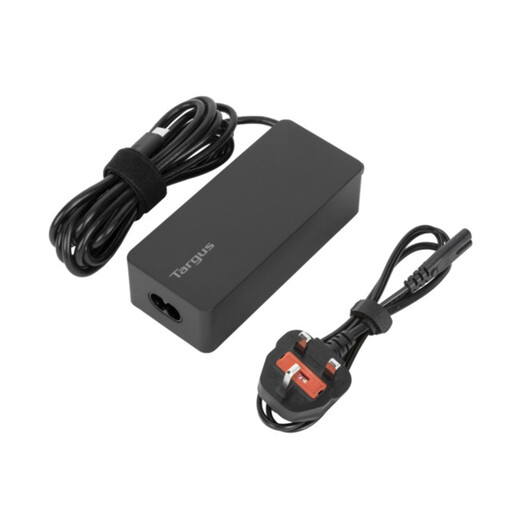 Image unavailable
Targus 65W USB Type-C Charger
Consider this for a laptop documented to accept charging through USB-C, whether you need a replacement or a charger at a second location. The product is identified as a 65W USB Type-C charger; confirm that its charging protocol and available output meet your exact laptop’s requirements. Check the product documentation and supplied plug arrangement for your intended use.
View on Joybuy
Replacement charger questions
What should I check before buying a third-party laptop charger?
Find your laptop’s full model identifier and use its manufacturer manual, specifications or original adapter label to establish the charging connection and power requirements. For a proprietary charger, compare the connector and stated output; for USB-C, confirm that the laptop accepts inbound charging before checking the charger’s power against the model’s requirements.
Will any USB-C charger work with a laptop that has a USB-C port?
No. Dell documents USB-C ports that do not charge the laptop, so the port’s shape is not proof of inbound charging. Check your exact model’s official documentation for USB-C charging or USB Power Delivery support, then compare its power requirement with the charger you intend to use.
Can I use a lower-wattage charger through a dock?
Use it only if the power reaching the laptop meets the manufacturer’s requirements for your model and setup. Dell and Microsoft describe circumstances in which insufficient power can lead to slow charging, no charging or reduced performance; a dock may also use some of the power before it reaches the laptop. Check the dock’s passthrough specification as well as the charger rating.
How can I check a charger I own for a UK safety alert?
Search the Office for Product Safety and Standards Product Safety Alerts, Reports and Recalls service using the charger’s brand, model and other identifying details. Match an alert to the specific product rather than assuming it applies to every charger of the same type.


