Home-desk users who travel occasionally
If you want to keep using your monitor, keyboard and mouse at home, establish whether a direct display cable and separate peripheral connections will suffice or whether you need a documented one-cable setup.


Choose the home-desk connection before comparing laptop specifications: match the computer to your monitor, keyboard and mouse, then decide whether you need a single connection for display, peripherals and charging. A new laptop offers a configuration you can check before ordering; a refurbished business laptop also calls for checks on operating-system support and battery condition. A USB-C socket alone does not establish that a one-cable desk setup will work.
If you want to keep using your monitor, keyboard and mouse at home, establish whether a direct display cable and separate peripheral connections will suffice or whether you need a documented one-cable setup.
For everyday office work, check the exact model’s operating-system support, battery condition and repair options alongside the seller’s terms. Microsoft says Windows 10 support ended on 14 October 2025.
If you regularly unplug the laptop to take it away, a repeatable arrangement for the monitor, peripherals and charger may matter more to your routine than a particular processor tier. Check every part of that arrangement against the chosen laptop.
Choose between a new and a refurbished laptop on the exact configuration and condition, not the range name. A direct monitor cable or a compatible dock is then a separate desk-connection decision for either laptop.
Consider it when: You want to check the specified ports, charging method and operating system for the configuration you will receive.
Keep in mind: Ports and memory options can differ within a model range; the exact configuration still has to match your desk.
Consider it when: You are willing to assess an individual machine’s condition and support before using it as your main computer.
Keep in mind: Confirm supported Windows use, battery condition, the included charger and service options; do not assume an older listing meets your travel needs.
| Concern | What to check | Who this matters to |
|---|---|---|
| Home-desk connections | Match the monitor’s input to a documented laptop video output. Check keyboard and mouse connections, plus USB-C video and charging capabilities if you want one cable. | I want to keep my existing screen and peripherals without changing cables every time I return home. Around 42% of consumers put a workable desk connection first. |
| Use away from the desk | Check the size, weight and charging arrangement; for a refurbished unit, ask about battery condition and test unplugged use promptly. | When I take the computer away, carrying it and relying on its battery must fit my routine. Around 33% of consumers put portable use first. |
| Refurbished condition and support | Confirm the exact model’s Windows 11 eligibility or installed supported system, battery information and available service documentation. | I would consider a refurbished machine if its condition and future support make sense for a main computer. Around 25% of consumers make that their primary concern. |
For USB-C desk connections, the Video Electronics Standards Association explains that DisplayPort video, USB data and power can share a USB-C connection when the relevant capabilities are supported. Check the laptop and the particular monitor or dock, including how much power reaches the laptop. For refurbished Windows machines, Microsoft’s Windows 11 requirements include TPM 2.0 and UEFI Secure Boot capability.
A USB-C connector does not, by itself, confirm video output or adequate charging power.
Check the exact laptop’s video capability and charging requirement against the monitor or dock. If the ports match, a direct monitor cable may meet your needs without a dock.
An incompatible cable, adapter or dock adds equipment without completing the intended connection.
Microsoft says Windows 10 support ended on 14 October 2025; Windows 11 has hardware and firmware requirements.
Confirm the exact model and processor, installed system or Windows 11 eligibility, TPM 2.0 and UEFI Secure Boot capability before ordering. Do not treat an unsupported upgrade workaround as evidence of ordinary support.
Microsoft notes that lithium-ion battery capacity declines with use. A tidy exterior does not tell you how long the laptop will run unplugged.
Request battery-condition information, confirm the charger supplied and test the machine promptly on delivery. Check the trader’s cancellation terms separately from remedies for faults.
A worn battery or missing compatible charger can make travel use less practical.
These business-laptop ranges illustrate configurations and desk-connection options to investigate; a brand name alone does not establish the ports or accessories on an individual laptop.
The ThinkPad E series is a reference point if you want a business laptop with a manufacturer-documented configuration.
The ProBook range is relevant to consumers comparing a new commercial laptop for desk and travel use.
Latitude laptops and Dell Pro docks offer a business-laptop-and-desk-connection route to investigate.
These laptop choices are relevant to everyday work at home and occasional use away from the desk. Compare each exact configuration with your existing equipment before choosing a direct cable or a compatible dock.
 No image available
Consider this 14-inch laptop for everyday work if its connections match your home monitor and peripherals.
The named configuration has a Snapdragon X processor, 16GB RAM and a 512GB SSD. Check the exact port arrangement and expected unplugged runtime for your setup.
 No image available
Consider whether this 16-inch configuration suits both the work you do at your desk and the amount you are willing to carry.
Its name specifies a 4K OLED touchscreen, AMD Ryzen AI 9 HX 370, NVIDIA GeForce RTX 5080 16GB, 64GB RAM and a 2TB SSD. Confirm monitor compatibility and unplugged runtime for your intended use.
 No image available
This 2-in-1 is worth considering if you want to carry one computer between a home desk and other locations.
The named variant has 16GB RAM and a 1TB SSD. Confirm its installed operating system and exact display and peripheral ports before deciding how it will connect at home.
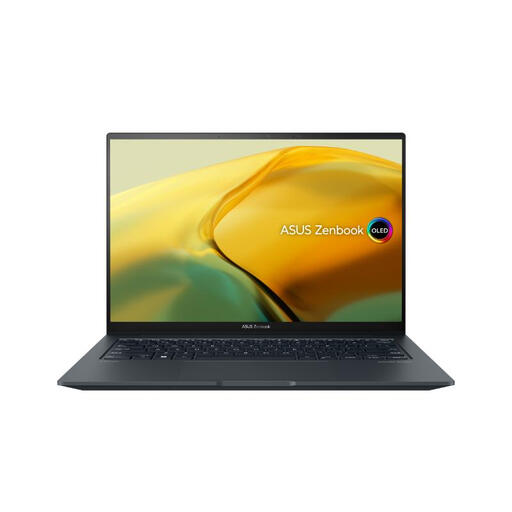 No image available
This is a laptop option for everyday productivity, subject to checking how it would connect to your existing desk.
The named variant includes a 14.5-inch OLED touchscreen, Intel Core i9, RTX 3050, 16GB RAM, a 1TB SSD and Windows 11 Home. Check its exact ports and expected battery runtime before ordering.
 No image available
If you are considering a larger 2-in-1 as your main computer, check whether it will suit the times you take it away.
The named configuration has a 16-inch touchscreen, Intel Core Ultra 5 226V, 16GB RAM, a 512GB SSD and Windows 11 Home. Check its ports against your desk equipment, and confirm its weight and expected unplugged runtime.
Identify the monitor’s video inputs and how the keyboard and mouse connect, then compare them with the ports on the exact laptop configuration. If you plan to send video over USB-C, check for documented DisplayPort Alt Mode or equivalent support; the Video Electronics Standards Association notes that suitable adapters can connect DisplayPort Alt Mode to other display inputs.
Do not assume a Windows 10-only machine is suitable as a long-term supported Windows setup: Microsoft says Windows 10 support ended on 14 October 2025. Check whether the exact laptop can run a supported Windows configuration, including the applicable Windows 11 hardware requirements, before committing to it.
Ask for battery-condition information and test charging and unplugged use promptly after delivery. Microsoft explains that lithium-ion capacity declines with use; a Windows battery report may help you assess the individual machine. Do not use a laptop with a visibly swollen battery.
For a change of mind, GOV.UK says customers must generally tell the trader within 14 days of receiving an online purchase that they want to cancel, subject to the applicable rules. Faulty or misdescribed goods are a separate matter from change-of-mind cancellation; check that the seller is a trader and ask how it handles the relevant remedy.