What should you check before buying?
For consumers replacing or adding a mains phone charger, start with the phone's requirements, then check the cable and any shared-port arrangement. Assess the seller and product identity before using the plug.
| Concern |
What to check |
Who this matters to |
| Phone compatibility |
Check the exact handset model's connector and charging protocol, then the charger's single-port output. |
If I am replacing a plug for one phone, I want to know it supports the charging mode my handset uses rather than choosing by the largest wattage on the box. Roughly 36% of consumers put phone-model compatibility first. |
| Safety and traceability |
Identify the seller and charger model; check the Office for Product Safety and Standards recall service. Do not rely on a CE or UKCA mark alone. |
When a listing comes from an unfamiliar seller, I want to identify the product and check for safety notices before plugging it in. Around 29% of consumers make sourcing and traceability their primary concern. |
| Shared charging |
Compare each port's output with one device connected and with multiple devices connected. |
If my phone shares a socket with another device, I need to know whether both can receive the output they require at the same time. For about 21% of consumers, shared-device charging comes first. |
| Cable or wireless fit |
Match the cable ends and stated power capability; for wireless charging, confirm the phone, pad and required wall adapter work together. |
If I also need a cable or would rather use a charging pad, I want that setup to work with my phone, not just the new plug. Approximately 14% of consumers prioritise cable or wireless fit. |
Joybuy charger choices
These UK-plug wall chargers cover one-phone and shared-socket setups. Match a candidate to your phone's charging requirements and check the cable you intend to use; the wattage in a product name does not establish the output available to every connected device.
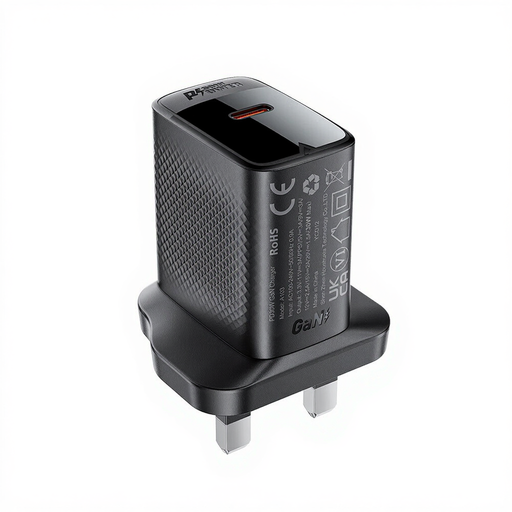 Image unavailable
ACEFAST PD30W GaN USB-C Charger, black
Consider this single USB-C charger when replacing a plug for one compatible phone.
The name states PD and 30W; check your phone's required charging mode and whether you need to obtain a suitable cable.
View on Joybuy
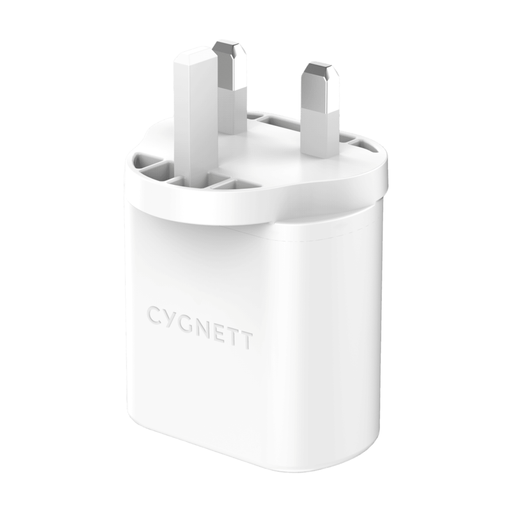 Image unavailable
Cygnett PowerPlus 32W Dual-Port USB-C Wall Charger, white UK plug
The dual-port arrangement is worth considering when a phone and another device need to share a socket.
The name states 32W; check the output available from each port when both are occupied before relying on a particular charging mode.
View on Joybuy
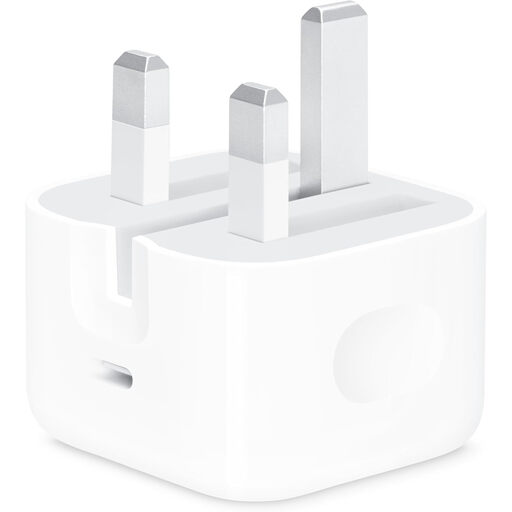 Image unavailable
Apple 20W USB-C Power Adapter
This is a single-device adapter to consider if your exact phone model and cable suit a USB-C power adapter.
The name states 20W; check the handset maker's guidance and whether a compatible cable is included or needed separately.
View on Joybuy
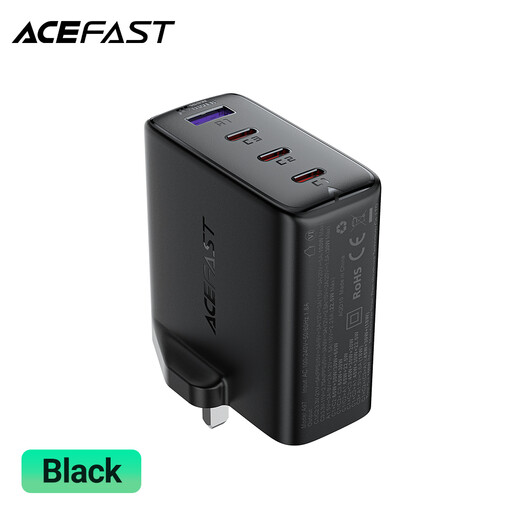 Image unavailable
ACEFAST A97 PD100W GaN Charger, 3 USB-C and 1 USB-A, UK
Consider its four-port format if several devices need access to one UK socket.
The name states PD and 100W; check the output assigned to each port during simultaneous use and your phone's supported charging mode.
View on Joybuy
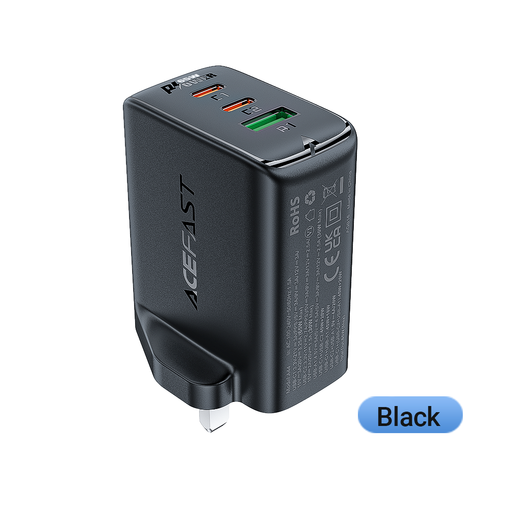 Image unavailable
ACEFAST 65 W Dual USB-C and USB-A Charger, UK plug
The two USB-C ports and one USB-A port make this a candidate for sharing a socket between devices.
The name states 65 W; compare the per-port and simultaneous-use outputs with your devices' requirements rather than assuming each port supplies that figure.
View on Joybuy
Questions about replacement chargers
Will a higher-wattage charger make my phone charge faster?
Not necessarily: a larger stated output does not change the charging mode your phone can use. Check the handset maker's protocol requirements, the charger's relevant port output and the cable before choosing on wattage alone.
Do all iPhones need a 20W charger?
No. Apple's charging guidance varies by iPhone generation, including which cable connector to use. Look up your exact model's wired charging requirements before choosing an adapter.
Do I need PPS for a Samsung Galaxy phone?
PPS is relevant if your exact Galaxy model supports the Samsung Super Fast Charging mode you want to use. Samsung UK identifies PD 3.0 PPS on its 25W adapter and limits that charging claim to compatible devices, so confirm your handset model first.
Does a CE or UKCA mark prove an online charger listing is safe?
No. For products placed on the Great Britain market, UK government guidance describes these markings as the manufacturer's belief that relevant requirements are met. Electrical Safety First advises buying USB chargers from reputable retailers; also identify the seller and model and check current recall information.
How do I check whether a charger has been recalled?
Search the Office for Product Safety and Standards Product Safety Alerts, Reports and Recalls service using the brand and model where available. If a notice identifies your charger, stop using it and follow the instructions in that notice.


