Long-session paper readers
If you read, highlight and type notes while travelling, doing fieldwork or spending a day in a library, compare carry weight, charging options and battery claims before paying for pen features you may not use.


Choose a portable laptop whose battery claim is based on a test you can interpret, rather than treating an advertised maximum as guaranteed time for PDF work. If you mainly highlight and type notes, a conventional clamshell may meet your needs; prioritise a pen-capable 2-in-1 if handwriting on papers is central to your work. In either case, check your required research software and peripherals before choosing an operating system or processor.
If you read, highlight and type notes while travelling, doing fieldwork or spending a day in a library, compare carry weight, charging options and battery claims before paying for pen features you may not use.
If you write in margins, sketch connections or mark figures directly on PDFs, check for a usable touchscreen posture and a compatible active pen. A touchscreen alone does not establish that the pen you need is included.
If your work relies on particular applications, plug-ins, institution-managed tools or peripherals, confirm that the complete setup works on the Windows device you are considering, especially if it uses an ARM processor.
Decide whether you need to write directly on PDFs, then check that your essential software works; compare portable-use and charging details among the laptops that meet those requirements. Battery figures are most useful when their test methods are comparable to one another, not as promises for an annotation session.
| Concern | Buying checks | Who this matters to |
|---|---|---|
| Runtime and portability | Compare stated battery test types and carry weights. If you plan to charge by USB-C away from a socket, confirm support and the required power for the exact laptop. | For a long reading session without a dependable socket, I need a manageable load and enough practical runtime to finish my work. Around 42% of consumers put this need first. |
| Handwritten annotation | Check the exact model’s touchscreen, active-pen compatibility and whether the pen is included; consider how you will support the screen while writing. | When I mark figures and write in PDF margins, typing notes afterwards changes how I work. Direct handwriting comes first for around 33% of consumers. |
| Research-workflow compatibility | Check the publisher’s current requirements for essential PDF and reference tools, plug-ins, VPN software and peripherals, particularly on Windows on ARM. | If an institutional application or peripheral is essential, I need it to work before an extra battery claim matters. This is the primary concern for around 25% of consumers. |
Video-streaming and web-use tests do not reproduce every PDF, syncing and browser workflow. Microsoft notes that actual Surface battery life varies with use, network conditions and settings.
Compare figures based on similar tests, leave a margin for your longest session and try your usual combination of PDF and research tools after delivery.
A touchscreen does not establish active-pen compatibility or what is in the box. Lenovo says the Yoga Pen for its Yoga 7 2-in-1 Gen 10 is optional and sold separately.
Check pen compatibility, charging arrangements and box contents for the exact configuration, including any keyboard or cover you need.
A separately supplied pen or keyboard also adds another item to carry and keep charged or connected.
Microsoft’s ARM guidance distinguishes applications that can run through emulation from software and peripherals that need suitable driver support. Adobe also documents limitations affecting some Acrobat and Reader functions on ARM.
List the PDF functions, plug-ins, VPN, printers and lab tools you rely on, then check current publisher and institutional support for the exact device.
A charger that is unsuitable for the laptop or UK use can present a safety risk. A UK Office for Product Safety and Standards report identified fire and electric-shock risks in a particular laptop charger with non-compliant plug pins.
Use the supplied charger where possible. For a replacement, check the laptop’s charging requirements, the charger’s stated power and its suitability for UK use.
The 13-inch MacBook Air is a macOS clamshell to consider when reading, highlighting and typed notes matter more than writing directly on the screen.
Lenovo’s relevant lines include lightweight ThinkPad clamshells for typed work and Yoga convertibles for touchscreen annotation.
Surface Pro models are tablet-to-laptop Windows options for readers who want to use touch and a pen alongside typed work.
These laptops cover a convertible option for changing reading posture and conventional macOS and Windows options for reading papers and typing notes. Check pen support, software setup and comparable battery-use information against your own annotation routine before choosing.
 No image available
Consider this convertible if changing between typing and a tablet-style posture matters to your paper-reading workflow.
The listed configuration runs Windows 11 Home. Confirm active-pen compatibility and whether a pen is included before relying on handwritten annotation; check a relevant battery-use figure for your time away from power.
 No image available
This macOS clamshell suits a workflow centred on reading, highlighting and typed notes rather than handwriting directly on the display.
Check your required research software before choosing macOS. Apple’s wireless-web battery figure for the 13-inch M5 MacBook Air is a test-specific maximum, not an annotation-session promise; confirm the carry weight of this configuration if it matters to you.
 No image available
Consider this Windows laptop for reading papers and typing annotations if a 15.3-inch display fits the space and load you can carry.
The title specifies Windows 11 Home and DDR5 memory. Check how its battery claim was tested before using it to plan an unplugged session; confirm USB-C charging or pen support separately if either is essential.
 No image available
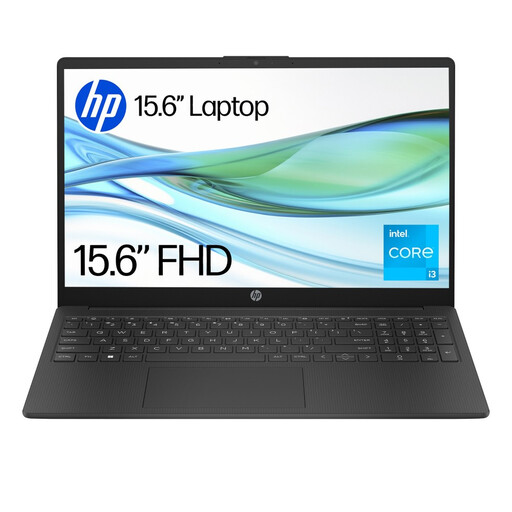
This is a Windows option for paper reading and typed notes; check that its display size and software setup suit work away from your usual desk.
The title lists Windows 11 Home and DDR4 memory. Confirm whether the exact device is supplied in S Mode and that you can install your essential PDF and research applications. Check the battery test method before planning a session without power.
 No image available
Consider this laptop for reading papers and typing notes only after checking that its Windows setup accommodates every application your research requires.
The listing describes a switch out of S Mode as irreversible. Decide whether you need that change before making it, and do not treat its mixed-use battery claim as a measure of PDF-annotation runtime.
Yes. Zotero lists support for macOS 10.15 or later and Windows 10 or later, and its PDF reader can add annotations to notes with links back to the relevant PDF page. Check the requirements of any browser connector, word-processor plug-in and institution-managed setup you also need.
No. Compare the test methods first, then allow for the way you use PDFs, the display, network connections and background applications. Apple publishes different video-streaming and wireless-web figures for MacBook Air, while Microsoft notes that actual Surface battery life varies significantly with use and settings.
It may run your essential applications, but check each one and its connected peripherals before purchase. Microsoft’s ARM guidance describes app emulation alongside driver-support conditions, and Adobe documents limitations for some Acrobat and Reader workflows on ARM.
Choose a charger that meets the laptop’s stated charging requirements and is suitable for UK use. A UK Office for Product Safety and Standards report identified fire and electric-shock risks in one laptop charger with non-compliant plug pins, so check the replacement’s specifications rather than assuming that a matching connector is sufficient.