Joybuy monitors for poster editing
These 4K monitor choices suit consumers comparing poster detail at a shared desk. Check each model’s colour specifications, positioning options and computer connections against the work you need it to do.
 No image available
ASUS ProArt PA27DCE-K OLED 4K UHD
Consider this OLED 4K model for detailed poster layouts, while checking that its colour modes suit your workflow.
The listing advises against leaving static images at high brightness for prolonged periods to reduce OLED burn-in risk. If the desk also needs laptop charging or computer switching, check those functions for this exact model.
View on Joybuy
 No image available
iiyama ProLite XUB2792UHSU-B6 27-inch 4K UHD
The 27-inch 4K format is worth comparing if you edit fine poster details at a desk used by others.
Its title specifies a 16:9 screen. Check the stand adjustment and documented colour information if repositioning or colour review will drive your decision.
View on Joybuy
 No image available
BenQ MA270UP 27-inch 4K Nano Glossy IPS USB-C
Consider this Mac-oriented 4K monitor if a compatible Mac is part of the shared-desk setup.
The product title identifies USB-C and a height-adjustable stand. Confirm the intended computers’ compatibility, charging requirements and the colour specifications needed for poster work.
View on Joybuy
 No image available
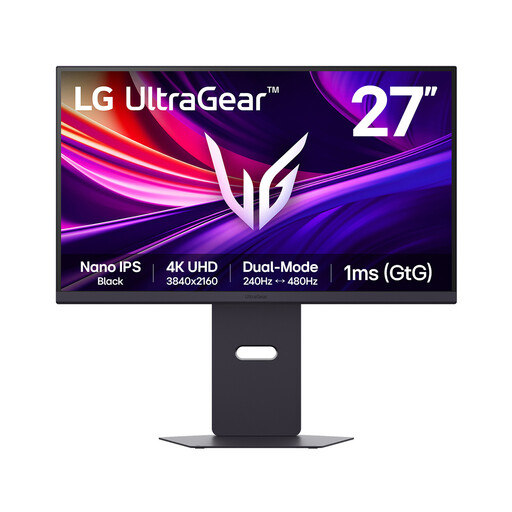
LG UltraGear G8 27G850A 27-inch 4K Nano IPS
The 27-inch 4K screen is an option for consumers who also want the gaming features named for this model.
Its product title states 99% DCI-P3 coverage; that figure alone does not establish calibration or the sRGB or Rec.709 information you may need for poster review. Check those details and the stand’s adjustment range before choosing it for a shared desk.
View on Joybuy
 No image available
LG UHD 27UP650K 27-inch 4K IPS, white
This 27-inch 4K model is another option for working on detailed poster layouts at a shared desk.
The product title states 95% DCI-P3 coverage and identifies HDMI and DisplayPort. Check the adjustment range and the colour mode relevant to your poster workflow rather than treating the gamut figure as a print-match guarantee.
View on Joybuy
Frequently asked questions
What size and resolution should I consider for a research poster?
A 27-inch 4K monitor is a starting point when you need to inspect detailed poster content without choosing a larger screen. Consider a 31.5-inch 4K model if you value a larger canvas and have sufficient desk space; ASUS and LG publish examples of these respective sizes, but neither size suits every shared setup.
Does a shared desk need a KVM monitor?
KVM matters when two computers need to share a keyboard and mouse, not simply because several people use the desk. Dell specifies Auto KVM for two PC sources on the U2724DE; check the required video and USB connections for whichever monitor and computers you intend to use.
Will one USB-C cable charge my laptop and connect the display?
Only if the laptop, monitor and cable support the intended video and charging functions. ASUS specifies up to 65W power delivery for the PA279CV, LG specifies 60W for the 32UN880K-B, and Dell specifies up to 90W for the U2724DE; compare the exact model with your laptop’s requirements.
What should a UK workplace check at a regularly used shared desk?
For workers using display screen equipment daily for continuous periods of an hour or more, the Health and Safety Executive says employers must carry out a workstation assessment. That assessment considers the whole workstation and the work, not just the monitor; changing desks regularly also calls for a basic assessment of the new setup.


