Late-night players sharing a room
If someone nearby is sleeping, studying or resting, you need a suitable headphone connection and settings that let you reduce controller sound or vibration. Button presses can still make noise.


Choose a controller that works with your exact device and rhythm game before weighing its layout or connection. In a shared bedroom, check how you will use headphones and control speaker output or vibration; a cable may suit a fixed desk setup, while wireless play avoids a trailing cable but brings pairing and power management.
If someone nearby is sleeping, studying or resting, you need a suitable headphone connection and settings that let you reduce controller sound or vibration. Button presses can still make noise.
If your rhythm games are mainly on PS5, Xbox, Nintendo Switch or Nintendo Switch 2, confirm the controller’s exact platform and game support before considering its extra controls.
If you play close to a Windows PC, a wired controller may fit your setup if you can route its cable safely. Check the controller’s input options and your game’s support before choosing it.
Start with the exact device and rhythm game, then decide whether keeping the room quieter, finding a comfortable input layout or managing the connection will determine your choice.
| Concern | What to check | Who this matters to |
|---|---|---|
| Device and game compatibility | Match the exact controller model to your console generation or operating system, then check whether the rhythm game accepts it. | A controller is of little use to me if my game will not recognise it, however well its buttons seem to suit me. Around 31% of consumers put compatibility first. |
| Sound and vibration | Check your headphone connection and the sound and vibration settings available on your platform. | When someone else is resting nearby, I want to contain game audio and reduce distracting feedback, even if that means less tactile response. Keeping disturbance down comes first for around 25% of consumers. |
| Directional and button input | Consider the D-pad and face-button layout, and whether your game permits the button assignments you want. | Repeated rhythm patterns need controls I can use comfortably; extra buttons alone do not settle that choice. Around 25% of consumers prioritise input feel and layout. |
| Connection and setup | For wired play, check the cable route; for wireless play, check the supported connection and power arrangements. | At a fixed desk I may prefer a cable to managing controller power, while another room layout may make wireless positioning more practical. Setup convenience is the primary concern for around 19% of consumers. |
Similar-looking controllers can serve different devices: 8BitDo lists its Ultimate 2C Wired Controller for Windows and Android, while its Ultimate Wired Controller for Xbox is listed for Xbox Series X|S, Xbox One and Windows.
Check the full model name against your device and confirm that your rhythm game accepts controller input.
A controller-mounted audio jack is model-specific. Xbox lists one for the Xbox Wireless Controller, 8BitDo for its Ultimate Wired Controller for Xbox, and Nintendo for the Switch 2 Pro Controller.
Check where your headphones will connect and whether the jack suits your headset before ordering.
If that connection does not suit your setup, you may need a different audio route or an accessory.
PlayStation documents vibration-intensity adjustment on PS5; Xbox Support documents switching vibration off for an Xbox Wireless Controller. Reducing feedback can help limit disturbance, but changes how the controller feels.
Decide whether tactile feedback matters to your game, and check the settings available on your chosen platform.
The DualSense is the official PS5 controller route; PlayStation also lists use with PC, Mac and mobile devices.
The Xbox Wireless Controller is a first-party route for Xbox consoles, with Windows PC and mobile-device support listed by Xbox.
Nintendo offers distinct official controller routes for Nintendo Switch and Nintendo Switch 2.
8BitDo offers separate wired routes for Windows and Android players and for Xbox and Windows players.
These controllers cover PS5, Nintendo Switch 2, Xbox and PC-oriented setups. Choose by your actual device and rhythm game, then check the audio, vibration and cable arrangements that matter in your room.
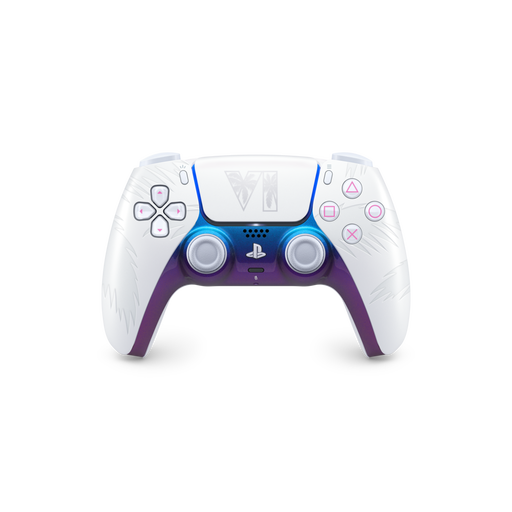 No image available
For PS5 rhythm-game play where you want to adjust disturbance, PlayStation documents PS5 controls for controller-speaker volume and vibration intensity. Confirm your game’s controller support; wireless use also means managing charging.
 No image available
For Nintendo Switch 2 players who want to consider headphone use and adaptable controls, Nintendo lists an audio jack and mappable GL/GR buttons. Check your rhythm game’s support and the vibration settings available in your setup.
 No image available
Consider this wired Xbox and PC controller for a fixed position where you can route the cable safely. Check support in your rhythm game and whether your setup lets you reduce rumble if it would disturb someone nearby.
 No image available
This wired option suits an Xbox or Windows setup if a cable can reach your playing position without crossing someone’s space. Confirm support for your rhythm game and check the vibration controls available on your device.
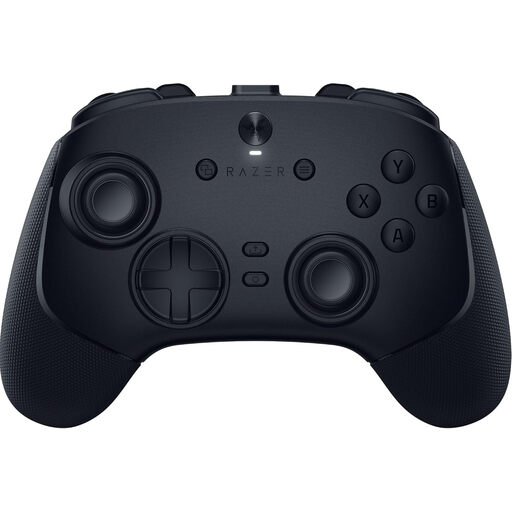 No image available
For PC play where wireless positioning matters more than avoiding power management, check that your rhythm game accepts this controller. Plan a separate headphone connection if needed, and check how vibration is controlled in your setup.
Use headphones through a connection your setup supports, and reduce controller sound or vibration where your platform permits it. PlayStation provides PS5 settings for controller-speaker volume and vibration intensity; Xbox Support explains how to switch vibration off for an Xbox Wireless Controller. These changes will not eliminate the sound of button presses.
A wired controller suits a nearby device if you can route its cable safely and would rather avoid managing controller power. Wireless play removes that cable from the setup, but you must check the connection supported by your device and manage pairing and power as applicable.
You can if the exact controller has a jack compatible with your headset and setup. Xbox lists a 3.5 mm headset jack on the Xbox Wireless Controller, 8BitDo lists a 3.5 mm CTIA jack on its Ultimate Wired Controller for Xbox, and Nintendo lists a 4-pole 3.5 mm CTIA jack on the Switch 2 Pro Controller.
Use an appropriate electrical-recycling route rather than putting the controller in ordinary household rubbish. Oxfordshire County Council classifies items with electronic parts or batteries as electrical waste; check your local authority’s collection instructions or an applicable retailer take-back service, including separate instructions for removable batteries.