Choose a controller format that your particular rhythm game and platform accept before comparing extra features. A standard pad suits button-led play, a dedicated drum suits supported Taiko titles, and a configurable controller may suit play across Windows and Switch-family devices. Each route still depends on the exact controller variant and game.
Who each controller suits
Console players using button controls
If you play on Switch, PlayStation or Xbox, start with the game version and its accepted controller types. A familiar console pad is relevant to button-led play, but console compatibility alone does not establish support in every game.
Taiko players who want physical drumming
If drum-face and rim hits are the point of playing, consider a dedicated peripheral for a named compatible Taiko title. HORI describes its PlayStation and Windows Taiko controller as wired, so allow for its cable and physical setup.
Windows and Switch players who want configurable controls
If you move between these devices or prefer a remapped layout, check the exact controller variant. 8BitDo specifies its Ultimate 2 Bluetooth Controller for Switch-family hardware and Windows; a similar product name does not establish the same compatibility.
What to check before buying
Standard gamepad
Choose it when: Your rhythm game uses conventional buttons and accepts the pad on your console.
Trade-off: A gamepad does not provide physical drum or instrument controls.
Dedicated Taiko drum
Choose it when: You want drum and rim inputs for a supported Taiko game on the matching platform.
Trade-off: The named HORI PlayStation and Windows model is wired, takes space to set up and is intended for particular titles.
Configurable controller
Choose it when: You want a supported controller variant for Windows and Switch-family play with adjustable button mapping.
Trade-off: Mapping options do not establish that a particular game accepts the inputs you intend to use.
| Concern |
What to check |
Who this matters to |
| Game and platform compatibility |
Match the game version, console generation and exact controller model; check which inputs the game accepts. |
I do not want a controller that connects to my console but cannot control the game I play. Around 36% of consumers put exact game and platform compatibility first. |
| Physical drum play |
Check the named Taiko game and platform, then allow for a wired connection and space for the drum and stand. |
I want to strike a drum face and rim instead of playing with face buttons. For around 29% of consumers, that physical input is the main concern. |
| Cross-device configuration |
Compare the exact variant’s supported devices and software with the layout you intend to use. |
Switching between Windows and Switch-family play makes the controller variant and adjustable layout important to me. Around 21% of consumers prioritise this flexibility. |
| Simple shared play |
Check the game’s player limit and accepted controls before deciding whether you need another controller. |
I would rather use supported controls I already have for occasional play with others. That straightforward setup comes first for around 14% of consumers. |
Purchasing mistakes to avoid
-
Assuming similar model names mean identical compatibility
8BitDo specifies the Ultimate 2 Bluetooth Controller for Switch-family hardware and Windows, while its Ultimate 2 Wireless Controller is specified for Windows and Android.
Match the full variant name against the manufacturer’s platform list and your game’s controller requirements.
-
Buying a Taiko drum for every rhythm game
HORI describes its PlayStation and Windows drum controller for named Taiko no Tatsujin games, not as a controller for all rhythm titles.
Confirm the game and platform before choosing the drum instead of a standard pad.
The named HORI controller requires the game software separately.
-
Treating console pairing capacity as a game’s player limit
Nintendo says a Switch can pair with up to eight wireless controllers. That console specification does not tell you how many people your chosen rhythm game supports or which controls each player can use.
Check the game’s local-player options and accepted controller types before buying extras.
Relevant brands and controller lines
HORI
A specialist option for players considering a dedicated Taiko controller.
- HORI describes its PlayStation and Windows Taiko model as a wired drum with a pressure-sensitive face and rim, drumsticks and a stand.
- Its stated use is tied to named Taiko no Tatsujin titles and compatible platforms, not rhythm games generally.
Nintendo
A conventional controller line to consider for button-led Switch play.
- Nintendo says the Switch Pro Controller has the same buttons as Switch handheld controls.
- Check the chosen game’s supported play styles rather than assuming it accepts a Pro Controller for every mode.
PlayStation
The DualSense line is relevant to players choosing a standard PS5 pad.
- Sony lists haptic feedback and adaptive triggers for DualSense.
- Those features depend on game support and may require USB; for a PS4 title played on PS5, check that title’s supported controllers.
Xbox
A standard-controller line relevant to Xbox and Windows players.
- Xbox specifies Xbox Wireless and Bluetooth connectivity for its Wireless Controller across supported consoles, PCs and selected mobile devices.
- Device compatibility does not establish support for every rhythm game or a specialised instrument input.
8BitDo
A configurable-controller line relevant to Windows and Switch-family play, depending on the variant.
- 8BitDo specifies Switch-family and Windows compatibility for the Ultimate 2 Bluetooth Controller and offers configuration through Ultimate Software.
- The similarly named Ultimate 2 Wireless Controller has different stated platform compatibility; check the exact variant and game.
Joybuy choices for standard-pad play
These controllers are standard pads to consider for button-led rhythm games on their stated platforms. Before choosing either, check that your game and its particular version accept the controller.
 No image available
Turtle Beach Afterglow Ignite Time Wired RGB Controller – Time Machine, Xbox and PC
Consider this wired standard pad for button-led play on Xbox or PC if your game accepts it.
Its product name identifies a wired RGB controller; check whether a cable suits your playing position.
View on Joybuy
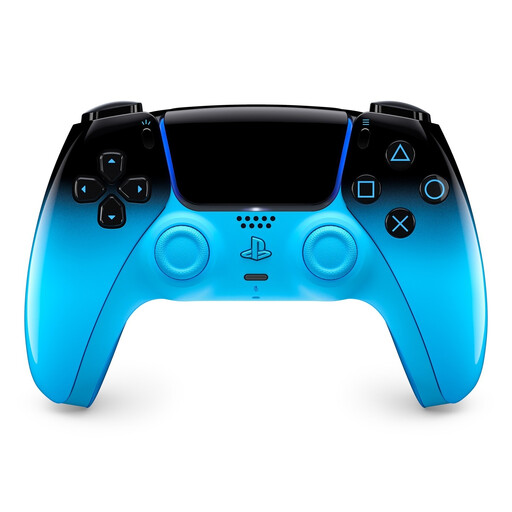 No image available
Sony DualSense HYPERPOP Rhythm Blue Wireless Controller – PS5, PC, Mac and Mobile
Consider this standard pad for button-led PS5 play if your game accepts DualSense controls.
The named variant is wireless and is also listed for PC, Mac and mobile use; check game and connection support on the device you intend to use.
View on Joybuy
Common questions
Will any controller work with any rhythm game?
No. Match the game, its platform version and its accepted input types to the exact controller. HORI names particular Taiko no Tatsujin titles for its PlayStation and Windows drum controller, while Bandai Namco lists several different play styles for Taiko no Tatsujin: Rhythm Festival.
Can I use a PS4 controller for a rhythm game on PS5?
Sony says DUALSHOCK 4 and officially licensed third-party PS4 gamepads work on PS5 with supported PS4 games. Check whether you are playing the PS4 or PS5 version of the rhythm game and which controllers that version accepts.
Will a configurable controller’s remapping or macros work in my game?
Not necessarily. 8BitDo offers mapping and macro features through Ultimate Software for supported devices, but you still need to check the rhythm game’s accepted inputs and any rules governing macro use.
What should I check when disposing of an old controller in the UK?
Look for the crossed-out wheelie-bin symbol, which GOV.UK says electrical products and batteries should display. Check your local council’s guidance for collection options for the controller and any removable batteries.


