What to check before buying
Decide which matters most in your room: a usable high-refresh mode, a screen that fits the desk and connects easily, or more space for work alongside gaming. Then check the exact monitor and computer connections before choosing between compact Full HD and larger QHD models.
| Concern |
What to check |
Who this matters to |
| Usable refresh and motion |
Check the monitor’s refresh limit for your chosen input and whether your computer can sustain the frame rate you want. Treat response-time ratings as manufacturer specifications, not measurements of total game delay. |
If I play for precise visual timing, I want a fast mode I can use consistently rather than a headline number I cannot reach. Around 40% of consumers would put usable refresh and motion first. |
| Desk fit and connections |
Measure the available width and depth with the stand in place; check adjustment or mounting options and whether your computer offers a compatible video output. |
When my monitor shares a cramped desk with study equipment, its footprint and connection need to work without complicating the setup. Roughly 40% of consumers would make desk fit and connection compatibility their primary concern. |
| Study and gaming use |
Compare the workspace offered by 24–25-inch Full HD and 27-inch QHD, then check the game frame rate your computer can maintain at the chosen resolution. |
If I read and multitask on the same screen every day, I may accept a larger display and greater graphics demand for more desktop space. For around 20% of consumers, that balance would come first. |
Joybuy monitor choices
These monitors cover compact Full HD and larger-screen routes for a student-room rhythm-game setup. Check your desk measurements and the refresh mode available from your own computer before choosing; the larger models serve different space and multi-use priorities from a 24-inch screen.
 No image available
KOORUI MG24A12FV2 24-inch curved monitor
Consider this model if a 24-inch screen is easier to accommodate on your student desk.
- Full HD VA panel, 1500R curve and stated 180Hz refresh rate.
- Two HDMI inputs, DisplayPort, tilt adjustment and VESA compatibility are stated in the product name.
- Check which input and computer output can deliver your intended refresh mode.
View on Joybuy
 No image available
HKC G27H2DPro 27-inch QHD monitor
Consider the larger QHD format if the screen will also be used regularly for reading or multitasking.
- The product name specifies a 2560 × 1440 Fast IPS panel and 220Hz refresh rate.
- Allow room for a 27-inch screen and check your computer’s game frame rate at QHD.
- Confirm that your chosen connection supports the refresh mode you intend to use.
View on Joybuy
 No image available
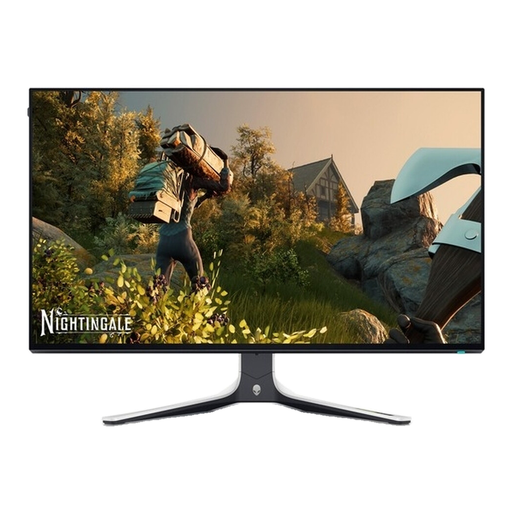
Alienware AW2724HF 27-inch Full HD monitor
This is a larger Full HD option to assess if high refresh matters more to you than a compact screen.
- The product title states a Fast IPS panel and 360Hz, but confirm the AW2724HF’s supported mode for your chosen input before buying.
- Measure the space available for its 27-inch screen.
View on Joybuy
 No image available
Dahua 32-inch-class curved QHD monitor
Consider this larger format only after checking that its footprint works on your desk.
- The product name states a 2560 × 1440 VA panel and 180Hz refresh rate.
- For the stated QHD modes, the product information distinguishes 180Hz through DisplayPort from up to 144Hz through HDMI. Check which connection your computer can use.
View on Joybuy
 No image available
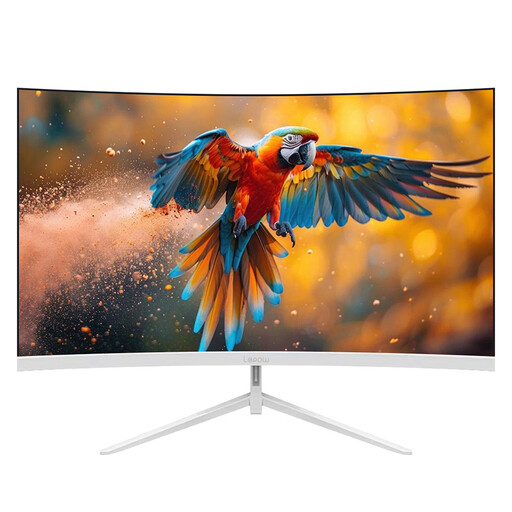
Lepow HC-27Q5 27-inch curved monitor
Consider this 27-inch screen if you want one monitor for desk work and gaming and have measured the available space.
- The product name states a 180Hz refresh rate; the supplied product information identifies a Full HD curved VA display.
- Confirm the refresh mode available through your computer’s chosen connection.
View on Joybuy
Frequently asked questions
Will a monitor automatically run at its advertised refresh rate?
No: the monitor input, computer output and cable must all support the mode you want. For example, ASUS UK specifies 310Hz through DisplayPort but 240Hz through HDMI for the VG259QMRL5A, so check the limits for the exact model and connection.
Is a 24–25-inch or 27-inch screen easier to choose for a student room?
A 24–25-inch Full HD screen is the more compact route when desk fit and game frame-rate headroom are priorities. Consider 27-inch QHD if you want more desktop space for coursework and can accommodate both the larger screen and the greater graphics demand.
Can I connect a laptop with a single USB-C cable?
You can use USB-C video when both the laptop port and the monitor support the required mode. ASUS lists USB-C DisplayPort Alt Mode for its ROG Strix XG259CS; check your laptop’s port specification rather than relying on the connector shape alone.
What should I check about warranty and returns?
Check the exact seller’s warranty terms and the listing’s return procedure before ordering. In particular, confirm how dead-pixel concerns are handled and who arranges collection or return shipping; do not assume those details are identical across monitors or sellers.
How should I dispose of an old gaming monitor?
Use an appropriate electrical-equipment recycling route rather than treating the monitor as ordinary household waste. GOV.UK describes UK electrical and electronic equipment rules as intended to reduce waste sent to landfill or incineration; check the disposal options available to you when replacing the screen.


