What matters when choosing?
For a road trip built around market stops, decide how you will access maps and trip details first. Then weigh outdoor viewing, note-taking and the apps your plans depend on.
| Concern |
What to check |
Who this matters to |
| Access away from Wi-Fi |
Check the exact Wi-Fi or cellular variant and whether your map app can save the whole planned route. Google Maps Help says offline driving lacks traffic information and alternative routes. |
I need routes and market details available between stops, whether I prepare them in advance or use mobile data. Around 36% of consumers prioritise access to that trip information. |
| Outdoor viewing and protection |
Compare the exact model’s stated brightness mode and water- or dust-resistance rating; neither establishes visibility or protection in every condition. |
If I will read lists while walking around outdoor stalls, I want a screen I can assess for daylight use and a tablet suited to the conditions. Around 29% of consumers put outdoor usability first. |
| Planning and note-taking |
Check carrying size and storage, plus whether a compatible pen or keyboard is included in the particular bundle. |
I want to revise an itinerary and keep market lists at stops without carrying a laptop. For around 21% of consumers, comfortable planning and note-taking are the main concern. |
| Essential app access |
Confirm that your chosen maps, notes and other planning apps work on the tablet’s operating system. Amazon says Google Play is not supported on Fire tablets. |
I need my familiar planning tasks to work before I choose a tablet for browsing and lists. Around 14% of consumers place access to essential apps first. |
Tablets for planning market stops
These Joybuy tablets offer different screen sizes, storage choices and stated connectivity for preparing routes and market lists. Check your mapping apps and the exact connection you need before choosing; a reference to 5G Wi-Fi does not mean a tablet has 5G mobile service.
 No image available
TECLAST ArtPad Pro 2025 Edition, 12.7-inch, 256GB, 4G LTE
Consider this larger-screen option if you want room for plans and handwritten notes at stops. The name specifies a 2K display, GPS and an included stylus. If mobile access matters, confirm UK network compatibility and the required service; also check your preferred mapping app’s offline features.
Joybuy
 No image available
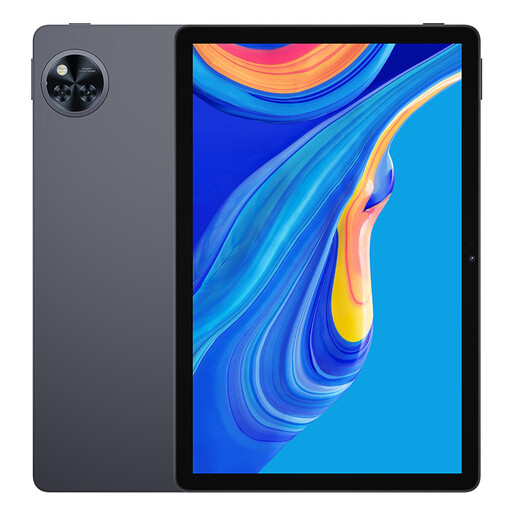
DOOGEE U11, 11-inch, 128GB, Grey
This 11-inch option provides space for maps and market lists at stops. Its name specifies GPS and Wi-Fi, but does not establish independent mobile-data access; check your mapping app’s offline functions. If the processor affects your choice, confirm the exact specification before purchase.
Joybuy
 No image available
Apple iPad Pro 11-inch (M5), Wi-Fi, 1TB, Standard Glass, Silver
This Wi-Fi configuration suits advance preparation when you can download the information needed for your stops. Google Maps Help says offline guidance requires the whole route to fit within the saved area and does not include live traffic or alternative routes. Check the exact bundle if a pen or keyboard is important to your planning.
Joybuy
 No image available
Samsung Galaxy Tab A11+, 11-inch, 128GB, Wi-Fi, Grey
This Wi-Fi model offers an 11-inch screen for reviewing routes and market information at stops. Check that your chosen maps app can save the areas you need before travelling, and confirm the precise configuration if independent mobile access is essential.
Joybuy
 No image available
DOOGEE U11 PRO, 11-inch, 256GB, Black
Consider this 11-inch option for keeping plans and lists on a tablet with the stated 256GB storage. Before relying on it during the trip, check your mapping app’s offline functions and the connection required for your planned use.
Joybuy
Frequently asked questions
Can I hold a tablet to follow a map while driving in the UK?
No. GOV.UK states that holding and using a tablet or another data-capable device while driving is illegal, including when stopped in traffic. Hands-free use must not block your road view or distract you from proper control of the vehicle; make changes after stopping safely.
Can a Wi-Fi tablet work for a road trip?
Yes, if the information you need is ready before you leave Wi-Fi. Google Maps Help says offline guidance works when the entire route lies within the downloaded area, but offline driving does not provide traffic information or alternative routes.
When is a cellular tablet worth considering?
Consider one when the tablet itself must retrieve route or market updates away from Wi-Fi and you do not want to depend on phone tethering. Confirm the exact cellular variant and compatible network service: Apple separates Wi-Fi and Wi-Fi + Cellular iPad models, and Lenovo says the Tab P11 5G requires a network service provider.
Will a pen or keyboard come with the tablet?
Check the exact bundle before assuming either accessory is included. Lenovo describes the Tab P11 5G keyboard and Precision Pen 2 as optional, and Amazon describes the Fire Max 11 keyboard case and stylus as optional.
Will a Fire tablet run my usual Android planning apps?
Check each app rather than assuming it will. Amazon says Google Play is not supported on Fire tablets, so confirm that the maps, notes and other planning functions you need are available in the Fire ecosystem.


