Vision-prototype builder
You need a clear route to computing and camera development more than you need to assemble the robot’s legs.


Choose an assembled quadruped if you want to start software experiments without building the legs; choose a kit if assembly, calibration and mechanical changes are part of your gait-control work. In either case, check the exact model’s software and hardware interfaces: features listed for one variant do not establish compatibility across a whole product family.
You need a clear route to computing and camera development more than you need to assemble the robot’s legs.
You want to assemble or modify a quadruped and work through actuator setup and calibration.
Your project depends on particular control or electrical interfaces, so the exact variant matters.
| Concern | What to check when buying | Who this matters to |
|---|---|---|
| Programming and control access | Check the supported SDK, exact model and control level; verify that any required electrical interface is documented for that variant. | If my gait project depends on particular motion commands or external control hardware, I would confirm those interfaces first. Consumers who put programming and control access first account for about 31%. |
| Camera and sensor integration | Check which camera or sensors come with the exact configuration and whether your software can access their data. | When my experiment needs camera or sensor data, I would check the data path rather than relying on a feature label or demonstration. Consumers who prioritise vision or sensor integration account for about 25%. |
| Assembly and hardware dependencies | Compare the package contents with the build guide, including the controller, power equipment and calibration steps. | If I want to learn through assembly or change the mechanism, I would allow for the hardware and setup the specific kit requires. Consumers who put building and modifying the robot first account for about 25%. |
| Keeping a project usable | Check parts and software compatibility for the exact variant, and confirm seller support and delivery terms before ordering. | When I expect to maintain or extend a working prototype, I would check that future parts and software suit the model I am buying. Consumers who prioritise parts and software continuity account for about 19%. |
Unitree’s documentation distinguishes the Go2 EDU interfaces from Go2 Air and Pro; Air and Pro do not support the extended electrical interfaces described for EDU.
Match the interface your project needs to the manufacturer’s documentation for the exact Go2 variant before choosing.
A build can involve separate stages for electronics, wiring, power and calibration, so a base kit may not be ready for immediate programming.
Compare the exact package contents with its build guide and identify any additional electronics or power components you will need.
Petoi specifies a servo-dependent arm upgrade for Bittle X, while Luwu Dynamics’ published xgo_doglib compatibility list does not explicitly name XGO-Lite3.
Check the precise model, servo variant, firmware and library compatibility against your planned project.
These brands represent different development routes rather than blanket endorsements; check the exact package and variant against your project.
The XGO-Lite3 is an assembled desktop platform for motion and onboard-computing experiments.
Bittle X V2 has construction and pre-assembled options for programmable quadruped projects.
The mechDOG route centres on assembling a quadruped and working with its electronics and smart servos.
Go2 EDU is a developer-oriented route when its documented interfaces match the project.
WAVEGO offers an ESP32- and Raspberry Pi 4B-based dog-like robotics route, with assembled and kit variants described by Waveshare.
These Joybuy product choices are Unitree quadruped models. Check each model’s software access against your project: the Go2 Pro product description says it does not support secondary development.
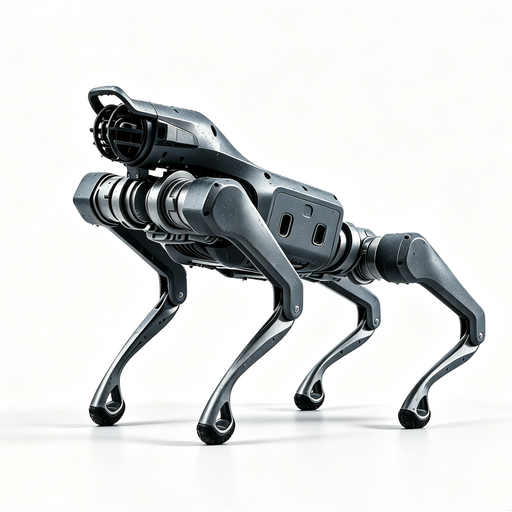 Image unavailable
Before choosing it for a development project, confirm that its interfaces support the experiments you plan to run. The product information calls for an open, clutter-free area of at least 6 m × 6 m and warns against touching the robot while it is moving.
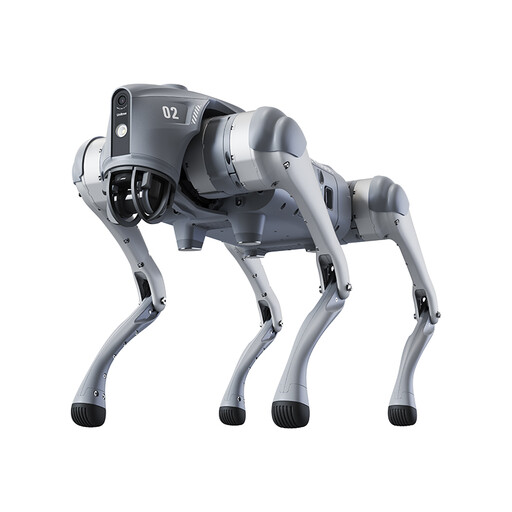 Image unavailable
Consider this model only if your project does not require secondary development: its product description explicitly says that secondary development is not supported. The instructions call for a clear operating area of at least 6 m × 6 m, warn against touching the robot while it is moving, and state that it is not suitable for people under 14.
The product title lists 360° panoramic vision, SLAM navigation, a maximum speed of 4.7 m/s and 90 mins battery life; confirm the relevance of these stated specifications to your intended use.
No. Check the exact model’s documented access to image or sensor data and the computing hardware included. A camera feature or demonstration alone does not specify which interface your program can use.
Start with the exact package contents and build guide. The Lynxmotion mechDOG guide includes servo setup, electronics, wiring, power and calibration stages; Petoi’s construction and pre-assembled configurations are distinct options.
No. Petoi says the lite servos on Bittle X cannot physically support its arm, and specifies an arm kit plus ten alloy servos for that upgrade. Check the servo variant in the package you are considering.
GOV.UK guidance says online customers have a time-limited cancellation right even when goods are not faulty. Check the applicable guidance and seller terms for your purchase, and distinguish cancellation from remedies for faulty or misdescribed goods.
Yes. The Information Commissioner’s Office says data-protection law applies in the home-CCTV situation it describes when recording extends to another person’s property, a public area or a communal space. This is not a robot-specific ruling, so consider the actual recording activity and setting.