Public-display organisers
You need an engaging moving exhibit that can operate within a venue-specific safety and crowd plan. The Health and Safety Executive (HSE) says event organisers are responsible for maintaining overall event safety.


Choose a compact programmable quadruped when visitors need to examine coding, mechanisms or close-range actions; consider a larger operator-controlled model when movement is central and the venue can accommodate a controlled demonstration area. Before any robot moves near visitors, plan the event-specific risk assessment, operator and crowd roles, battery arrangements and any camera or microphone use. Manufacturer feature descriptions do not establish dependable performance at your event.
You need an engaging moving exhibit that can operate within a venue-specific safety and crowd plan. The Health and Safety Executive (HSE) says event organisers are responsible for maintaining overall event safety.
You want visitors to connect movement with coding, mechanisms or sensors in a supervised session. Petoi, ELECFREAKS and Hiwonder document coding or action-editing options for relevant robot models.
You need to plan repeat sessions, transport, battery changes and support between venues. London Fire Brigade advises that damaged, short-circuited or improperly charged batteries can present a fire risk; check the exact accessories and charging arrangements for your setup.
For a public STEM display, settle the operating boundary and responsible staff before choosing movement features; the HSE identifies risk assessment as a key part of event safety planning.
| Concern | What to check | Who this matters to |
|---|---|---|
| Controlled movement | Plan the movement area, visitor boundary, operator sightlines and stop procedure for the venue. | I need a clear boundary and staffed stop plan before the robot moves near visitors. About 36% of consumers prioritise controlled public movement. |
| Repeatable interaction | Rehearse the exact routine, restart and staff-controlled way visitors can take part. | I want an engaging demonstration that staff can repeat and explain without handing over unrestricted control. About 29% of consumers prioritise repeatable visitor interaction. |
| Coding and sensors | Confirm the exact model, included board or sensors, programming environment and required interfaces. | I need visitors to see how code or sensor input connects to an action, rather than watch movement alone. About 21% of consumers prioritise coding and sensor teaching. |
| Transport and continuity | Check case fit and contents, battery and charger compatibility, charging arrangements and the seller’s actual support terms. | When sessions run at different venues, I need a workable transport, power and support plan between visits. About 14% of consumers prioritise transport and operating continuity. |
A control feature does not assess crowd movement, sightlines or what could happen if the robot acts unexpectedly in your venue. The HSE recommends planning event safety and managing pedestrian routes.
Set the operating boundary and staffed stopping procedure first, then rehearse them with the exact robot in the intended space.
Unitree distinguishes the Go2 EDU’s extended development interfaces from the Pro and Air versions.
Specify the exact variant and confirm the interfaces needed for your coding or sensor activity before choosing a lesson plan.
Packages and accessories can differ: confirm whether the exact configuration includes the controller, case, batteries and charger your event plan requires.
Ask for an itemised package list matched to the transport plan and session schedule rather than assuming accessories are included.
A live view or recording that involves identifiable people can raise data-protection questions, even when filming is not the exhibit’s purpose. Information Commissioner’s Office guidance says that switching everything off by default is not invariably required.
Decide which functions the event will use, whether they capture or transmit personal information, and what privacy arrangements are needed before operation.
A compact coding-and-movement option for supervised, close-range explanation.
An education-oriented option when a micro:bit and MakeCode lesson is central to the display.
A compact option for teams prepared to configure and explain programmed actions.
The Go2 family offers a larger moving-display route, with configurations that differ in control and development interfaces.
These listings cover robot dogs with movement or interaction features that organisers may assess for a supervised STEM display. A product listing does not establish suitability for a public event: assess the exact model, movement area, controls, operator plan and visitor boundaries before use.
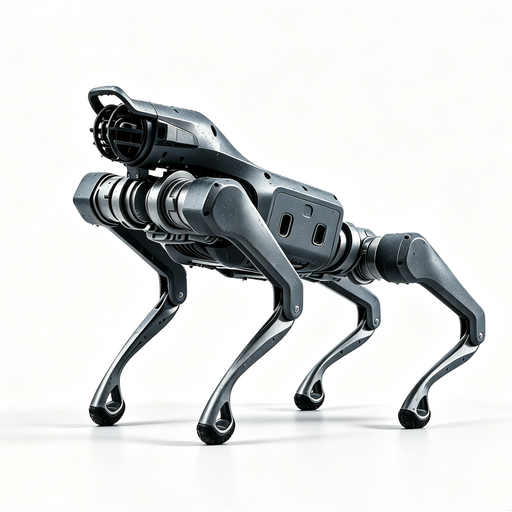 Image unavailable
For a floor-moving display, check whether the venue can accommodate the stated operating area. The listing specifies an open area of at least 6 m × 6 m and says not to touch the robot while it is moving; it also describes voice interaction and following functions.
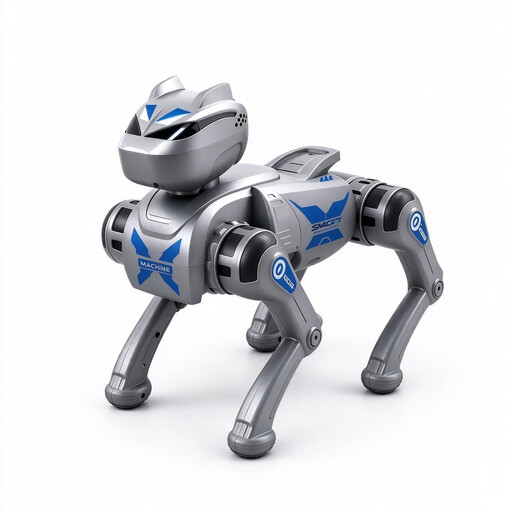 Image unavailable
Consider this only for a staff-directed interactive segment if its controls and movements fit the event plan. The listing describes gesture, voice and 2.4G remote control, stunts and dancing to music, and identifies it as a children’s toy; that description does not establish suitability for use around an event audience.
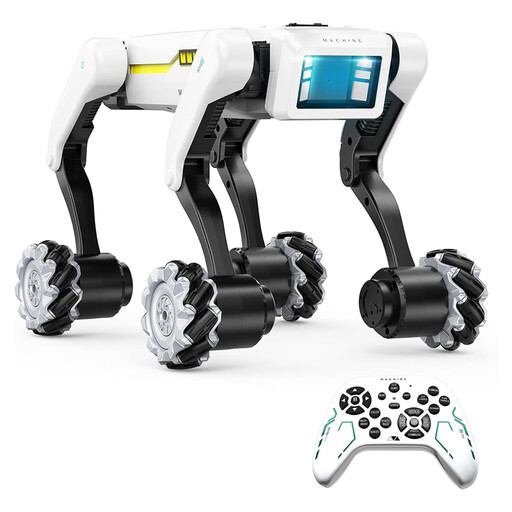 Image unavailable
For an activity about programmed actions, check that the listed controls suit the demonstration you intend to rehearse. The description identifies voice interaction and programmable action sequences, and specifies adult assembly and battery replacement with adult supervision during use.
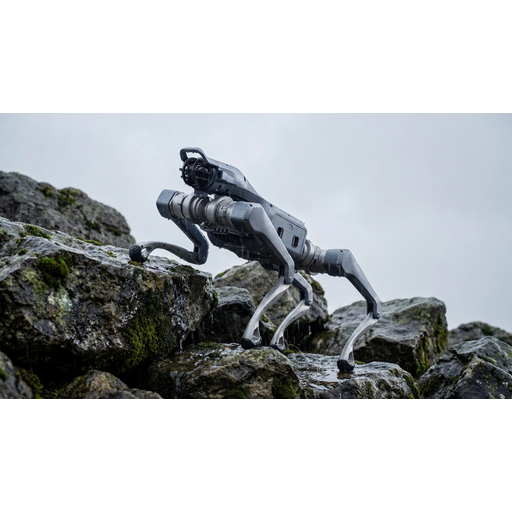 Image unavailable
For a supervised moving demonstration, follow the listing’s operating precautions and plan the movement area accordingly. It specifies a trained operator with a remote emergency-stop command for public or unmapped operation, at least 2 m distance during high-speed manoeuvres or autonomous testing, and a risk of pinching at powered joints.
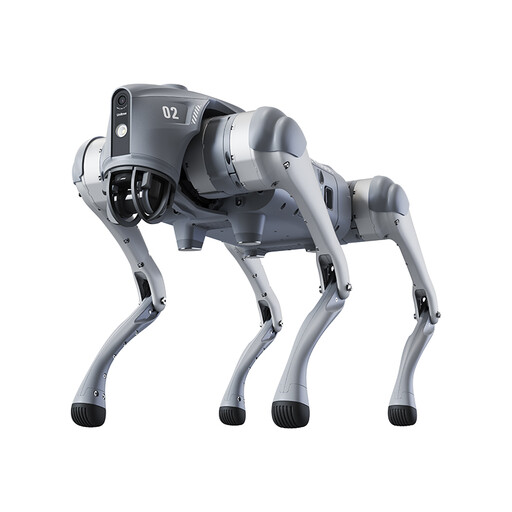 Image unavailable
For a staff-operated movement demonstration, check the exact controller configuration and the venue’s visitor boundaries. The listing describes handheld remote control and movement actions, along with panoramic vision and SLAM navigation; its supplied safety information says the product is not suitable for people under 14 and advises extreme caution where children are present.
Only if the event-specific assessment supports a defined interaction and a competent team can supervise it. Decide who holds the controller, how movement is stopped and how staff keep visitors outside the operating area; a manufacturer’s control feature alone does not settle that decision.
Include charging and battery handling in the venue plan. Check the exact manufacturer instructions and charger, protect batteries from damage, and agree a charging position and session breaks with the venue. London Fire Brigade identifies damaged, short-circuited and improperly charged batteries as risks; this is not a robot-specific run-time assessment.
There is no blanket answer for every demonstration. Establish whether the exact configuration captures or transmits identifiable visitor images or voices, why the function is needed and how it will be controlled. If personal information is processed, assess the applicable data-protection obligations and limit use to the stated purpose; Information Commissioner’s Office guidance says that switching everything off by default is not invariably required.
No single answer applies to every product and part of the UK. UK government guidance says Great Britain continues to recognise CE marking alongside or instead of UKCA marking for relevant regulated products, subject to the applicable product rules. The guidance distinguishes Great Britain from Northern Ireland, so do not apply its Great Britain statement automatically to Northern Ireland. Check the exact robot and charger requirements with the supplier; a product mark is not an event-safety assessment.
Ask the seller to specify support for the exact configuration, who handles faults in the UK, and the terms for batteries, charger, controller and transport case. A product or accessory listing does not establish the scope of a repair commitment or what is included in the package.