
24/7 Customer Support

Free returns

Same-day & Next-day Delivery

Quality Guaranteed

Unlock Your Welcome Offers: FREE Delivery | Up to 80% OFF | Free 30-day JoyPlus trial
Download the APP
A robot vacuum cleaner can reduce the amount of daily sweeping and vacuuming, but the wrong model may create more work than it saves. UK homes vary widely, from compact flats with thresholds and narrow furniture to multi-room houses with carpets, hard floors and pet hair.
Marketing often focuses on a large suction figure or a long list of smart features. However, the details that affect everyday satisfaction are usually less visible. Before choosing a robot vacuum and mop, check how it maps your home, how much maintenance it requires and whether its controls suit your routine.
An 8000Pa robot vacuum may appear more capable than a 5500Pa model, but suction figures do not describe every part of cleaning performance. Brush design, floor clearance, carpet detection, navigation and filtration also influence how well a machine collects dust and pet hair.
For homes with hard floors and low-pile carpets, a well-configured pet hair robot vacuum with a suitable brush and regular maintenance may be more practical than simply choosing the highest advertised number.
A smart robot vacuum can map rooms, but it still needs a prepared environment. Loose cables, tasselled rugs, clothing and long curtains can become tangled in the brush. LiDAR also does not remove the need to check thresholds, steps and areas with fragile objects.
Look for features such as room zoning, no-go areas, recharge-and-resume cleaning and obstacle avoidance. These are more useful indicators of everyday convenience than a generic “intelligent” label.
A standard robot vacuum still needs its dustbin emptied, filters cleaned and brushes checked. A self-emptying robot vacuum reduces the frequency of emptying, but its station may use disposable bags or require cleaning itself.
Mopping adds further upkeep. Water tanks and mop pads should be emptied, washed and dried according to the manufacturer’s instructions. A model with automatic mop washing and drying may cost more initially, but it can reduce hands-on care for busy households.
A LiDAR robot vacuum or laser navigation robot vacuum uses distance measurements to create a map and plan routes. This is particularly useful in multi-room homes because the robot can follow systematic paths rather than moving randomly.
Check whether the model supports:
A robot vacuum with mapping is not automatically suitable for every floor plan. Measure narrow gaps and check the robot’s height against the clearance beneath sofas, beds and cabinets.
Suction is normally listed in pascals, such as 5500Pa, 6000Pa or 8000Pa. Treat this as a comparison point rather than a complete performance guarantee. Adjustable power is useful because quiet or standard settings can be suitable for daily cleaning, while higher power may help with embedded debris.
For pet owners, also check whether the product includes anti-tangle features, carpet suction adjustment or a brush designed to reduce hair build-up. Confirm that the robot is intended for your combination of carpets, rugs, tiles, laminate or sealed wooden floors.
A robot vacuum and mop may use a water tank and cloth, with app-adjustable water flow. This is intended for light surface cleaning rather than removing every dried-on mark. Do not use mopping on carpets unless the model specifically supports carpet avoidance or mop lifting.
An app-controlled vacuum cleaner can schedule cleaning, set room priorities and adjust suction or water levels. Check Wi-Fi requirements carefully: some models support only 2.4GHz Wi-Fi, while others also list 5GHz or Bluetooth connectivity. Alexa-compatible robot vacuum models can be convenient, but voice control should complement rather than replace app functions.
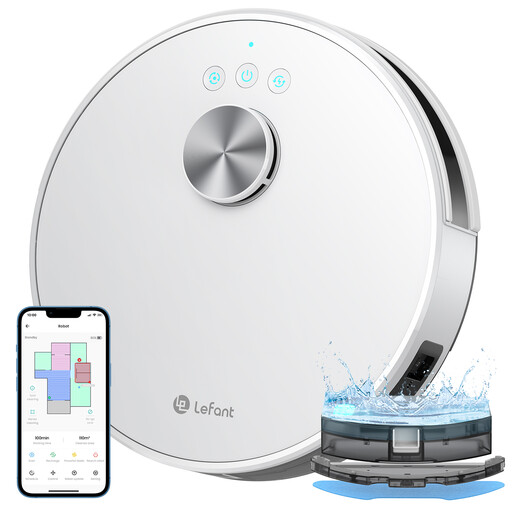
Why This Fits Their Persona: A practical option for households wanting mapped vacuuming and mopping without moving immediately to an automatic dust-draining station.
Its listed LiDAR navigation, multi-stage mapping and self-charging functions address the limitations of random navigation.
5500Pa suction, 200-minute stated running time, adjustable water levels and Alexa or Google Assistant control.
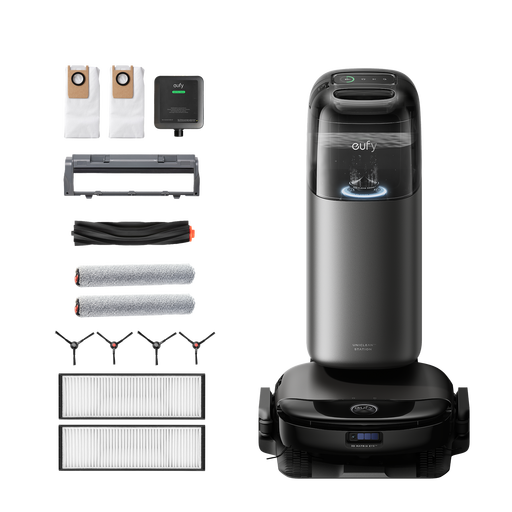
Why This Fits Their Persona: Suitable for users prioritising reduced daily handling and an integrated vacuuming and mopping station.
The listed self-emptying, mop washing and drying functions directly address the maintenance burden often overlooked in mopping models.
Laser mapping, obstacle detection, automatic dust emptying and self-cleaning and drying mop functions.
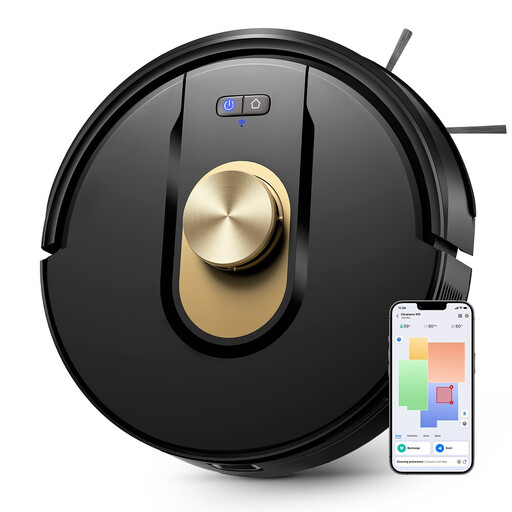
Why This Fits Their Persona: A match for pet owners and larger homes that need room zoning, multiple maps and adjustable cleaning modes.
Its mapping and no-go-zone controls provide more practical control than relying only on an advertised suction figure.
8000Pa stated suction, LiDAR mapping, up to five floor maps, 15 no-go zones and recharge-and-resume cleaning.
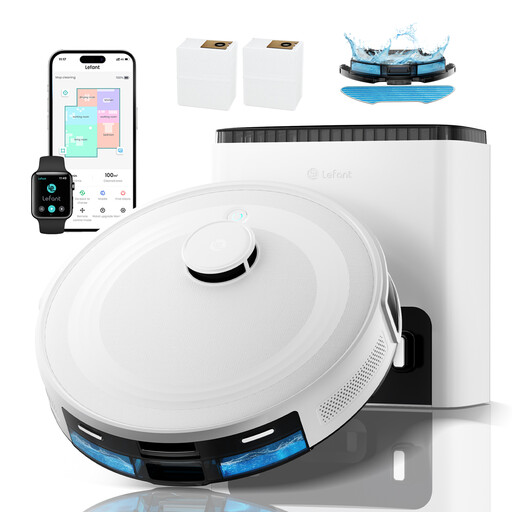
Why This Fits Their Persona: Designed for households that want automatic dust collection and laser mapping while managing frequent pet hair or debris.
The automatic dust-draining station helps address the frequent emptying issue, while PSD obstacle avoidance supports more consistent navigation.
6000Pa suction, 2.2-litre dust bag capacity, 140-minute stated battery life and app or Alexa control.
Before the first cleaning cycle:
Use a robot indoors only, keep it away from standing water and do not allow children to treat it as a toy. Unplug the charging station before servicing where the instructions require it, and use the supplied or manufacturer-approved charger and accessories.
Yes, many models support both surfaces, but settings differ. Check for carpet detection, automatic suction adjustment and whether the mop can lift or avoid carpets. Thick rugs, high thresholds and dark surfaces may require additional checking before purchase.
Running cost depends on cleaning frequency, suction mode, charging time and station functions. A compact robot generally uses less electricity than a full-size vacuum during a cleaning cycle, but automatic emptying, mop washing and hot-air drying can add to total consumption. The product’s power and usage instructions provide the most reliable basis for estimating costs.
Lifespan depends on battery care, dust and hair build-up, filter replacement and general handling. Keep the charging contacts clean, empty the dustbin when required and inspect the main brush regularly. Before buying, check the availability of replacement filters, brushes, mop pads and dust bags.