
24/7 Customer Support

Free returns

Same-day & Next-day Delivery

Quality Guaranteed

Unlock Your Welcome Offers: FREE Delivery | Up to 80% OFF | Free 30-day JoyPlus trial
Download the APP
A robot vacuum cleaner with mop can reduce daily floor-care work, but the headline specification does not always tell the full story. Suction figures, “hands-free” claims and smart-home compatibility can look impressive while hiding practical limitations.
For UK households, the most common buying mistakes are usually:
The right choice depends on your floor types, home layout, pets, preferred level of maintenance and how much control you want from an app.
A LiDAR robot vacuum or laser navigation robot vacuum uses laser scanning to build a map and plan routes. This is generally more informative than choosing a model that simply claims to be “smart”. Look for features such as:
Also check the robot’s height and climbing ability. A model around 9–10cm high may fit beneath some furniture, while a stated climbing height of up to 2cm can help with rugs and thresholds. Measure door strips and transitions in your home rather than relying solely on the product description.
Manufacturers normally state suction in Pa, or pascals. A higher figure can indicate stronger vacuum pressure, but it does not alone guarantee better pickup. Brush construction, airflow, carpet boost and hair management also affect everyday performance.
If you need a robot vacuum for pet hair, check for:
For homes with carpets and hard floors, choose a robot vacuum for carpets and hard floors with separate cleaning modes. Carpet detection is particularly useful when mopping, as it can prevent a damp mop pad from travelling across rugs.
An automatic vacuum and mop can be convenient for routine dust and light surface marks, but most robot mops are not a replacement for manual cleaning of heavy spills. Check whether the model offers:
A self-emptying base can reduce how often you empty the robot’s dustbin. However, “up to” timeframes depend on dirt levels, cleaning frequency and the size of the dust bag or collection bin. Filters, brushes, sensors and mop pads still require regular attention.
The following options illustrate different priorities, from straightforward mapped cleaning to more automated station maintenance. Product features and capacities should be checked on the individual listing before purchase.
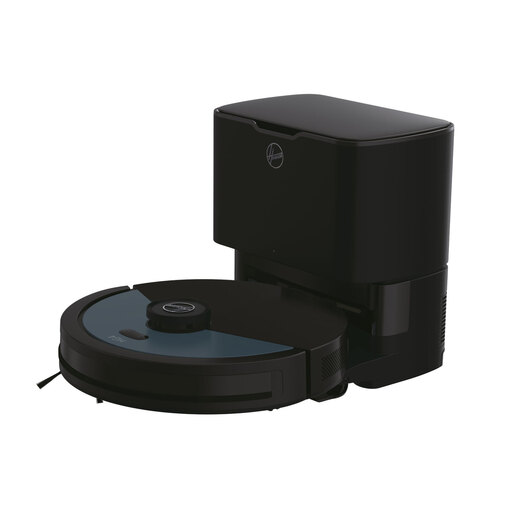
Why This Fits Their Persona: A practical option for smaller or medium-sized UK homes wanting mapped vacuuming, mopping and app scheduling without selecting a more complex station system.
Laser navigation, obstacle sensors, room naming and no-go zones provide more control than random-route cleaning. Its self-emptying base is specified for up to 60 days of maintenance-free use.
Up to 4000Pa suction, simultaneous vacuuming and mopping, adjustable water release, Wi-Fi app control and automatic docking.
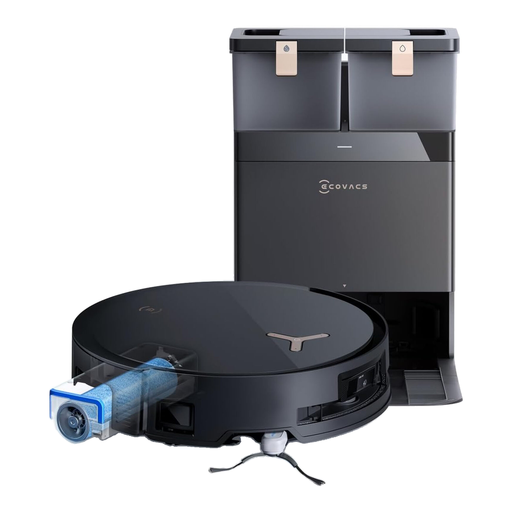
Why This Fits Their Persona: Suited to households prioritising automated mop care, carpet transitions and reduced daily station maintenance across mixed flooring.
The specification includes carpet detection with up to 10mm mop lift, helping separate mopping from carpet cleaning. The station also handles mop washing, drying and dust emptying.
18,000Pa stated suction, OZMO ROLLER self-washing mopping, hot-air drying, ZeroTangle 2.0 and AIVI 3D obstacle recognition.
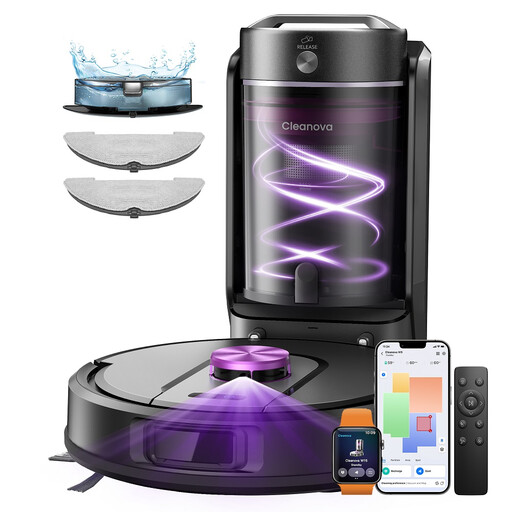
Why This Fits Their Persona: Designed for larger or busy homes where pet hair, regular debris and reduced consumable costs are important considerations.
Its bagless 4-litre collection station avoids dependence on disposable dust bags. LiDAR mapping, five-map support and up to 15 no-go zones help manage multi-room layouts.
Up to 10,000Pa stated suction, 180-minute runtime, three suction levels, three water-flow settings and app, Alexa and Siri control.
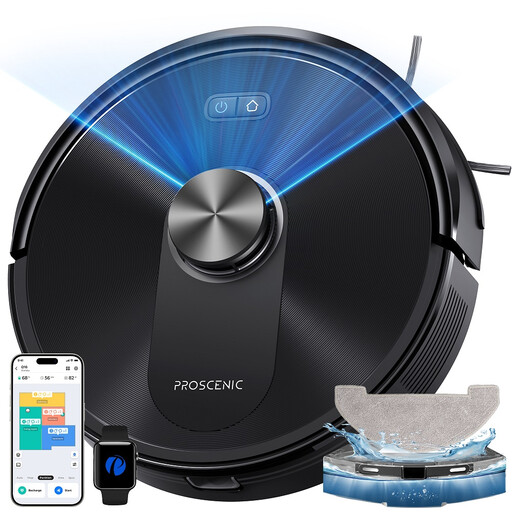
Why This Fits Their Persona: A flexible choice for households wanting multiple control methods, including app, remote, voice assistant and Apple Watch operation.
LiDAR mapping supports custom zones and no-go areas, while auto-recharge and resume help it continue longer cleaning sessions instead of stopping permanently at low battery.
Up to 8000Pa stated suction, up to 200 minutes in ECO mode, five-map storage and carpet boost for mixed flooring.
We have compiled a complete, real-time list of products that fully satisfy these strict selection criteria and UK safety regulations.
Before the first cleaning cycle, remove protective film, charge the robot fully and place the dock on a level surface with clear access. Lift cables, toys and long rug tassels from the floor. Connect the appliance only as instructed, and check whether the app requires 2.4GHz Wi-Fi, as some models do.
Running costs can include electricity, replacement filters, side brushes, roller brushes, mop pads, cleaning solution and dust bags. A bagless station may reduce recurring bag purchases, while a bagged station can make dust disposal simpler. Compare the consumables listed for the exact model before ordering.
They can vacuum carpets, but the mopping feature should normally be disabled or lifted when carpet is detected. Check for carpet recognition, mop lift and carpet boost. Set no-mop zones manually if your floor layout includes rugs that the robot may not identify reliably.
Empty or inspect the dustbin regularly, even with a self-emptying base. Clean filters, rollers, sensors and charging contacts according to the manual, and rinse or replace mop pads as instructed. Do not leave water sitting in a tank when the appliance is not in use.
Not necessarily. Higher suction settings may use more battery power and can increase noise. For routine cleaning, ECO or standard mode may be sufficient, while turbo settings can be reserved for carpets, pet hair and heavier debris. Always compare replacement parts and station consumables as well as the purchase price.