What matters when choosing?
Decide where the dock can go before comparing automation features. Then check how the exact model schedules, navigates and handles the floors in your flat.
| Concern |
What to check |
Who this matters to |
| Scheduled cleaning |
Confirm app scheduling, compatible home Wi-Fi, mapping and how the robot returns to its dock. |
I want cleaning to start while I am at work and finish without my help; around 36% of consumers would put dependable scheduling and dock return first. |
| Robot and dock fit |
Measure robot clearance, dock dimensions and an unobstructed approach, leaving access for dock upkeep. |
A dock could crowd my walkway even if the robot fits under the furniture. For around 29% of consumers, finding a workable place for both is the primary concern. |
| Routine upkeep |
Check whether the dock charges, auto-empties or also washes and dries mops; consider the bags, filters and pads used by that model. |
I can schedule a run, but I do not want frequent emptying or mop washing to undo the convenience; reducing those chores comes first for around 21% of consumers. |
| Mixed floors |
Check the exact mopping mode, carpet detection or mop lift, and whether you can set no-mop areas. |
My hard floors need attention without leaving the rugs wet, so floor handling takes priority for around 14% of consumers. |
Robot vacuums on Joybuy
These models offer different approaches to scheduled cleaning, from charging-dock setups to self-emptying and mop-care systems. Compare their docking space and upkeep against your flat before choosing.
 No image available
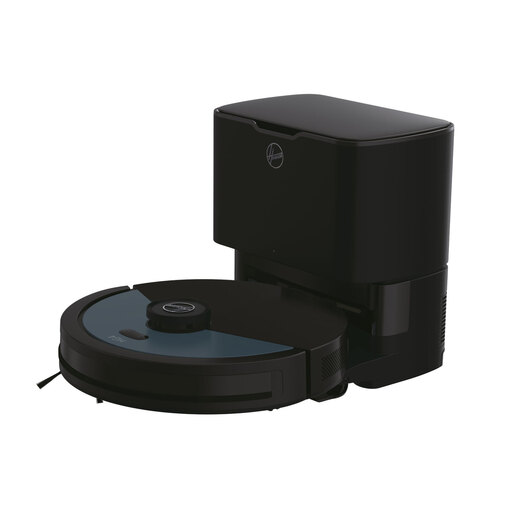
Hoover HG4 Hydro Pro HG450HP robot vacuum and mop
Consider this model if app-scheduled cleaning and less frequent bin emptying are priorities. The product name lists laser navigation, Wi-Fi, obstacle sensors, a self-emptying base and 4,000 Pa rated suction.
Check the dock’s dimensions and your Wi-Fi compatibility, and clear small objects before a workday run. The stated dust-collection period is a product-description claim, not a guaranteed interval.
Joybuy
 No image available
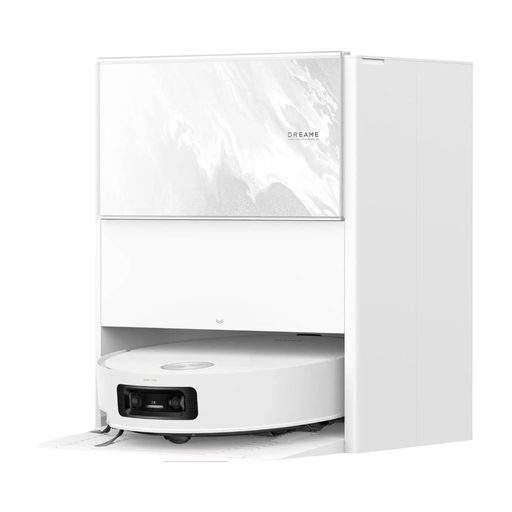
Dreame Aqua10 Ultra Track Complete robot vacuum with roller mop
Consider this model if scheduling, object detection and mop care are worth making room for a multifunction dock. The product name identifies a roller mop and obstacle-clearing feature; do not treat its stated detection or detangling claims as a promise that floor preparation is unnecessary.
Allow for the listed 42 × 44 × 50 cm station and access to maintain it. Confirm the runtime for this exact variant before relying on a stated maximum.
Joybuy
 No image available
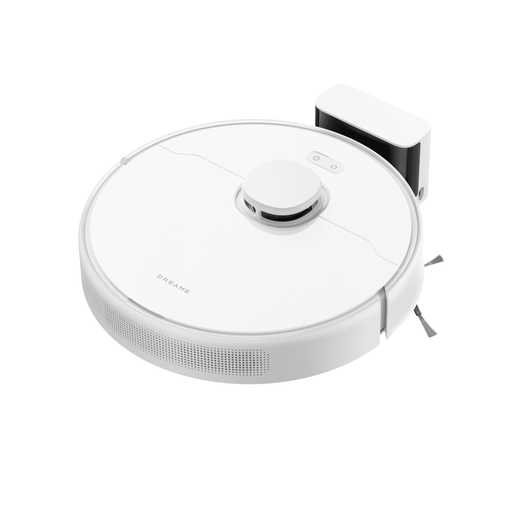
Dreame D9 Max Gen 2 robot vacuum with static mops
Consider this model if mapped, app-scheduled cleaning matters more than automatic dust-bin emptying. Its product name specifies LDS navigation, static mops, a 570 ml dust box and 6,000 Pa rated suction.
This model does not support self-emptying, so plan to empty its dust box yourself. Measure the dock location and confirm Wi-Fi compatibility before setting up workday runs.
Joybuy
 No image available
Lefant M310 Ultra robot vacuum cleaner
Consider this model where robot clearance and app-controlled cleaning times are important. The product name lists ToF laser navigation, anti-tangle features and 6,000 Pa rated suction.
For scheduled runs while you are out, confirm how the exact model returns to its dock and measure the full docking area. Do not assume that obstacle avoidance will catch every loose item.
Joybuy
 No image available
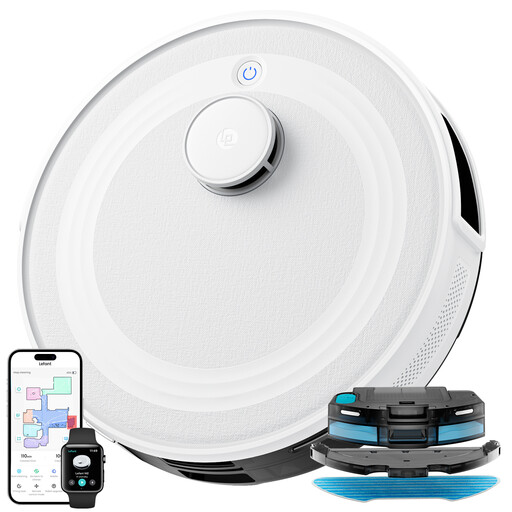
Lefant M2 robot vacuum cleaner with mapping
Consider this model if app scheduling and mapped navigation are your main workday requirements. Its product name lists laser navigation, PSD avoidance technology and 5,500 Pa rated suction.
Measure the robot and dock for your intended spot and check the Wi-Fi setup requirements. Clear cables before running it unattended; an avoidance feature is not a guarantee against every obstacle.
Joybuy
Frequently asked questions
Can I schedule a robot vacuum to clean while I am at work?
Yes, if the exact model supports scheduling and you have completed its app and Wi-Fi setup. iRobot, for example, says Roomba Mini supports scheduled cleaning through its app. Test a cleaning cycle and dock return while you are home, and follow the model’s safety instructions before relying on workday runs.
Will a robot vacuum replace my usual vacuum in a small flat?
No: use it for regular maintenance cleaning rather than assuming it will handle every deep-cleaning task. Which? notes that robot vacuums do not completely replace a traditional upright for deep-cleaning carpets and tight corners.
Does a self-emptying or mop-washing dock eliminate maintenance?
No. Self-emptying reduces how often you handle the robot’s dust bin, while a wash dock reduces some mop handling; bags, filters, brushes, pads or dock components still need attention where applicable. Check the replacement parts and care instructions for the exact model.
What safety checks matter before using a robot vacuum in the UK?
Check that the supplied equipment and plug are intended for your region, read the exact model’s charging and use instructions, and check current product recalls. GOV.UK’s guidance on the Electrical Equipment (Safety) Regulations 2016 covers Great Britain; provisions for Northern Ireland can differ, so do not assume one marking or supply rule applies identically throughout the UK.


