What matters when choosing?
Work out whether the limitation is the broadband service, the connection at the office desk or Wi-Fi coverage between rooms. Then check that a replacement will work with your ISP equipment and the devices you actually use for archive access.
| Concern | What to check | Who this matters to |
|---|
| Workstation connection |
Check for a usable Ethernet cable route and suitable LAN ports. A faster-than-gigabit port is relevant only if the connected devices and network path can use it. |
If I work at a fixed desk and transfer archive files, I want a dependable connection without relying on the office Wi-Fi signal. Around 33% of consumers put that workstation connection first. |
| Office coverage |
Check the signal at the desk, router placement and where a mesh node could go if repositioning does not resolve a weak spot. |
When walls or floors separate my office from the router, I need the signal to reach the room before extra wired capacity matters. Coverage comes first for around 25% of consumers. |
| Security and controls |
Look for the manufacturer's stated security-update period and, if needed, controls for separate guest or device networks. |
If I manage archive logins on a network shared with household devices, I want settings I can maintain and understand. Around 25% of consumers make security and manageability their primary concern. |
| Simultaneous use |
Consider which devices are active during archive work and whether the bottleneck is broadband capacity or Wi-Fi within the home. |
When archive work overlaps with calls or other household activity, I need to know where the connection is slowing down before changing routers. Around 17% of consumers put simultaneous use first. |
Joybuy product choices
These routers cover two different decisions: a standalone connection for an office workstation, and mesh equipment for a persistent coverage problem. Choose the connection approach first; a listed Wi-Fi generation alone does not establish what your archive work requires.
 No image available
NETGEAR Orbi 370 RBE373 WiFi 7 Mesh System, 3-Pack
Consider this three-unit mesh system if the office has a persistent Wi-Fi weak spot. The named variant is dual-band BE3600 and lists 2.5Gbps Ethernet; check the wired connection you need at the desk, as well as ISP equipment requirements, before buying.
View on Joybuy
 No image available
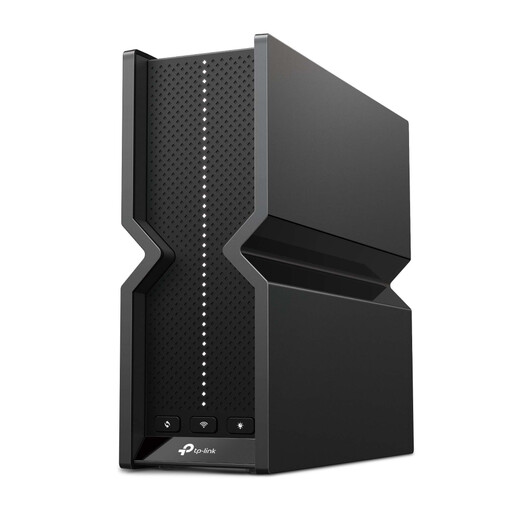
TP-Link BE9300 Tri-Band Wi-Fi 7 Router
This standalone router is a route to consider when office coverage is already adequate and you want to connect a fixed workstation to the network. Confirm the port arrangement, ISP setup requirements and whether your devices can use the connections you plan to make.
View on Joybuy
 No image available
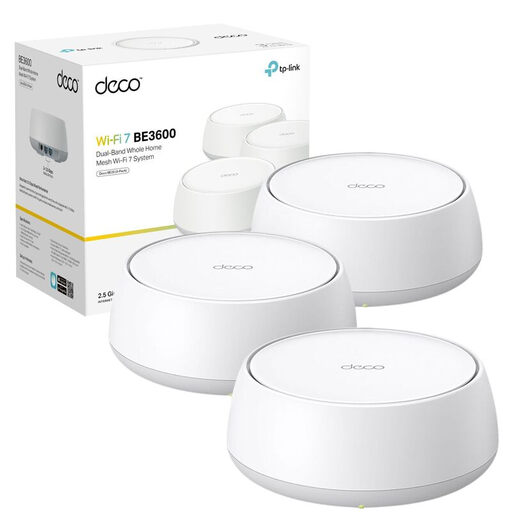
TP-Link Deco BE25 WiFi 7 Mesh System, 3-Pack
This three-unit mesh option is relevant if getting a usable signal into a separated office is the priority. If the archive workstation also needs Ethernet, confirm the available ports and their WAN or LAN roles for the units you intend to use.
View on Joybuy
 No image available
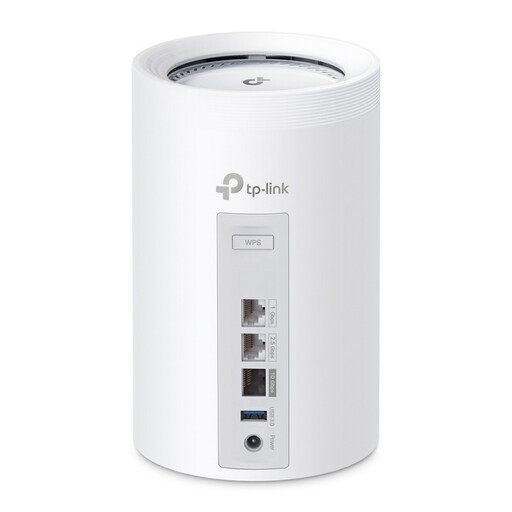
TP-Link Deco BE65 BE9300 Tri-Band Wi-Fi 7 Mesh System, 3-Pack
Consider this three-pack where room-to-room coverage remains the main issue after checking router placement. If you want a wired archive workstation, confirm the Ethernet port count, speeds and roles for this variant rather than assuming that mesh alone provides the connection you need.
View on Joybuy
 No image available
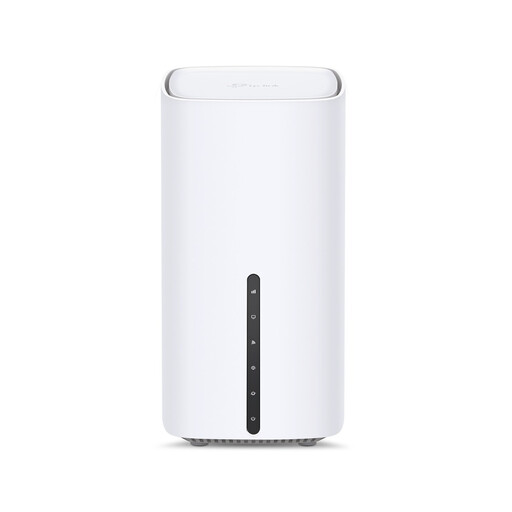
TP-Link Archer NX500 5G AX3000 Dual-Band Gigabit Router
This standalone router is a conditional choice if a mobile-network connection is part of your home-office plan, rather than an automatic upgrade for archive access. Check mobile service and SIM compatibility if using 5G, and confirm ISP requirements if using a wired broadband connection.
View on Joybuy
Common questions
Will a new router make the club archive faster?
Not if the broadband service or archive service is the limiting factor. Ofcom notes that Wi-Fi cannot outperform the underlying broadband; compare the connection at the router with the one at your desk before replacing equipment.
Should I connect the archive computer by Ethernet?
Ethernet is worth considering for a fixed desk if a cable route is practical, particularly for larger transfers or a locally hosted archive. Ofcom reports that actual Wi-Fi speeds can be lower than those delivered over Ethernet, although your archive service and broadband connection may impose other limits.
When does a home office need mesh Wi-Fi?
Consider mesh when the office remains a Wi-Fi weak spot after trying suitable router placement. Ofcom says mesh can improve signal strength and coverage, but it does not increase the speed of the incoming broadband service; node positions matter to the result.
Can a third-party router replace my ISP hub?
It may be able to, depending on the line and the equipment your ISP requires. ASUS UK advises checking the WAN connection type with the ISP; also confirm any credentials, VLAN settings and modem arrangement before buying.
What security support should I check for an archive router?
Check the manufacturer's stated minimum period for important security updates for the model you are considering. The National Cyber Security Centre identifies that period as information to look for on relevant UK consumer connectable products; after setup, keep firmware updated and use a strong, unique administrator password.


