What matters when choosing?
Choose between one router and mesh by checking signal in the rooms where the archive is used. Ofcom advises that Wi-Fi cannot outperform the broadband service, so a slowdown during heavy household use also calls for a broadband and traffic check.
Single Wi-Fi 7 router
Choose when: A central position gives archive users a usable signal throughout the flat.
Trade-off: One unit is simpler to place, but a higher advertised wireless rate will not remove a persistent weak spot or increase the incoming broadband speed.
Whole-home mesh
Choose when: Archive-use rooms remain weak and you can position additional nodes between those rooms and the main unit.
Trade-off: Nodes need suitable locations and power sockets; mesh may add little to a compact flat already covered by one router.
| Concern | What to check | Who this matters to |
|---|
| Peak-time responsiveness |
Compare quiet and busy periods; check the broadband service and any traffic-monitoring or bandwidth controls you need. |
When flatmates are downloading or streaming, I need archive pages to remain responsive. Around 36% of consumers would put peak-time responsiveness first. |
| Coverage in weak rooms |
Check signal where you use the archive and whether a central router position or a sensibly placed mesh node is possible. |
If the archive-use room has a consistently weak signal, I need a setup that reaches it. Coverage would come first for around 29% of consumers. |
| Wired archive access |
Check the archive device's Ethernet capability and the router's WAN and LAN port roles before relying on a stated port speed. |
For a fixed archive computer or local storage, I want a suitable wired path for transfers. Around 21% of consumers would make that their primary concern. |
| Shared-network management |
Check guest-network separation and only the traffic, VPN or device-management functions your setup requires. |
If I administer archive equipment alongside a shared household network, I need to manage access deliberately. That would be the leading need for around 14% of consumers. |
Joybuy product choices
These choices cover standalone-router and mesh setups for accessing a club archive in a shared flat. Start with the signal in the archive-use rooms: the mesh systems are relevant to persistent weak spots, while the standalone router is a route where one unit can provide usable coverage.
 No image available
TP-Link Deco BE22 BE3600 Wi-Fi 7 Mesh System (3-Pack)
Consider this three-unit mesh system if the archive is used in rooms where one router leaves a weak signal. Its Wi-Fi 7 and BE3600 designation describe the listed product, not the speed an archive device will receive. Check node locations and your provider's connection requirements.
Joybuy
 No image available
NETGEAR Orbi 370 RBE373 BE3600 Wi-Fi 7 Mesh System (3-Pack, White)
This three-pack is another option when archive-use rooms need mesh coverage. The listed dual-band system has 2.5 Gbps Ethernet; confirm the port arrangement against your wired equipment. The router and two satellites need suitable locations and power sockets.
Joybuy
 No image available
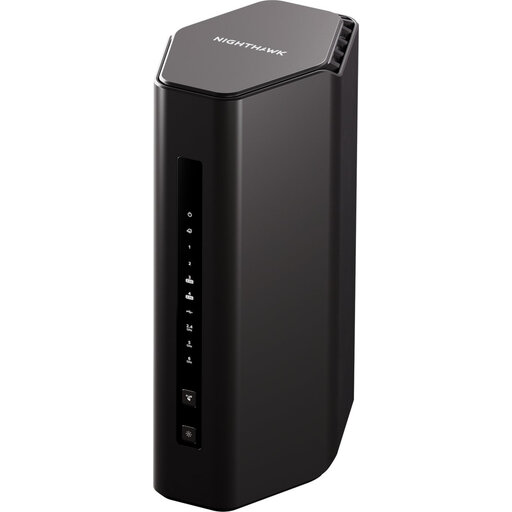
NETGEAR Nighthawk RS300 BE9300 Wi-Fi 7 Router
Consider this standalone router where one position gives archive users a usable signal. NETGEAR specifies a 2.5 Gig internet port and states support for up to 100 concurrent devices; neither figure guarantees responsiveness during busy periods. Check the required WAN and LAN connections and any traffic controls before relying on them.
Joybuy
 No image available
TP-Link Deco BE25 Wi-Fi 7 Mesh System (3-Pack)
This three-pack suits consideration when archive access depends on reaching persistently weak rooms. TP-Link specifies two 2.5 Gbps ports per Deco BE25 unit; check their roles for your intended wired setup. Confirm that three node locations are practical and that the system fits your provider's connection arrangement.
Joybuy
 No image available
TP-Link Deco BE65 BE9300 Tri-Band Wi-Fi 7 Mesh System (3-Pack)
Consider this three-pack for archive-use rooms with a persistent coverage problem, rather than assuming that its BE9300 designation will fix peak-time broadband contention. The listed system is tri-band Wi-Fi 7. Check node placement, required wired connections and provider compatibility before choosing it.
Joybuy
Common questions
Will a new router automatically make the club archive faster?
No: a new router cannot increase the broadband service reaching the flat. Ofcom advises checking whether other people are downloading large files or streaming when a connection feels slow; compare quiet and busy periods before deciding that Wi-Fi equipment is the cause.
Should we use one router or a mesh system?
Use one centrally positioned router if the rooms where you access the archive have a reliable signal; consider mesh if those rooms remain weak because of layout or fixed router placement. A mesh node still needs a workable position and does not remove a broadband-service bottleneck.
Can I replace the broadband provider's router?
Possibly, once you have confirmed the provider's required connection arrangement and settings. Check whether a modem, optical network terminal or provider hub must remain in use, and obtain any WAN or authentication details; Ofcom cautions that third-party-router setup and subsequent fault diagnosis can be harder.
Would faster Ethernet ports help with archive files?
They are worth considering if a fixed archive computer or local storage uses a wired connection and the other equipment can use the port speed. For an archive reached over a slower broadband connection, a faster LAN-port rating alone does not increase the incoming service; check each port's WAN or LAN role as well.
How do we keep archive administration separate from visitors?
A router with a separate guest network can help organise Wi-Fi access, but it does not replace permissions within the archive service. ASUS, for example, specifies separate guest-network rules for the RT-BE86U; confirm the network controls you need and manage archive accounts independently.


