A large screen does not, by itself, call for a particular gaming mouse. For RPGs with frequent skill and item commands, consider a reachable 12-button thumb grid; if long sessions make weight or button reach more important, assess those alongside the layout. A mouse with fewer controls may suit you better if you switch between RPGs and other games.
Who these mice suit
Skill-bar-heavy RPG players
If you often trigger abilities, items and targeting commands, a reachable thumb grid can put more of your chosen bindings on the mouse. Razer, Corsair and SteelSeries describe MMO-oriented layouts with 12-button side panels; check whether you can distinguish the buttons by touch.
Long-session comfort seekers
Button reach, shape and weight matter when you play for extended periods. Corsair offers a repositionable side panel, while SteelSeries lists a lower-weight MMO design; neither feature establishes how a mouse will feel in your hand.
Mixed-genre RPG players
If you also play games that need fewer mouse shortcuts, consider whether you would use a full thumb grid. Razer offers interchangeable side plates on the Naga V3 Pro, while Logitech G lists fewer customisable controls on the G502 X LIGHTSPEED.
What to check before choosing
Start with the commands you want under your thumb, then assess reach and hand fit. For a wireless mouse, compare connection modes and battery claims under the settings you expect to use.
| Concern |
What to check |
Who this matters to |
| RPG command access |
Count the shortcuts you would bind, then check thumb-button placement and remapping options. |
If I regularly use skills and items, I want their buttons within easy thumb reach without accidental presses. Around 42% of consumers put command access first. |
| Fit during long sessions |
Assess your grip against the mouse shape, side-panel position and listed weight. |
During extended play, I need a layout my thumb can use comfortably, even if that means fewer buttons. Fit is the primary concern for around 33% of consumers. |
| Wireless setup |
Check the offered connection modes, charging arrangement and conditions attached to battery claims. |
I want a cable-free desk or the option to switch connections without disrupting play. Around 25% of consumers prioritise wireless setup. |
Common buying pitfalls
-
Choosing by button count alone
A dense grid offers more binding positions, but buttons that sit awkwardly under your thumb can be difficult to use accurately. Corsair's Key Slider allows its side panel to be repositioned; Razer gives hand-size and grip guidance for its Naga range.
List the commands you actually use and assess the panel's reach with your usual grip. If you cannot try the mouse, check the seller's return terms before buying.
-
Comparing headline battery figures without their settings
Razer and Corsair publish different claimed maximum runtimes for different wireless modes; lighting settings can also affect the conditions behind a claim.
Compare claims for the connection mode and lighting settings you intend to use, and check charging arrangements if uninterrupted wired play matters to you.
-
Assuming every RPG needs a full MMO grid
A 12-button panel is relevant when you will use those bindings. For mixed-genre play with fewer shortcuts, Logitech G's G502 X LIGHTSPEED offers 13 customisable controls without a dedicated 12-button thumb grid.
Choose the layout around your own bindings rather than treating the largest button count as a requirement.
Brands to consider for RPG mouse layouts
Razer
The Naga range includes MMO-oriented thumb-grid mice and the Naga V3 Pro with three swappable side plates.
- Interchangeable plates on the Naga V3 Pro allow different side-button layouts.
- Razer's Naga fit guidance points to medium-to-large hands and palm or claw grips; check your own fit. Its pages also differ on the Naga V2 HyperSpeed's total programmable-control count.
Corsair
The Scimitar Elite Wireless SE is an MMO-oriented option with an adjustable 12-button Key Slider panel.
- Corsair lists 16 programmable buttons and supports remapping through iCUE.
- Assess whether the repositioned panel suits your thumb, and compare claimed battery runtime for the wireless mode and lighting setting you will use.
SteelSeries
The Aerox 9 Wireless combines a 12-button side panel with an 89 g listed weight.
- Its listed layout retains dense MMO-style controls in a lower-weight design.
- Weight alone cannot establish comfort or thumb-button reach; assess the feel of its perforated construction as well.
Logitech G
The G502 X LIGHTSPEED offers a multi-genre layout rather than a dedicated MMO thumb grid.
- Logitech G lists 13 customisable controls for players who want some RPG shortcuts.
- It does not offer the same dense side-grid layout for players who need many commands directly under the thumb.
Joybuy product choices
These wireless gaming mice offer different starting points for RPG shortcuts and desk setups. Check each model's actual button layout before choosing one for dense thumb-operated commands.
 No image available
Rapoo VT2 Wireless Gaming Mouse, Purple
Consider this model if you want a light wireless mouse with several configurable RPG controls, but check whether the button positions suit your thumb.
The title lists a 53 g weight and 10 programmable buttons. Its stated battery maximum of up to 750 hours depends on use at 1000 Hz and a driver update enabling low-power mode.
View on Joybuy
 No image available
AJAZZ AJ200 AI MC Wireless Gaming Mouse with Charging Dock
This is a connection-flexible option for players who need a limited set of remappable RPG shortcuts; confirm which buttons can be reassigned and where they sit.
The title lists Bluetooth, 2.4G and USB-C modes. Check the weight for this variant before relying on a listed figure.
View on Joybuy
 No image available
AJAZZ AJ159 APEX Wireless Gaming Mouse with Magnetic Charging Base
Consider it for a lighter mouse with some configurable shortcuts, provided its button placement meets your RPG needs.
The title lists 56 g and 2.4G wireless and wired modes. Confirm whether this exact variant also supports Bluetooth before planning to use that connection.
View on Joybuy
 No image available
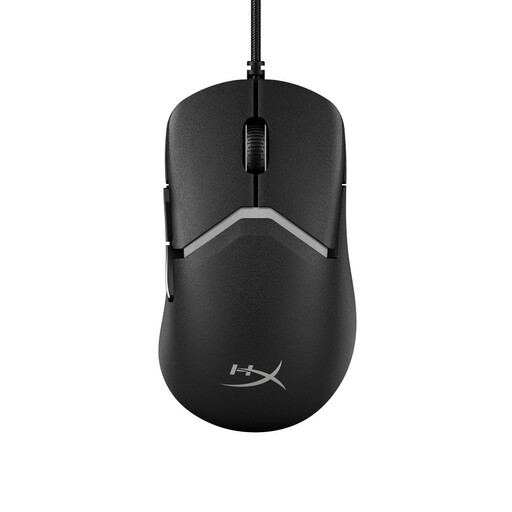
HyperX Pulsefire Saga Pro Wireless Gaming Mouse
This wireless option may suit players using a few mouse shortcuts. Before choosing it for a command-heavy RPG, check the programmable-button count and whether the controls are reachable with your grip.
View on Joybuy
 No image available
HyperX Pulsefire Fuse Wireless Gaming Mouse
Consider this wireless mouse if you want configurable shortcuts without deciding on an MMO grid. Check the number and position of its programmable buttons if several RPG commands must be directly accessible.
View on Joybuy
Frequently asked questions
Do I need a special mouse just because I play on a large screen?
No: screen size alone does not determine the mouse layout you need. Choose according to your RPG bindings, hand fit and preferred connection method.
How should I compare wireless battery claims?
Compare claims made under the connection mode and lighting settings you intend to use. Razer gives different stated maximums for HyperSpeed and Bluetooth on the Naga V2 HyperSpeed; Corsair's Scimitar Elite Wireless SE figures also vary by mode and RGB setting.
What should I keep for warranty or returns support?
Keep your proof of purchase and check the terms of the seller you bought from. Razer requires valid proof of purchase for its limited-warranty claims, while its direct-store return policy applies to purchases made directly through Razer.com; a retailer's voluntary policy is separate from any applicable statutory remedies for faulty goods.
How should I dispose of an old wireless gaming mouse in the UK?
Take electrical products to an appropriate recycling collection point rather than putting them in household rubbish, as GOV.UK advises. Check local collection options for the mouse and its batteries.


