RTS players short of USB ports
If your laptop or compact desktop has little room for another receiver, Bluetooth is worth considering when the computer supports it. A mouse receiver remains an option when you can spare a USB port.


A battery-powered wireless mouse can avoid using a wall socket during RTS play, but a wireless receiver may still occupy a computer USB port. If that port is scarce, look for a Bluetooth option and confirm that your computer supports it; then choose a button layout you can reach comfortably for the commands you actually use.
If your laptop or compact desktop has little room for another receiver, Bluetooth is worth considering when the computer supports it. A mouse receiver remains an option when you can spare a USB port.
If you want control groups or repeated actions within reach, consider how many side controls you can distinguish with your usual grip. Button count alone does not tell you whether a layout will feel manageable.
A wireless mouse with replaceable batteries or a rechargeable design may suit a desk without another powered accessory. Check the battery arrangement and any charging equipment you would actually use.
Work out whether the constraint is a wall socket, a computer USB port or both. Then match the connection and reachable controls to your RTS setup.
| Concern | What to check | Who this matters to |
|---|---|---|
| Ports and desk power | Check computer Bluetooth support and whether your chosen mouse mode needs a USB receiver or a separate charging accessory. | My USB ports are already occupied, so I want a connection that does not require another receiver. Around 42% of consumers put preserving ports and desk power first. |
| Reachable RTS commands | Count controls you can reach comfortably and check that the configuration software supports the assignments you need. | I use enough repeated commands to want some within thumb reach, but a crowded panel could lead to wrong presses. Accessible command mapping comes first for around 33% of consumers. |
| Battery upkeep | Check whether batteries are replaceable or rechargeable, and what charging setup the mouse requires. | I would rather spend less time managing charging cables or battery changes between sessions. For around 25% of consumers, simpler battery upkeep is the primary concern. |
A battery-powered mouse need not use a wall socket during play, but its wireless receiver can still take up a USB port. Bluetooth avoids that receiver only when both mouse and computer support the connection.
Identify which connection is scarce before choosing between Bluetooth and a receiver-based setup.
Logitech G says POWERPLAY 2 supplies power but is not a wireless receiver. Charging compatibility and mouse connectivity are separate checks.
Confirm the compatible mouse, receiver arrangement and required connections before adding a mat or dock.
Logitech G states that a compatible mouse is not included with POWERPLAY 2.
Dense side-button layouts may be difficult to distinguish without shifting your grip, even if they offer room for more commands.
List your frequently used RTS actions and assess whether the relevant controls are comfortably reachable.
GOV.UK advises that batteries and electrical products should go to appropriate recycling collection points rather than household rubbish.
Use a suitable battery or electrical recycling route when disposing of the mouse and any removable batteries.
Its G309 LIGHTSPEED is relevant when you want a choice between Bluetooth and LIGHTSPEED wireless.
The Basilisk V3 X HyperSpeed offers a moderate control layout, while the Naga V3 Pro offers a denser one.
Its Aerox models include both moderate and dense programmable-button layouts.
These wireless gaming mice offer different starting points for RTS play. Compare their stated controls and connection options against the ports and desk space you have available.
 No image available
For an RTS setup with limited USB ports, check which connection mode you would use and whether your computer supports it. Confirm the available button assignments and expected battery upkeep for your setup.
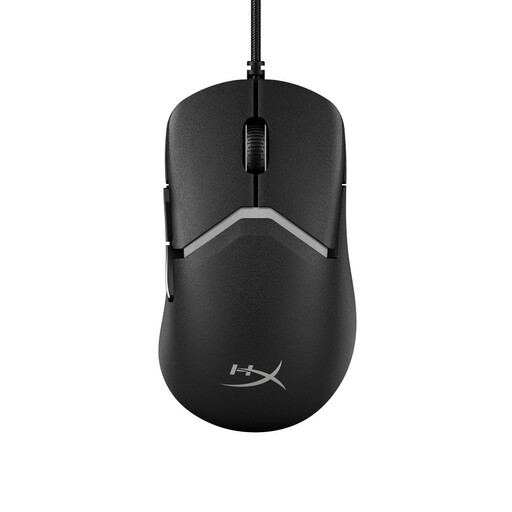 No image available
If you want mouse-accessible RTS commands, check how many controls you can assign and reach with your grip. Confirm its connection and charging requirements against your available ports.
 No image available
Consider its ten programmable buttons if several RTS commands need mouse access; the title also specifies a 53 g weight. Its advertised battery figure of up to 750 hours is conditional on 1000 Hz operation, a driver update and low-power mode. Check connection modes before relying on receiver-free use.
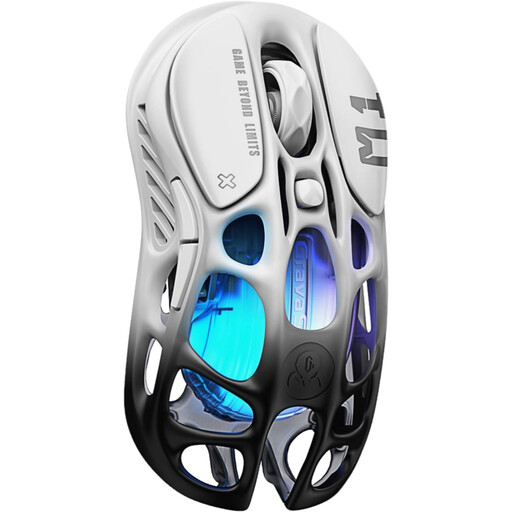 No image available
Its stated Bluetooth, 2.4G and wired modes give you connection choices for an RTS desk with limited ports; Bluetooth use requires a compatible computer. The title specifies five programmable buttons and an 88 g weight. Check the exact receiver arrangement before choosing it for 4K polling, which requires a separately sold receiver.
 No image available
If you are considering a larger set of mouse-accessible RTS commands, assess the side-button layout with your usual grip. Check how the charging dock connects and whether it fits the desk space available.
A battery-powered wireless mouse does not need a wall socket during play. Its receiver may still use a computer USB port, while an optional charging mat or dock can add separate connection requirements.
Choose enough reachable buttons for the commands you repeatedly want away from the keyboard. Nine-control designs offer a moderate layout, while models with 18 or more programmable buttons call for a comfort check if you plan to use their dense side panels.
Some compatible Razer HyperSpeed peripherals can share a dongle, according to Razer. Check the exact mouse, keyboard and receiver combination and whether the feature needs activating; do not assume every Razer wireless device supports it.
Keep your receipt or order confirmation. Razer says valid proof of purchase is required for a claim under its limited warranty; check the warranty terms that apply to your particular product and seller.
Take electrical products and batteries to an appropriate recycling collection point rather than putting them in household rubbish, as GOV.UK advises. Check which local collection route accepts the mouse and any removable batteries.