RTS shortcut mappers
Players who want mouse-accessible commands, camera positions or control groups, but need to identify each button reliably during play.


Choose the button layout around the RTS commands you will actually use: a conventional multi-button mouse suits a shorter list of shortcuts, while a thumb grid is worth considering if you are willing to learn many bindings. For long sessions, check grip and thumb reach before committing to a dense layout. A large screen does not, by itself, call for a particular DPI setting; adjustable, controllable cursor movement matters more than the maximum figure.
Players who want mouse-accessible commands, camera positions or control groups, but need to identify each button reliably during play.
Players who put reachable controls and grip fit ahead of the largest possible button count.
Players who use the same mouse for RTS and other games, and may prefer a conventional layout or interchangeable side controls to a permanent thumb grid.
Choose it when: you have a short list of recurring RTS shortcuts and want to keep the thumb area relatively simple.
Trade-off: it offers fewer thumb-accessible commands than a full grid.
Choose it when: you will map many repeatable commands and practise locating them by touch.
Trade-off: dense buttons may be harder to reach or distinguish without changing your grip.
Choose them when: you want different side-control layouts for RTS and other games.
Trade-off: you need to choose and set up the panel that suits each game.
| Concern | What to check | Who this matters to |
|---|---|---|
| Reachable shortcuts | List the commands you would move to the mouse, then check button positions and remapping options. | If I use camera positions and control groups often, I need to find their buttons without accidental presses. Around 36% of consumers put reachable command mapping first. |
| Grip and thumb reach | Check the exact model’s shape, stated weight and button placement against your grip. | During long matches, I need to reach the controls without continually shifting my hand; roughly 29% of consumers prioritise fit over extra bindings. |
| Cursor control | Look for adjustable sensitivity and test a controllable setting in your RTS game, rather than choosing by maximum DPI. | When moving around a large map, I want predictable cursor movement at my chosen desk setup. Around 21% of consumers make control their main concern. |
| Connection and setup | Confirm the connection and charging method, plus software compatibility and profile options where needed. | I may prefer a cable-free desk or game-specific button profiles, provided I can manage charging and configuration; about 14% of consumers put setup flexibility first. |
A dense layout adds possible commands, but buttons you cannot identify reliably may disrupt RTS input.
Write down the commands you intend to map. If the list is short, compare a conventional layout before choosing a thumb grid.
A manufacturer’s DPI figure describes available adjustment, not the right setting for a particular display or game.
Choose adjustable sensitivity and test cursor movement in the RTS games you play.
Logitech G lists different chassis weights across its G502 HERO, LIGHTSPEED and G502 X variants, so a range name alone does not establish how a particular model will feel.
Compare the exact model’s weight, connection and controls before deciding.
Button remapping can depend on compatible software, while a wireless mouse needs battery or charging management.
Check operating-system support, the connection method and the seller’s return process before buying.
Setting up separate game profiles can also take time before play.
The G502 range offers conventional multi-button layouts, with wired and wireless models; G HUB provides button assignment and DPI configuration for compatible devices.
The Naga models are relevant if you want many mapped commands; Naga V3 Pro also offers interchangeable side layouts.
The SCIMITAR ELITE WIRELESS SE offers a dense side-control layout with an adjustable Key Slider.
These mice offer different starting points for RTS shortcuts and desk setup, from models with a smaller set of controls to options marketed for more extensive button mapping. Check each layout against the commands and grip that matter to you.
 No image available
Consider this model if you want several mouse-accessible RTS shortcuts and a wireless desk setup. Check whether its shape and side controls are reachable with your grip, and confirm the mouse-only weight if handling is a priority.
 No image available
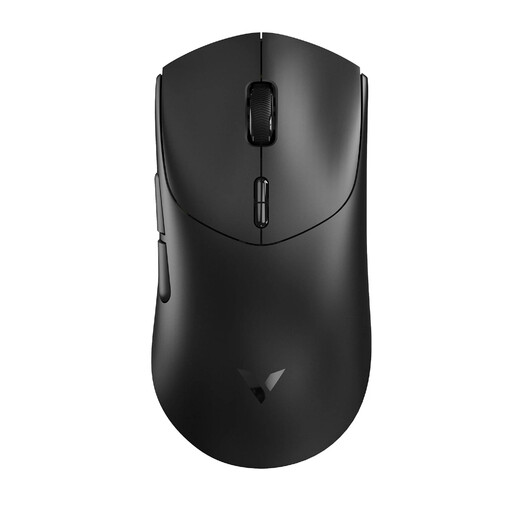
A conventional multi-button option if you want RTS bindings without choosing a full thumb grid. The product name specifies 10 programmable buttons, 53 g and an up-to-750-hour battery figure; that battery figure applies at 1000 Hz under the stated settings, so check the settings you plan to use. Confirm that the buttons suit your grip.
 No image available
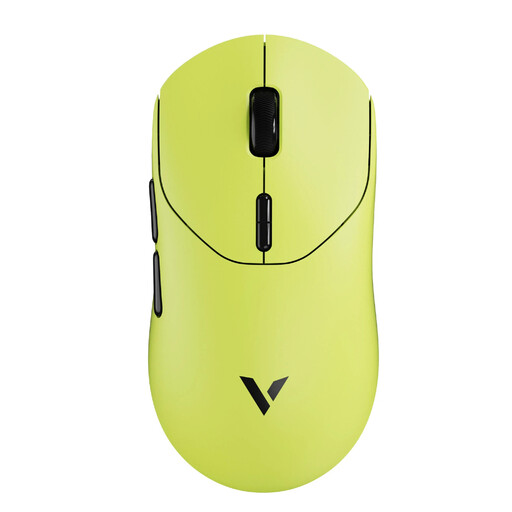
Consider it for a set of repeatable RTS shortcuts and a wireless desk. Its product name states 10 programmable buttons, 53 g and up to 750 hours of battery life; the stated battery figure is tied to 1000 Hz and a driver update for low-power mode. Check button reach before relying on it for time-critical commands.
 No image available
This is worth checking if you need only a limited set of mouse shortcuts but want a choice of connections. The product name lists Bluetooth, 2.4G and USB-C modes alongside the charging dock. Check the button layout against your bindings and confirm the mouse-only weight if it affects your choice.
 No image available
A wired option to assess if you need a compact set of extra RTS controls and prefer not to manage a battery. Its product name lists adjustable levels and RGB lighting. Confirm which buttons can be assigned to game commands and whether the shape fits your grip.
Count the commands you genuinely want under your mouse hand before choosing a layout. A smaller set can suit a conventional multi-button mouse; consider a dense grid when you have enough recurring commands to use it and can locate its buttons reliably.
No particular DPI follows from screen size alone. Choose adjustable sensitivity and test a controllable setting in your RTS game; Logitech G documents DPI changes through G HUB for compatible devices.
Start with repeatable commands whose buttons you can find without looking, and leave commands on the keyboard if their mouse positions prove unreliable. Logitech G HUB and Razer Synapse document button remapping for compatible devices; check the software support for the mouse you choose.
Check its charging or battery method, connection options and the conditions behind any stated battery figure. Also confirm whether the profiles you need work with your operating system and chosen connection.
For a UK online purchase, GOV.UK describes a time-limited cancellation right even when an item is not faulty; check the applicable conditions for a change-of-mind return. A fault is a separate matter: Coventry City Council Trading Standards says a refund for faulty goods is available in most cases within its stated early period. Contact the seller about the fault rather than treating its voluntary returns process as a replacement for statutory rights.