
24/7 Customer Support

Free returns

Same-day & Next-day Delivery

Quality Guaranteed

Unlock Your Welcome Offers: FREE Delivery | Up to 80% OFF | Free 30-day JoyPlus trial
Download the APP
As the Joybuy Product Recommendation Officer, my role is to help you navigate the crowded market of tech gadgets. The arrival of NVIDIA’s GeForce RTX 50 series has generated significant excitement, promising a new era of performance for gaming and creative work. However, with this new technology comes a wave of new models, specifications and marketing claims that can be difficult to sort through.
This guide is designed to cut through the clutter. We will break down the key factors to consider when choosing an RTX 50 series laptop and present a curated selection of models that stand out for their performance, features and value in 2026.
Choosing the right laptop involves more than just picking the most powerful graphics card. To ensure your investment meets your specific needs, consider these crucial elements.
The graphics card is the heart of any gaming machine. The NVIDIA 50 series offers distinct tiers, each suited to different users.
A powerful GPU is only as good as the screen it projects onto. An OLED gaming laptop offers unparalleled contrast with true, deep blacks and exceptionally vibrant colours, making it a superb choice for cinematic single-player games and colour-critical creative work. Alternatively, for competitive gamers, a high-refresh-rate (240Hz or more) IPS panel provides the smoothest motion clarity, which can offer a tangible advantage in fast-paced titles.
To unlock the full potential of a 50-series GPU, the rest of the system must keep pace. A high-performance processor, such as an Intel Core Ultra 9 laptop CPU, is essential to prevent "bottlenecking," where the processor can't feed data to the graphics card fast enough. Furthermore, the latest CPUs often include a dedicated Neural Processing Unit (NPU) to accelerate AI-driven tasks, from in-game performance optimisation to creative software enhancements, making the entire system smarter and more efficient.
After analysing the current market, we've selected three models that represent a strong balance of performance, features and purpose.
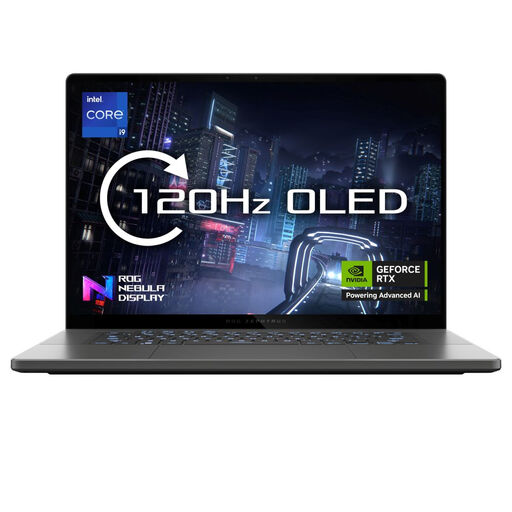
Why It Stands Out The Zephyrus G16 strikes an impressive balance between portability and power. It pairs a formidable NVIDIA GeForce RTX 5070 GPU with a stunning 16-inch 2.5K OLED Nebula Display. This combination makes it a versatile machine that excels at both high-fidelity gaming and professional content creation, all housed within a slim and lightweight aluminium body.
Pros
Who is it for? This laptop is ideal for the hybrid user—the gamer who is also a creator, or the professional who needs top-tier performance on the go without being weighed down.
View the ASUS ROG Zephyrus G16
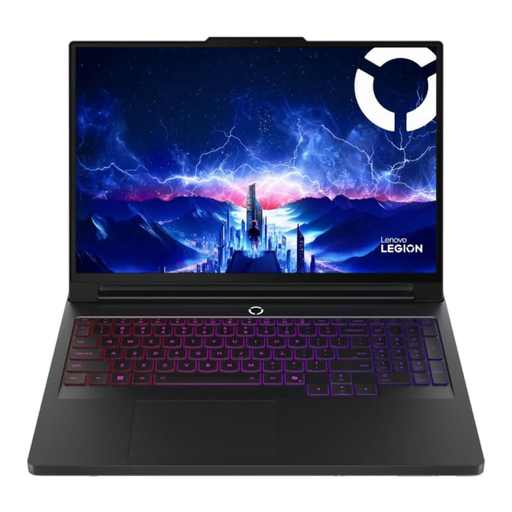
Why It Stands Out The Legion Pro 7 is an uncompromising performance flagship. It is one of the first machines to feature the NVIDIA GeForce RTX 5090 GPU, paired with a 24-core Intel Core Ultra 9 275HX processor and a massive 64GB of DDR5 RAM. Its Coldfront 5.0 Vapour Chamber cooling system is engineered to sustain peak performance during the most intensive tasks.
Pros
Who is it for? This machine is for the hardcore enthusiast, the competitive esports professional and the 3D artist or data scientist who requires maximum computational power in a portable form factor.
Explore the Lenovo Legion Pro 7
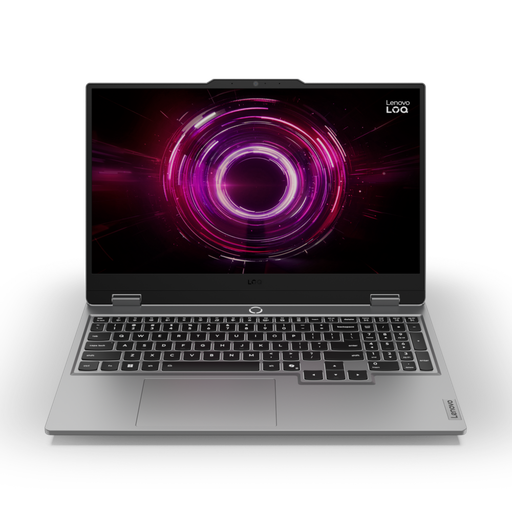
Why It Stands Out The Lenovo LOQ 15 makes the RTX 50-series accessible. It provides a well-balanced entry point with an NVIDIA GeForce RTX 5060 GPU, a capable AMD Ryzen 7 processor and a fast 144Hz FHD display. It delivers a solid next-generation gaming experience without the premium price tag of its higher-end counterparts.
Pros
Who is it for? This is a great choice for students, budget-conscious gamers and anyone looking for their first NVIDIA 50 series gaming laptop who wants strong 1080p performance and future-proof features.
These three models represent some of the most compelling choices available today, but the market is vast and varied. If you're looking for different configurations, screen sizes or brands, there are many other excellent machines to consider.
Explore our complete and regularly updated collection to find the perfect fit for your needs and budget.
Discover our full range of gaming computers
1. Is an RTX 50 series laptop worth it in 2026? For those seeking a significant leap in performance for gaming, content creation and AI-driven applications, the answer is yes. The architectural improvements, coupled with enhanced DLSS 4 technology and superior ray-tracing capabilities, offer a substantial upgrade over previous generations, especially if you are coming from an older system.
2. What is the main difference between an RTX 5070 and an RTX 5090 laptop? The primary difference lies in performance and intended use. An RTX 5070 laptop is aimed at the high-end market, delivering an exceptional experience for 1440p gaming. An RTX 5090 laptop is the flagship product, built to provide a smooth 4K gaming experience and handle the most demanding professional workloads, such as large-scale 3D rendering and complex AI models. It typically contains more VRAM and processing cores to achieve this.
3. Do I need an Intel Core Ultra 9 CPU for an RTX 50 series laptop? While not an absolute requirement for every model, particularly those with an RTX 5060, pairing a high-end GPU like an RTX 5070 or 5090 with a powerful CPU like an Intel Core Ultra 9 is highly recommended. This ensures the processor can supply data to the graphics card quickly enough, preventing a performance bottleneck that would otherwise limit the laptop's full potential in CPU-heavy games and applications.