Bright-room library builders
If you organise visual samples beside a window, start with readable thumbnails and controls. Screen position and reflection control matter even when a monitor has an anti-glare finish or a higher stated brightness.


For a visual sample library beside a bright window, reduce reflections through screen positioning or blinds before choosing a monitor by its brightness figure. Then weigh a compact 4K desk setup against a larger workspace or colour-calibration features, depending on what the library contains. The brightness and colour figures discussed here are manufacturers’ specifications, not guarantees of readability in your room.
If you organise visual samples beside a window, start with readable thumbnails and controls. Screen position and reflection control matter even when a monitor has an anti-glare finish or a higher stated brightness.
If your library includes photographs, artwork or video stills, check the colour spaces your workflow uses and the exact model’s calibration features. Those checks matter more than an HDR label alone.
If your laptop, storage and peripherals share the desk, check whether the monitor’s video connection, ports and power delivery meet your device requirements before planning a single-cable setup.
Check the window’s reflection on the proposed screen position first; then let the work in your visual library determine which other features deserve attention.
| Concern | What to check | Who this matters to |
|---|---|---|
| Glare and visibility | Check the screen coating and stated brightness, then whether the screen can be angled away from the window. | When reflections hide thumbnail labels, I need to make the screen readable before its other features matter. Around 45% of consumers would put glare control first. |
| Colour confidence | Match stated colour-space coverage and calibration features to the visual work you produce. | If I review photographs or artwork, I need a colour workflow that suits the files I deliver. Colour confidence would come first for around 27% of consumers. |
| Laptop connection | Confirm video compatibility, required ports and whether the stated power delivery meets your laptop’s charging needs. | I want to connect my laptop and desk peripherals without relying on an incompatible cable or port. Around 18% of consumers would prioritise that connection. |
| Workspace fit | Measure desk depth and check the screen size and stand adjustments against your viewing position. | If thumbnail grids and reference panes crowd my desk, I need a screen size I can position comfortably. Workspace fit would be the main concern for around 10% of consumers. |
A stated brightness figure does not tell you whether a reflected window will obscure filenames or controls. The Health and Safety Executive advises repositioning a screen or using blinds to avoid glare.
Assess the screen angle and window covering before comparing the exact models’ brightness and coatings.
HDR10 support and VESA DisplayHDR certification describe different things; the label alone does not establish a certified performance tier.
If HDR performance affects your choice, check the exact model and certification tier through VESA.
Video connection and laptop charging depend on the ports and power-delivery capabilities of both devices.
Compare your laptop’s requirements with the monitor’s exact ports and power-delivery rating, and check which cable is supplied.
A different model can have different ports, coating or stand adjustments, even when its name looks similar.
If you consider an alternative to the Dell U2723QE, compare its full model number and specifications rather than transferring the U2723QE’s features to it.
The ProArt PA32UCE is a reference point for colour-sensitive visual work in a bright room, rather than a specification for every ProArt monitor.
The PD3225U is a reference point for arranging thumbnails, folders and reference panels on a larger matte display.
The U2723QE provides a compact 4K specification reference for buyers considering a monitor with hub connectivity.
These monitors offer different starting points for organising visual samples, from compact 4K screens to larger displays. For any desk beside a window, check reflection control and the exact model’s suitability for your colour and connection needs.
 No image available
Consider this 4K OLED model for a visual sample library where colour-sensitive work matters. Before relying on it beside a window, check its typical brightness, screen coating and the connections your device requires.
 No image available
Consider its larger screen if your visual library needs room for thumbnail grids and reference panels. Confirm desk fit and the exact model’s brightness specification before making a bright-window decision: the product information gives conflicting peak-brightness figures, and a peak figure does not establish typical brightness.
 No image available
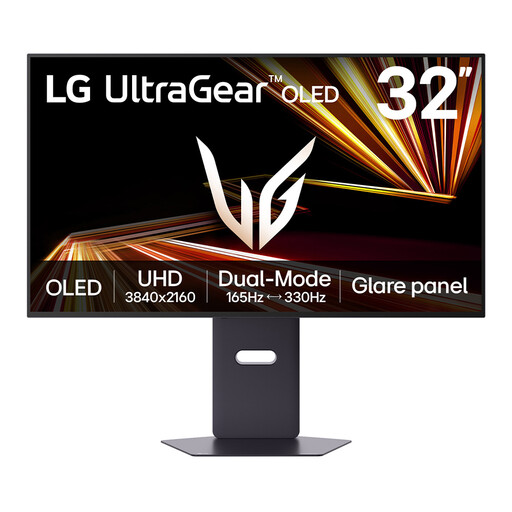
This larger 4K OLED screen may suit a desk with space for visual-library windows, although the model is presented primarily as a gaming monitor. Check its connections against your work devices and assess typical brightness and window reflections separately from any peak-brightness claim.
 No image available
This 27-inch 4K model is a compact option for organising visual samples. If it will sit beside a bright window, confirm the exact screen coating; if colour consistency is important, check its calibration details against your workflow.
 No image available
Consider this 4K model if your sample-library work calls for a straightforward screen setup. Check its coating for the window-facing position and its calibration details if you handle colour-sensitive assets; plan the screen height around the stand adjustments you need.
No, a higher stated brightness cannot guarantee a readable screen when the window reflects directly in it. The Health and Safety Executive advises repositioning the screen or using blinds to avoid glare; assess those options alongside the monitor’s coating and brightness specification.
No. HDR10 support is not the same as VESA DisplayHDR certification. If HDR performance matters to your visual work, check whether the exact monitor has a VESA-certified tier rather than using an HDR10 label to judge bright-room readability.
A 27-inch 4K screen suits a more compact desk, while a roughly 32-inch 4K screen gives thumbnails and panels more physical space at the same resolution. Measure desk depth and consider viewing distance and interface scaling before choosing.
Confirm that the laptop and monitor support video over the intended USB-C or Thunderbolt connection and that the monitor’s power delivery meets the laptop’s charging requirement. Check the exact ports and supplied cable as well; a USB-C connector alone does not establish those capabilities.