
24/7 Customer Support

Free returns

Same-day & Next-day Delivery

Quality Guaranteed

Unlock Your Welcome Offers: FREE Delivery | Up to 80% OFF | Free 30-day JoyPlus trial
Download the APP
Buying a Samsung 4K Smart TV involves more than choosing the largest screen within your budget. LED, QLED, OLED, Neo QLED, HDR, AI upscaling and gaming features can make product listings difficult to compare. Some specifications also sound impressive but may have limited value in your room or with the content you watch.
As the Joybuy Product Recommendation Officer, I focus on practical differences rather than promotional language. This guide explains the main buying traps, the specifications worth checking and a selection of Samsung televisions for different household needs.
A Samsung OLED TV or Neo QLED TV can offer display characteristics suited to film enthusiasts and gamers, but a Samsung LED TV may be a more sensible choice for everyday live television and streaming. Consider your viewing habits before paying for advanced panel technology.
Similarly, a very large 75-inch, 83-inch or 85-inch screen may not improve viewing if your sofa is close to the wall. Measure the room, viewing distance and furniture before ordering.
A 4K Ultra HD television has a resolution of 3840 × 2160 pixels, but resolution is only one part of image quality. Brightness, contrast, viewing angle, backlight control and HDR compatibility also affect what you see.
A Samsung TV with HDR can display compatible content with a wider range between darker and brighter areas. However, the result depends on the source, screen technology and viewing conditions. Upscaling can make HD or lower-resolution content appear clearer, but it does not turn the original programme into native 4K footage.
A television may include Wi-Fi and streaming apps but still need suitable HDMI connections for a games console, set-top box, Blu-ray player or soundbar. Check the number and type of HDMI ports, especially if you plan to use several devices.
Built-in speakers are convenient, but many televisions provide around 20 W RMS of audio output. A compatible Samsung soundbar can provide a wider soundstage and clearer dialogue. Also check the energy label. Large screens generally use more electricity, and the listed SDR and HDR consumption figures can differ significantly.
Available sizes in the supplied range include 43-inch Samsung TV, 50-inch Samsung TV, 55-inch Samsung TV, 65-inch Samsung TV, 75-inch Samsung TV, 83-inch Samsung TV and 85-inch Samsung TV options.
Measure the television’s full width, not just the diagonal screen size. For example, the 55-inch Q7F measures approximately 1234.1 mm wide with its stand, while an 85-inch Q7F measures approximately 1901.2 mm wide with its stand. Check the stand depth, wall position, viewing height and whether your delivery route can accommodate the packaging.
A Samsung Tizen Smart TV provides access to compatible streaming services, Samsung TV Plus and smart functions such as screen mirroring. A Samsung TV with Wi-Fi can connect wirelessly to your home network, although an Ethernet connection may be preferable where the router is nearby.
For gaming, look for ALLM, VRR, a suitable refresh rate and gaming menus. Some models include Gaming Hub, Game Bar, HGiG and Motion Xcelerator. The QN80F adds AMD FreeSync Premium Pro and support for up to 144 Hz. A television with a 50 Hz or 60 Hz panel may still be suitable for casual console gaming, but it is not equivalent to a high-refresh-rate gaming display.
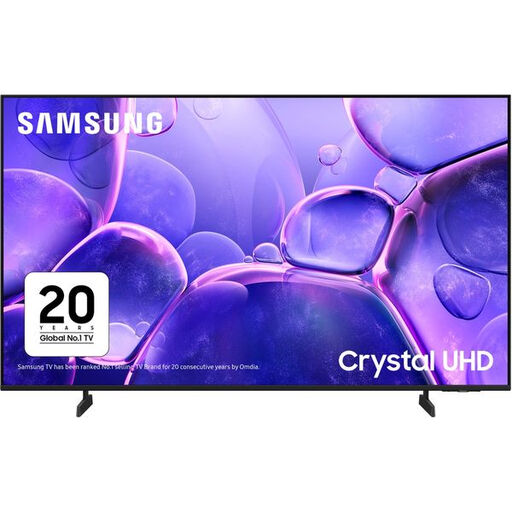
Why This Fits Their Persona: A straightforward 55-inch Samsung LED TV for households wanting 4K streaming, live television and Tizen smart functions without moving into a more advanced panel category.
It provides clearly listed 4K resolution, Wi-Fi, Ethernet, HDR support and three HDMI ports, helping buyers compare practical specifications instead of relying on vague picture claims.
Tizen, Wi-Fi, 4K upscaling, ALLM, VRR and a 1-year warranty are included in the listed specification.
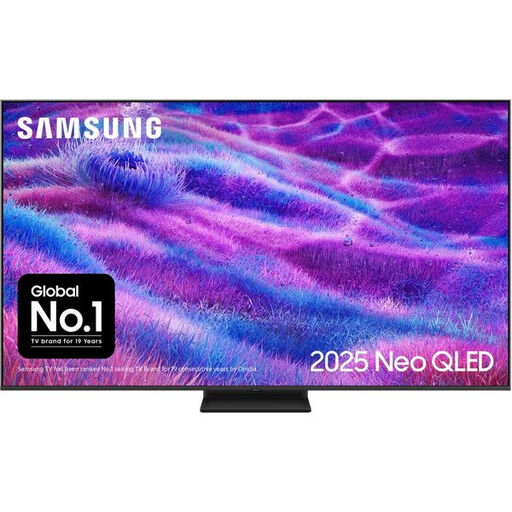
Why This Fits Their Persona: Suitable for film viewers, sport fans and gamers who want a 65-inch Samsung Neo QLED TV with Mini LED backlight control and a higher refresh-rate specification.
The listing identifies the display technology, 100 Hz native refresh rate and supported 144 Hz refresh rate, making it easier to distinguish from standard 50 Hz models.
Quantum Matrix Technology Core, four HDMI ports, HDR10+ Gaming, FreeSync Premium Pro and Tizen are listed features.
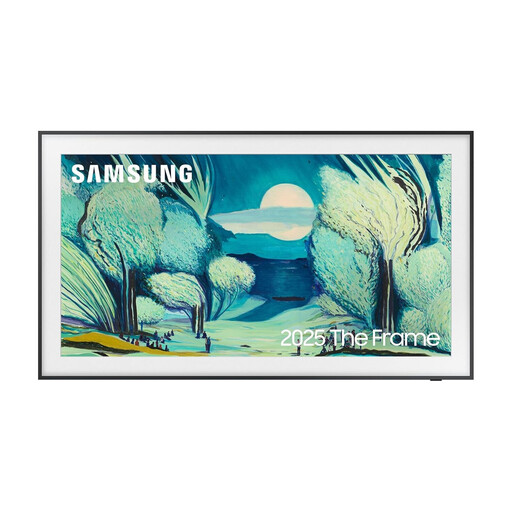
Why This Fits Their Persona: Designed for UK living rooms where the television needs to work with the décor, not dominate it when not being watched.
Its anti-glare screen, Art Mode and slim design address the practical issue of a black display becoming the room’s visual focus.
QLED display, Tizen, four HDMI ports, Wi-Fi, Ambient Mode and an image gallery are listed specifications.
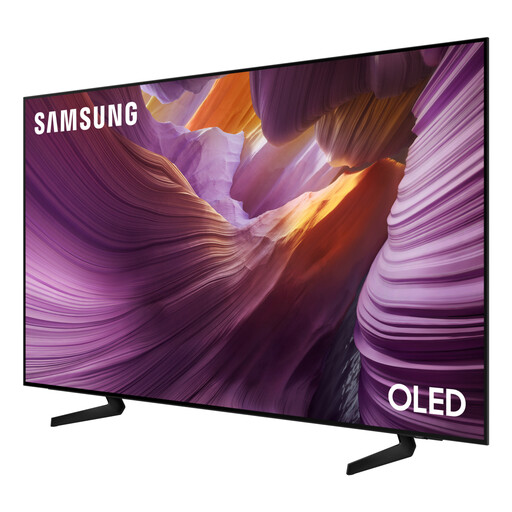
Why This Fits Their Persona: An 83-inch Samsung OLED TV for spacious rooms, regular film viewing, sport and console gaming where screen scale is a central part of the setup.
The product listing states the OLED panel, 100 Hz native refresh rate, 120 Hz supported refresh rate, VRR and ALLM rather than presenting gaming suitability as a vague claim.
Four HDMI ports, Tizen, Dolby Atmos decoding, FreeSync Premium and 4K AI upscaling are listed.
If dialogue sounds thin or the built-in speakers do not fill the room, consider the Samsung HW-C400/XU. It has 2.0-channel output, four speakers, a built-in woofer, Bluetooth, Voice Enhancement Mode and Night Mode. It is a compact option for everyday television and can be wall-mounted.
For a larger home cinema arrangement, the Samsung HW-Q930F provides 9.1.4 channels, a wireless active subwoofer, Dolby Atmos, DTS:X, Wi-Fi, Bluetooth and Q-Symphony. Check the room size, speaker placement and available HDMI or eARC connections before ordering.
We have compiled a complete, real-time list of products that fully satisfy these strict selection criteria and UK safety regulations.
Yes. The listed models include digital tuners supporting UK-relevant broadcast formats such as DVB-T2, with some also supporting DVB-C or DVB-S2. Check the individual product specification if you need a particular satellite or cable connection.
Consumption varies by screen size, picture settings and whether you are watching SDR or HDR content. The supplied specifications list usage per 1,000 hours, making it easier to compare models. A 43-inch model generally has lower typical consumption than a 75-inch or 85-inch television, but always check the energy label for the exact product.
Most listed models support HDMI ARC or eARC, Bluetooth or optical audio connections, depending on the product. For the simplest compatible setup, check whether both devices support the same connection and whether Q-Symphony is available on the chosen television and soundbar.