
24/7 Customer Support

Free returns

Same-day & Next-day Delivery

Quality Guaranteed

Unlock Your Welcome Offers: FREE Delivery | Up to 80% OFF | Free 30-day JoyPlus trial
Download the APP
Navigating the world of tablets can be a challenge, especially with the wide array of options available. The Samsung Galaxy Tab range, in particular, offers a device for nearly every need—from family entertainment and student note-taking to professional-grade creative work. But with so many models, how do you identify the right one for you?
This guide is designed to cut through the clutter. We will walk you through the key considerations when choosing a Samsung Android tablet and highlight a few standout models to help you make an informed decision.
Choosing a tablet is about matching its features to your lifestyle. Here are a few practical points to keep in mind.
Your primary use case will heavily influence the ideal screen size. If you're looking for a portable entertainment tablet for watching films on the train or casual browsing, a compact and lightweight tablet around 10-11 inches is often sufficient. For digital artists, architects or professionals who multitask with multiple windows, a larger display like the 14.6-inch screen on some Galaxy Tab S series models provides a more expansive canvas and can significantly improve productivity. Pay attention to the display technology as well; a Dynamic AMOLED 2X screen offers superior colour and contrast compared to a standard LCD.
If your plans involve digital drawing, detailed note-taking or document annotation, a tablet with S Pen support is a major advantage. This stylus transforms the tablet into a digital notebook with remarkable precision. While the S Pen is a hallmark of Samsung's premium tablets, it's important to check which models include it in the box, as not all do. For students and professionals, this feature can be a genuine game-changer, making it a key consideration for anyone looking for a Samsung tablet for students.
Your apps, photos and documents all need a place to live. While cloud storage is an option, having ample onboard storage is more convenient. Many Samsung tablets offer generous internal storage, but a crucial feature is the option for expandable storage via a microSD card slot. This allows you to add up to 2TB of extra space, ensuring you never have to worry about running out of room. For performance, look at the RAM—8GB is great for smooth multitasking, while 12GB is geared towards heavy-duty applications and gaming.
Here are a few models from the current Samsung Galaxy Tab lineup, each suited to different users and budgets.
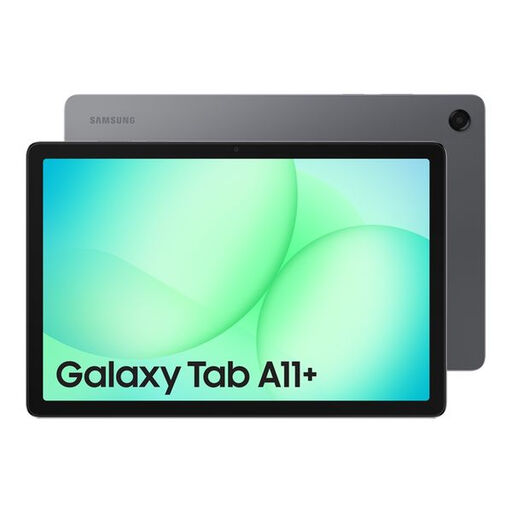
Why It Stands Out: The Galaxy Tab A11+ is a highly practical and versatile tablet that delivers solid performance for everyday tasks. It combines a large 11-inch display with a very generous 256GB of internal storage, making it an excellent value proposition for media consumption and general use.
Pros:
Who is it for? This is an ideal choice for families needing a shared device, students on a budget or anyone looking for a reliable Wi-Fi tablet for entertainment and light productivity without a premium price tag.
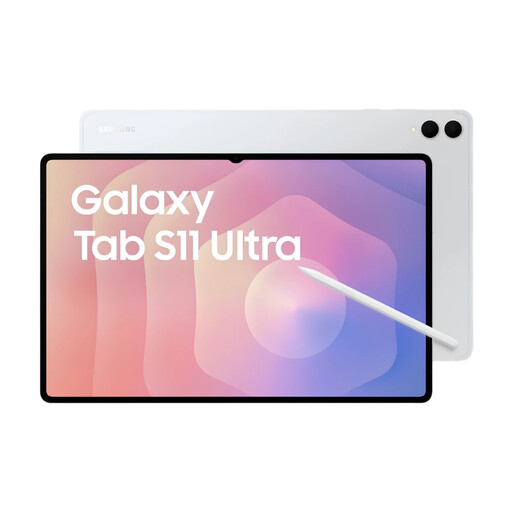
Why It Stands Out: The Galaxy Tab S11 Ultra represents the peak of Samsung's tablet engineering. Its massive 14.6-inch Dynamic AMOLED 2X display with a 120Hz refresh rate is simply stunning, and the powerful processor handles the most demanding apps with ease. It's a true productivity and creativity powerhouse.
Pros:
Who is it for? Digital artists, creative professionals and power users who demand the largest screen and highest performance for complex tasks, from video editing to running multiple apps in Samsung DeX mode.
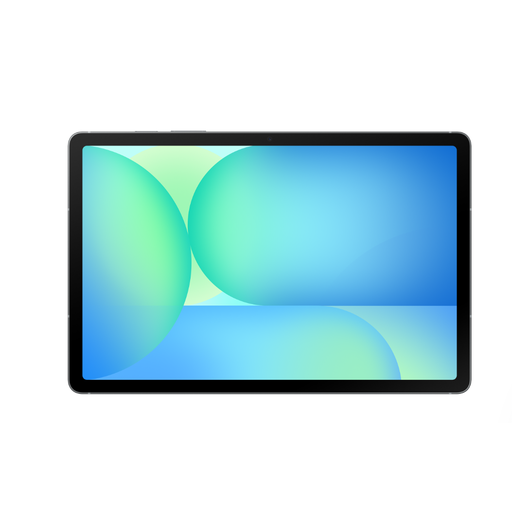
Why It Stands Out: The Galaxy Tab S10 FE strikes an excellent balance between premium features and everyday value. It brings the coveted S Pen experience, a smooth 90Hz display, and robust durability into a more accessible package, making it a formidable all-rounder.
Pros:
Who is it for? This is a superb option for students, mobile professionals and aspiring creators who need the creative and productive capabilities of a tablet with S Pen but don't require the sheer scale and power of the Ultra model.
If these models aren't quite what you're looking for, or if you're interested in exploring different sizes or brands, we have a wider selection available.
Explore our full range of tablets to compare more models and find the perfect device for your needs and budget.
For many users, yes. High-performance models like the Galaxy Tab S11 Ultra, when paired with a keyboard cover and using Samsung DeX mode, can provide a desktop-like experience that is more than capable of handling word processing, spreadsheets, presentations and video calls. For everyday productivity and media consumption, most models in the Galaxy Tab S series serve as excellent laptop alternatives.
No, the S Pen is not included with every model. It is a key feature of the premium Galaxy Tab S and FE (Fan Edition) series, such as the Tab S11 Ultra and Tab S10 FE. The more budget-oriented Galaxy A series tablets typically do not include an S Pen. It is always advisable to check the "What's in the Box" section on the product page to confirm.
To find competitive Samsung tablet deals UK, it's a good practice to monitor prices during seasonal sales events. You can also browse the dedicated tablet sections of online retailers like Joybuy, where we regularly feature updated pricing and offers on a wide range of devices.