
24/7 Customer Support

Free returns

Same-day & Next-day Delivery

Quality Guaranteed

Unlock Your Welcome Offers: FREE Delivery | Up to 80% OFF | Free 30-day JoyPlus trial
Download the APP
Buying a Samsung Odyssey gaming monitor involves more than choosing the largest screen or highest refresh-rate number. OLED displays can deliver rich contrast and fast motion, but the wrong size, resolution or connection can leave you paying for performance your PC or console cannot use.
This guide separates useful specifications from marketing noise and matches selected Odyssey monitors to different UK gaming setups.
A 240Hz gaming monitor can display up to 240 frames per second, but your computer must generate those frames. Demanding 4K games may require a high-end graphics card, while a console may have a lower maximum output. Check your GPU, game settings and target resolution before paying extra for the highest refresh rate.
For consoles, HDMI 2.1 gaming monitor connectivity is particularly useful for modern systems supporting high-resolution output and variable refresh rates. However, the console, cable and game must all support the desired mode.
A listed 0.03ms GTG response time indicates a very fast stated pixel response, which can help reduce visible smearing during rapid movement. It does not automatically guarantee lower input latency, higher frame rates or better gameplay. Look at the complete combination of refresh rate, adaptive sync, resolution and connection type.
OLED panels can be vulnerable to image retention when static, bright elements remain on screen for long periods. Features such as Samsung OLED Safeguard+, pixel shifting, brightness management and cooling systems are designed to help manage this risk, but they do not remove the need for sensible use.
Enable the monitor’s protection functions, use a screen saver and vary static desktop content. Keep the display well ventilated and follow the manufacturer’s care instructions. Check the retailer and manufacturer warranty terms before purchase, as coverage can differ.
A 32-inch 4K QD-OLED monitor typically offers a 3840 × 2160 resolution. This provides a detailed image for single-player games, productivity and streaming, but it also places greater demands on the graphics card. The Samsung Odyssey OLED G8 LS32DG802SUXXU and Samsung Odyssey G81SF both use this 32-inch 4K format.
A 27-inch QHD OLED display, such as the Samsung Odyssey G6, uses 2560 × 1440. It is easier to drive at high frame rates and can suit competitive PC gaming. A 34-inch curved OLED gaming monitor with 3440 × 1440 resolution offers a wider 21:9 view, useful for racing games, simulations and multitasking.
OLED pixels can switch off individually, producing deep blacks without the same backlight glow associated with many LCD designs. QD-OLED combines an OLED structure with quantum-dot colour technology. In practical terms, these displays are suited to players who value contrast, colour intensity and dark-scene detail.
HDR performance depends on more than the label. Look for the panel’s HDR certification, peak brightness behaviour and the games or media being viewed. The Odyssey G81SF lists VESA DisplayHDR TrueBlack 400, while the 34-inch Odyssey G8 supports HDR10 and HDR10+ Gaming according to its product information.
A high refresh rate makes motion appear smoother when the system supplies enough frames. Adaptive sync helps match the display refresh rate to frame output, reducing tearing and stuttering. Models in this selection include AMD FreeSync Premium Pro, while the Odyssey G6 also lists G-SYNC compatibility.
For a PC, DisplayPort may be the appropriate choice for high-refresh gaming, while HDMI 2.1 is useful for compatible consoles and graphics hardware. Always confirm the exact port specifications, cable support and output limits for your equipment. A 4K OLED monitor cannot create 4K at 240Hz if the connected hardware cannot provide it.
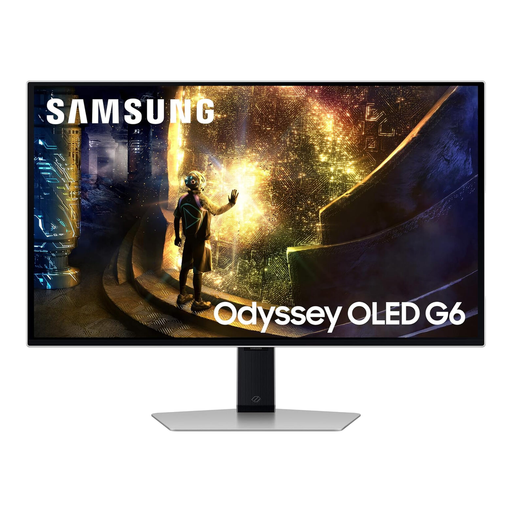
Why This Fits Their Persona: Its 27-inch QHD format is a practical starting point for PC players who want OLED contrast and high-speed gaming without moving to the greater graphics demand of 4K.
The QHD resolution can be less demanding than 4K, while OLED Safeguard+ and anti-glare technology address two common OLED ownership concerns.
240Hz refresh rate, 0.03ms GTG response time, HDMI 2.1 and adaptive-sync support.
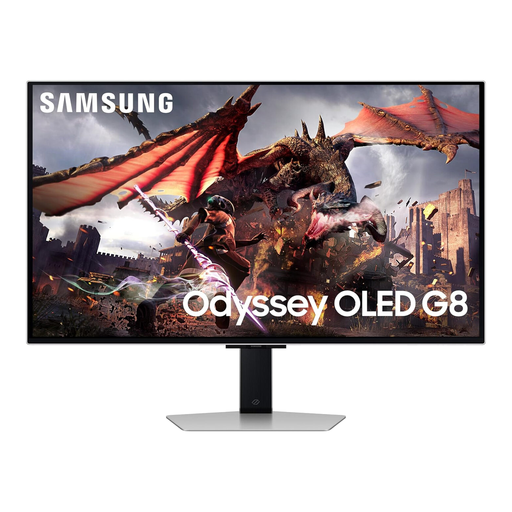
Why This Fits Their Persona: This suits players wanting a high-resolution screen for premium PC gaming, films and streaming, with smart functions that can reduce the need for a separate entertainment device.
It combines 4K QD-OLED detail with OLED Glare Free technology, a USB hub and HDMI 2.1 rather than focusing on refresh rate alone.
32-inch 4K QD-OLED panel, 240Hz refresh rate, Tizen OS and Gaming Hub.
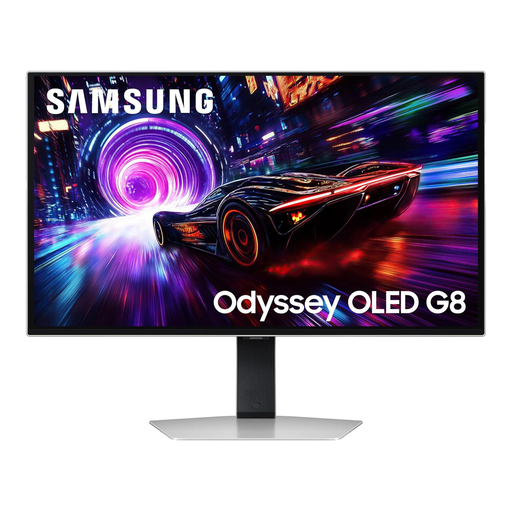
Why This Fits Their Persona: A strong match for competitive FPS, racing and 4K gaming users who prioritise detailed visuals, rapid motion and panel-care features for frequent use.
OLED Safeguard+ cooling and brightness-management features are included, while the 166 PPI panel supports clear 4K detail at 32 inches.
240Hz, 0.03ms GTG, DisplayHDR TrueBlack 400 and AMD FreeSync Premium Pro.
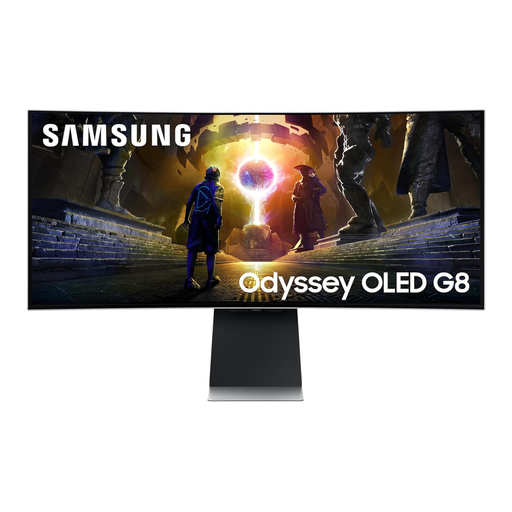
Why This Fits Their Persona: The 21:9 curved format is suited to racing, simulation, open-world gaming and streamers who need extra horizontal workspace.
The 175Hz rate is matched with an ultrawide 3440 × 1440 resolution, giving the format a clear purpose instead of adding screen size without useful workspace.
34-inch curved QD-OLED panel, HDMI 2.1, built-in speakers and Tizen smart features.
We have compiled a complete, real-time list of products that fully satisfy these strict selection criteria and UK safety regulations.
Yes, compatible models can connect to consoles through HDMI, with HDMI 2.1 available on several products in this selection. Check the console’s supported resolution and refresh rate, as a console may not use every PC-focused feature.
Power consumption varies with screen size, brightness, HDR mode and connected devices. OLED monitors may change brightness depending on content. For regular use, compare the product’s stated power information and use automatic sleep or standby settings when the display is idle.
Avoid leaving static desktop icons, news tickers or game interfaces at high brightness for long periods. Use screen movement and automatic dimming features, vary your content and allow the monitor’s maintenance cycle to operate where applicable. These steps help reduce risk but cannot guarantee that permanent image retention will never occur.