
24/7 Customer Support

Free returns

Same-day & Next-day Delivery

Quality Guaranteed

Unlock Your Welcome Offers: FREE Delivery | Up to 80% OFF | Free 30-day JoyPlus trial
Download the APP
A 65-inch television can transform a lounge into a home cinema, but a large screen also makes weaknesses easier to notice. Before buying the Samsung QF72 QE65Q7F2AUXXU 65-inch QLED TV, UK households should look beyond phrases such as “AI-powered” and “cinematic picture”.
The three most common buying pitfalls are:
The QF72 is designed for buyers who want a large-screen Samsung 65-inch 4K Smart TV with QLED colour technology, streaming access and straightforward wireless connectivity. The following checks can help establish whether it suits your room and viewing habits.
The Samsung QF72 has a 65-inch diagonal display, equivalent to approximately 163 cm, with a 4K Ultra HD resolution of 3840 x 2160 pixels. Its listed dimensions are:
Measure the full width of your furniture rather than only the shelf area. Allow room for ventilation and cable access. If wall mounting, check the TV’s VESA compatibility and make sure the wall and bracket are suitable for the weight of a 65-inch display.
A larger screen is particularly useful for films, sport and family viewing, but seating distance matters. Sitting too close may make compression artefacts or lower-resolution broadcasts more visible. For many UK living rooms, positioning the sofa several metres away provides a more comfortable view, although the ideal distance depends on eyesight, source quality and personal preference.
The QF72 uses Real Quantum Dot technology and lists 100% Colour Volume. In practical terms, this is intended to retain colour across different brightness levels, making it relevant to colourful films, animation, sport graphics and console games.
It supports Quantum HDR and HDR10+. These formats can provide more gradation between bright and dark areas when the streaming service or disc supplies compatible content. However, HDR results vary by programme and viewing environment. A brightly lit room can reduce perceived contrast, while a darker room may reveal more shadow detail.
The built-in Q4 AI Processor is specified for scene-by-scene processing and 4K upscaling. This makes the TV a sensible match for mixed households watching Freeview, older films, online video and 4K streaming. It is still worth checking the source resolution and subscription plan: a TV cannot turn a poor-quality stream into the same image as a high-bitrate 4K service.
This Samsung QLED AI TV runs on Tizen OS, with access to services including Netflix, Prime Video and YouTube according to the supplied product information. It also supports Bixby and works with Alexa and Google Assistant.
Connectivity includes:
Three HDMI inputs are useful for a console, set-top box and soundbar, but check your equipment before purchase. If you have several consoles, a Blu-ray player and an AV receiver, you may need an HDMI switch or receiver with enough inputs.
The integrated audio system is rated at 20W, 2-channel, with Object Tracking Sound Lite and Adaptive Sound. OTS Lite is designed to create the impression that sound follows movement across the screen. It is not the same as a separate surround-sound system, so film enthusiasts may wish to budget for a compatible soundbar. Bluetooth can also be useful for selected wireless headphones, subject to device compatibility.
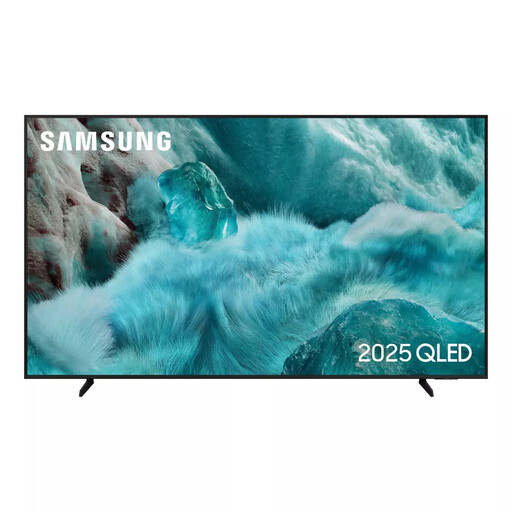
Why This Fits Their Persona: A practical option for UK households wanting Samsung QLED features in a smaller format that may suit more compact lounges or media units.
The 55-inch size reduces placement problems compared with a 65-inch screen, while the specification lists 4K upscaling, Quantum HDR and three HDMI ports.
QLED display technology, Tizen OS, Wi-Fi and Bluetooth connectivity.
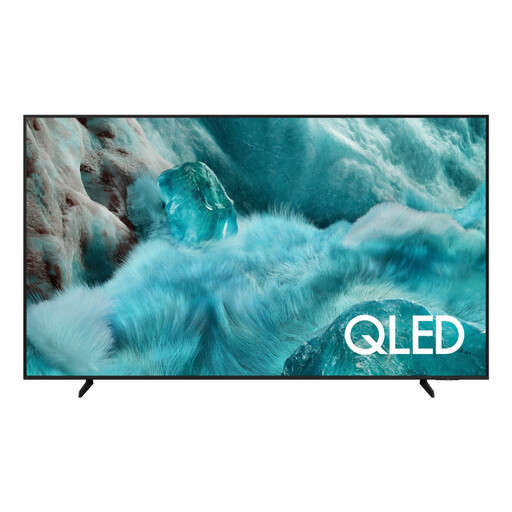
Why This Fits Their Persona: Suited to homeowners creating a large-screen film, sport and streaming area with Samsung’s QLED colour processing and smart platform.
Its listed dimensions make installation planning clear, while the specifications identify the processor, HDR formats, audio output and connection count.
65-inch 4K resolution, Real Quantum Dot technology, Q4 AI Processor and Tizen OS.
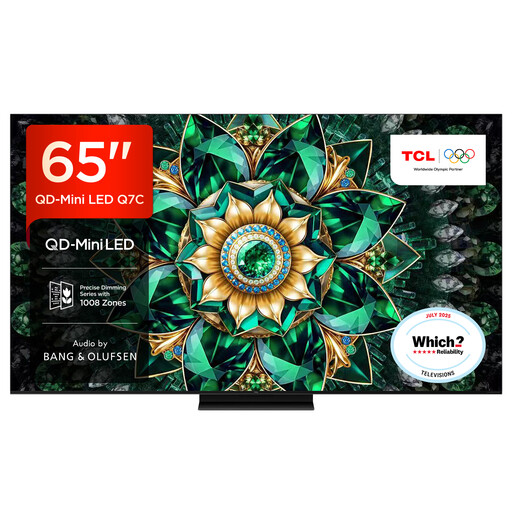
Why This Fits Their Persona: A comparison option for dedicated film and console users prioritising listed local dimming, a 144Hz native refresh rate and larger-format HDR viewing.
The listed refresh rate and local-dimming figure give gamers and film viewers concrete specifications to compare rather than relying only on general HDR wording.
QD-Mini LED display, up to 2,048 listed local dimming zones and 144Hz native refresh rate.
We have compiled a complete, real-time list of products that fully satisfy these strict selection criteria and UK safety regulations.
The listing title refers to a 1-year warranty, while the supplied specification states a 5-year manufacturer warranty upon registration. These details do not match, so confirm the applicable warranty terms, registration deadline and retailer coverage before ordering.
The listed energy efficiency class is G. Actual electricity use depends on brightness, HDR content and hours watched. For a household watching several hours daily, compare the energy label and stated consumption figures rather than estimating from screen size alone.
It has three HDMI ports, 4K resolution, QLED colour technology and Bluetooth and Wi-Fi connectivity. However, the supplied QF72 specification does not state a native refresh rate or input-lag figure. Console gamers should check those details, along with ALLM and variable refresh-rate support, before purchasing for competitive play.
Wall mounting may be possible, but check the manufacturer’s VESA pattern, bracket compatibility and wall load rating before installation. The TV is approximately 144.6 cm wide and 5.9 cm deep without its stand, but cable clearance and bracket depth will increase the space required.
The QF72 is listed with G energy efficiency class. Running cost depends on viewing hours, screen brightness and electricity tariff. Reducing brightness, enabling energy-saving settings and switching the TV off rather than leaving it in standby can help limit consumption, but check the current energy label for the most reliable comparison.