For occasional A4 research summaries that include colour, consider a cartridge inkjet that prints, copies and scans; check for automatic two-sided printing if summaries run to several pages. A refillable ink-tank model makes more sense to consider when colour printing is repeated across projects, while a mono laser suits batches of black text only if the finished work does not need colour.
Who each printer type suits
Occasional colour-summary printers
If you print a limited number of A4 summaries but sometimes include colour charts or images, look for print, copy and scan functions. Automatic duplexing is worth checking if the summaries are often more than one page.
Households with recurring project printing
If colour assignments come up repeatedly, a refillable ink-tank multifunction printer gives you a different consumable format to consider. Compare the exact model’s supplied ink, stated yields and two-sided printing features rather than assuming they are the same across a range.
Black-text batch printers
If research notes and final summaries are mainly black text, a mono laser multifunction printer is an option. Check its paper tray, automatic duplexing and rated speed, but rule it out if the submitted pages must contain colour.
What matters when choosing
Decide whether the finished summaries need colour before comparing consumables and paper handling. These printer types answer different needs, so a feature that matters for repeated projects may matter less for occasional pages.
Cartridge colour inkjet
Consider it: For occasional summaries that may contain colour and need copying or scanning.
Trade-off: Check replacement-cartridge yields if printing becomes more frequent.
Refillable colour ink tank
Consider it: For colour assignments printed repeatedly across school terms.
Trade-off: Stated ink yields depend on test conditions and document content; check the ink supplied with the exact model.
Mono laser
Consider it: For batches of black-text summaries where colour is unnecessary.
Trade-off: It cannot print colour charts or illustrations for the final submission.
| Concern |
What to check |
Who this matters to |
| Occasional colour flexibility |
Confirm A4 print, copy and scan functions, plus automatic duplexing if needed. Check the chosen model’s cartridge yields. |
If I only print projects occasionally, I still need charts and images to appear in colour without giving up copying and scanning. Around 42% of consumers would make that flexibility their primary concern. |
| Recurring colour printing |
Compare the ink supplied, stated black and colour yields, and whether the exact model prints two-sided automatically. |
With colour assignments coming up regularly, I want to plan refills around repeated use rather than a single project. Roughly 33% of consumers would put recurring colour-print capacity first. |
| Black-text batches |
Confirm that mono output is acceptable, then check rated A4 speed, tray capacity and duplex operation. |
When the finished work is black text, I care most about handling longer batches without frequent paper loading. About 25% of consumers would prioritise that text-heavy workload. |
Mistakes to avoid
-
Choosing a mono laser before reviewing the finished project
A mono printer cannot reproduce colour charts, diagrams or images in colour, even if it can scan the originals.
Check a typical completed summary before deciding that black-and-white output is sufficient.
-
Comparing printers without checking their consumables
Cartridge, refillable-ink and toner models use different supplies. Manufacturer page yields are ratings, and the pages you print may use ink or toner differently.
Check what comes with the exact printer and which replacement supplies it uses, then relate their stated yields to how often you expect to print.
-
Assuming multifunction means automatic duplexing
Print, copy and scan functions do not establish whether a printer can turn pages over automatically for two-sided A4 printing.
Look for automatic A4 duplex printing in the exact model specification if you routinely produce multi-page summaries.
Manual two-sided printing also means turning and re-feeding the pages yourself.
-
Passing on a connected printer without clearing its data
A printer used on a network may retain connection details after it is unplugged.
Before reuse, donation or recycling, follow the manufacturer’s factory-reset instructions. Recycle Your Electricals also advises removing cartridges and memory cards where applicable.
Relevant brands and model lines
Canon
Canon’s PIXMA cartridge and MAXIFY refillable-ink lines provide different approaches to colour A4 print, copy and scan work.
- Canon UK lists Wi-Fi and automatic A4 duplex printing for the PIXMA TS5350i; its MAXIFY GX1050 specification lists a 250-sheet cassette and automatic duplexing.
- Cartridge yields and refillable-ink supplies differ, so compare the exact models and check current availability. Canon UK Store listed the TS5350i as discontinued at the October 2026 research check.
Epson
Epson’s EcoTank line is relevant when colour school and home documents are printed repeatedly and refill planning matters.
- Epson describes the ET-2870 as an A4 Wi-Fi model that prints, copies and scans using refillable ink tanks.
- Epson states yields of up to 4,500 black and 7,500 colour pages per ink set for that model; these are manufacturer ratings, not a promise of output for every document. Check the exact model’s duplex features and availability.
Brother
Brother’s mono laser multifunction models are relevant when summaries consist mainly of black text.
- Brother UK specifies print, copy and scan functions, a 250-sheet tray, automatic duplexing and a rated mono print speed of up to 32 pages per minute for the DCP-L2620DW.
- That model prints in mono, so it does not meet a requirement for colour in the finished pages.
Joybuy products for school-project printing
These models offer choices to consider for recurring colour project work or black-text summaries. Check each exact model’s functions and two-sided printing before deciding which fits the finished pages.
 No image available
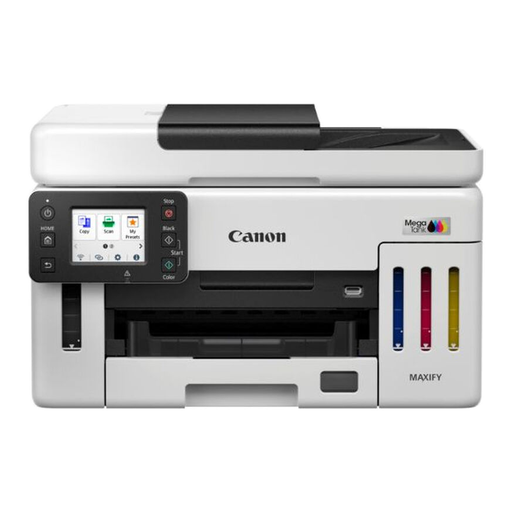
Canon MAXIFY GX6150
Consider this model for repeated colour A4 summaries if its refillable printing and print, copy and scan functions meet your needs. Check automatic duplex operation and the ink supplied with this exact offer.
View on Joybuy
 No image available
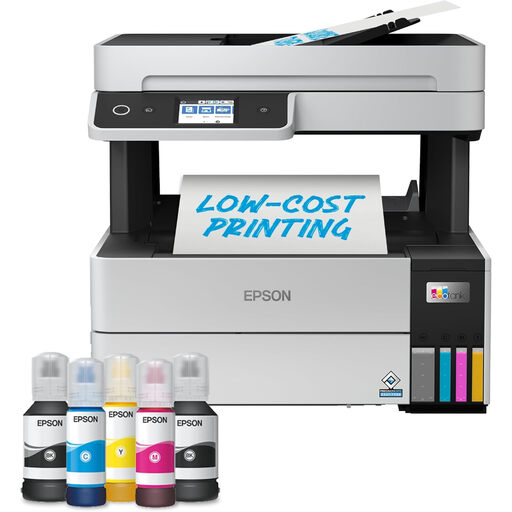
Epson EcoTank ET-5150 +Ink A4 multifunction printer
For recurring colour projects, this A4 model is worth considering when you also need Wi-Fi, printing, copying and scanning. Check its automatic duplex specification and the ink supplied with the +Ink offer.
View on Joybuy
 No image available
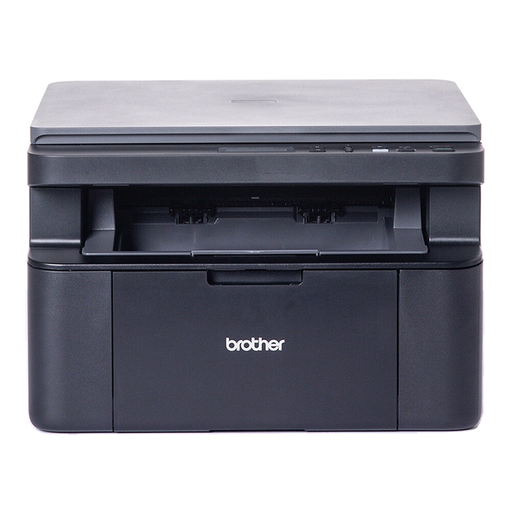
Brother DCP-L1640W mono laser printer
Consider this mono laser model only if black-text summaries are sufficient. Allow for manual page handling when printing on both sides, and confirm the exact model’s copy and scan functions if you need them.
View on Joybuy
Frequently asked questions
Do school-project research summaries need a colour printer?
Choose colour printing if the submitted pages need colour charts, diagrams, images or colour-coded information. If the finished work can be entirely black and white, a mono multifunction printer is also an option; confirm that requirement before choosing one.
When is automatic duplex printing useful?
Automatic duplexing is useful when you regularly print multi-page A4 summaries on both sides of the paper and do not want to turn and re-feed sheets manually. Check the exact model specification: Canon UK lists it for the PIXMA TS5350i and MAXIFY GX1050, and Brother UK lists it for the DCP-L2620DW, but those specifications do not establish the feature for other models.
What should I check before connecting a Wi-Fi printer?
Check the exact printer model’s manufacturer support information and security-update policy, particularly if it will remain connected to a household network. Do not assume that an update commitment stated for one model applies to another.
What should I do before passing on an old printer?
Factory-reset the printer using its manufacturer’s instructions before reuse, donation or recycling. Recycle Your Electricals advises removing ink cartridges and memory cards where applicable so they can be handled separately.


