
24/7 Customer Support

Free returns

Same-day & Next-day Delivery

Quality Guaranteed

Unlock Your Welcome Offers: FREE Delivery | Up to 80% OFF | Free 30-day JoyPlus trial
Download the APP
Choosing an SD memory card can feel surprisingly complicated. With a dizzying array of codes, speeds and sizes, it's easy to fall into common traps that lead to wasted money or a card that simply doesn't work for your needs. As a Joybuy Product Recommendation Officer, my role is to help you navigate the market and find a card that performs as expected, without the marketing hype.
Before you buy, be aware of these common pitfalls:
To avoid these issues, focus on three core specifications. Understanding these will ensure you get the right card for your camera, drone or handheld console.
The numbers on a memory card are not just for show; they represent guaranteed minimum performance levels for specific tasks.
This is a simple but critical compatibility check.
Almost all modern devices support SDXC, but it is always wise to confirm this in your device's manual, especially if it is a few years old.
This is the most obvious difference. Full-size SD cards are typically used in larger devices like DSLR and mirrorless cameras. A microSD card is the tiny format used in smartphones, drones, action cameras and handheld gaming consoles. Many microSD cards come with an adapter, allowing them to be used in a full-size SD slot.
Based on these practical criteria, we've matched some reliable options to common UK user profiles.
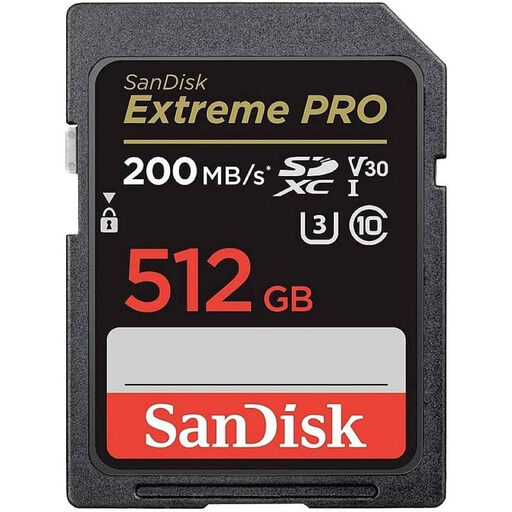
Why This Fits Their Persona: For photographers and videographers using a high-resolution camera memory card is non-negotiable. This card provides the high write speeds needed for burst-mode RAW photography and long, uninterrupted 4K video shoots, while the 512GB capacity means less time spent swapping cards on a job.
It directly counters the "4K Ready" myth. Its U3 and V30 ratings guarantee a minimum sustained write speed of 30MB/s, preventing dropped frames or failed recordings during demanding 4K video capture.
High write speeds of up to 140MB/s are ideal for burst photography. It is also built to be temperature-proof, waterproof and shock-proof for reliability in the field.
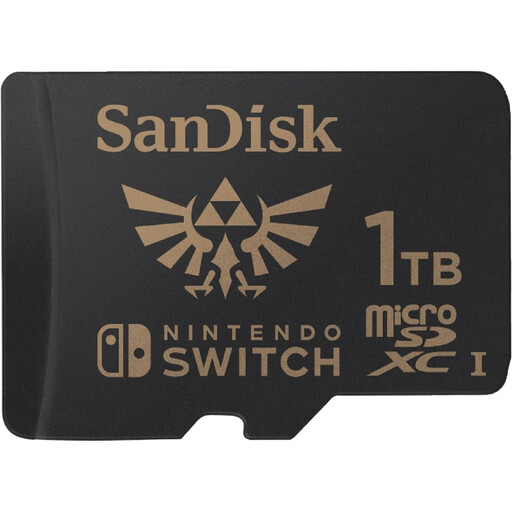
Why This Fits Their Persona: A perfect memory card for Nintendo Switch users with a large digital library. The massive 1TB microSD card capacity means you can stop deleting old games to make room for new ones. The official Nintendo license provides peace of mind regarding compatibility and performance.
This card avoids the compatibility gamble entirely. As it is officially licensed and tested by Nintendo, it is guaranteed to work seamlessly with all Switch models, removing any guesswork for the consumer.
Its read and write speeds (up to 100MB/s and 90MB/s respectively) are optimised for the Switch hardware, ensuring fast game load times. The 1TB capacity can hold dozens of AAA titles.
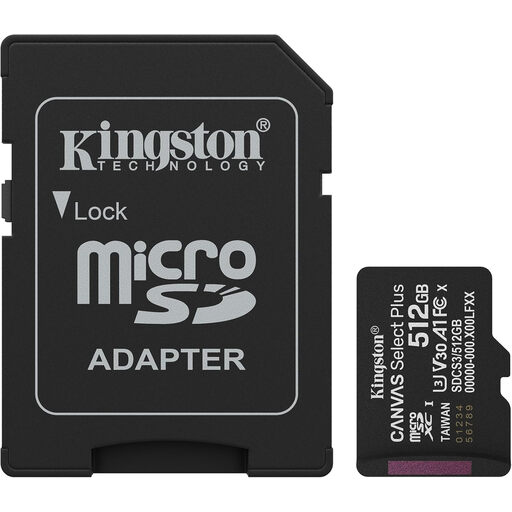
Why This Fits Their Persona: An excellent value-for-money choice for expanding an Android smartphone's storage. The 512GB capacity provides ample room for photos, videos and apps, while the A1 rating ensures a smooth user experience without paying for top-tier speeds that a phone may not fully utilise.
This card helps you avoid the speed mismatch trap. By focusing on the A1 application rating, it delivers the performance that matters for a smartphone (app loading) without the extra cost of ultra-high sequential speeds you wouldn't notice in daily use.
It offers a great balance of capacity, performance and price. The included SD adapter adds versatility, allowing it to be used in a laptop or camera if needed.
We have compiled a complete, real-time list of products that fully satisfy these strict selection criteria and UK safety regulations.
The most reliable method is to consult your device's user manual or the manufacturer's official website. Look for a "specifications" page and find the "storage" or "memory card" section. It will state the required format (e.g., microSDXC), the maximum supported capacity (e.g., "up to 1TB") and sometimes the recommended speed class (e.g., "U3 or higher recommended for 4K video").
In simple terms, read speed affects how quickly you can open or view files already on the card. A high read speed is great for quickly previewing photos or loading a game level. Write speed affects how quickly you can save or record new files onto the card. A high write speed is essential for recording high-resolution video (like 4K) or taking a rapid succession of photos (burst mode) without your device slowing down or stopping.
Generally, yes. A "gaming" card like the Lexar PLAY PRO is primarily marketed for its high Application Performance Class (A2), which benefits game loading times. However, these cards also have high read/write speeds and often carry a Video Speed Class rating (like V30). As long as the card's format (microSDXC) and Video Speed Class meet your drone's requirements for 4K recording, it will work perfectly well. The "gaming" label doesn't prevent it from being a capable memory card for drone use.