Nintendo Switch Sports players
If you play from a seat, check the control arrangement for your chosen sport rather than assuming a full-size pad will work. Nintendo UK lists supported Joy-Con arrangements and excludes Switch Pro Controllers.


Choose a controller that your exact arcade-sports game supports on your platform before comparing wireless connections or extra buttons. Nintendo Switch Sports requires supported Joy-Con arrangements and excludes Pro Controllers; for conventional gamepad play on Xbox, Windows or PS5, a controller made for the platform is a starting point, but the individual game and its features still need checking.
If you play from a seat, check the control arrangement for your chosen sport rather than assuming a full-size pad will work. Nintendo UK lists supported Joy-Con arrangements and excludes Switch Pro Controllers.
If your game uses sticks, triggers and face buttons, the Xbox Wireless Controller is a platform-native option for Xbox and Windows. Microsoft also lists compatible mobile devices, but controller input must be supported by the game you intend to play.
DualSense is a route for PS5 play and controller-supported games on compatible computers or mobile devices. PlayStation notes that some features depend on the game, device and connection, so cross-device use does not mean identical functionality.
Start with the exact game and platform, then decide whether it calls for motion controls or a conventional gamepad. Once the input method is clear, compare the connection and power arrangements that suit your seat.
| Concern | What to check | Who this matters to |
|---|---|---|
| Game and platform compatibility | Check the game’s supported controllers, your console generation and controller-input support on PC or mobile. | I need to know the pad will actually work with my game before its other features matter; around 36% of consumers put exact game and platform compatibility first. |
| Connection from your seat | Confirm the connection method for your device and whether a wanted feature needs USB rather than Bluetooth. | If I switch devices or sit away from the screen, I want a connection I can use without giving up a feature I need. Around 29% of consumers prioritise that connection flexibility. |
| Motion or gamepad controls | Check the game’s required control style and, for Nintendo Switch Sports, the Joy-Con arrangement for the selected sport. | A sports game that relies on movement calls for a different choice from one played with sticks and buttons; for around 21% of consumers, the required control format comes first. |
| Power and specific features | Check the battery arrangement and whether the functions you plan to use work on your platform. | I would rather plan for batteries or charging, and check a particular function, than discover a routine-use limitation later. Around 14% of consumers put those requirements first. |
Nintendo UK says Nintendo Switch Sports does not support Switch Pro Controllers, and its supported Joy-Con arrangements vary by sport.
Check the game’s controller instructions for the sport you intend to play before choosing a controller.
A DualSense can connect to supported devices beyond PS5, but PlayStation says feature availability depends on the game and connection; PC haptic feedback requires USB.
Check support for the particular game, device and feature before choosing Bluetooth over a cable.
8BitDo specifies its Ultimate 2C Bluetooth model for Switch and Switch 2, while its Ultimate 2C Wireless model has stated Windows and Android connection options.
Match the complete model name to the maker’s compatibility information for your platform.
Microsoft lists AA batteries and a compatible rechargeable battery-pack route for the standard Xbox Wireless Controller. PowerA’s cited rechargeable Switch controller has motion controls but omits HD rumble, IR and amiibo NFC.
Check how the particular controller is powered and whether it includes the functions your game uses.
An AA-powered setup also means keeping suitable batteries available or arranging a compatible rechargeable option.
Joy-Con and first-party Switch controllers serve different control styles.
The standard Xbox Wireless Controller is a full-size option for Xbox, Windows and compatible mobile devices.
DualSense is the PS5 controller route, with use on supported computers and mobile devices.
Its similarly named controller variants have different stated platforms.
Its cited Enhanced Wireless Controller Rechargeable is a full-size Switch option.
These Joybuy controllers cover Xbox or Windows gamepad play, DualSense use with supported games, and full-size Switch-oriented or multi-platform options. For Nintendo Switch Sports, follow the game’s Joy-Con requirements rather than choosing a full-size pad solely because it has motion controls.
 No image available
Consider this model for seated Xbox or PC gamepad play if your game accepts it. The product title identifies Xbox One, Xbox Series X/S and PC variants; check the exact game’s controller support before ordering.
 No image available
This DualSense variant suits PS5 play or controller-supported games on a compatible PC, Mac or mobile device. PlayStation lists USB and Bluetooth connection options; check game support and remember that PC haptic feedback requires USB.
 No image available
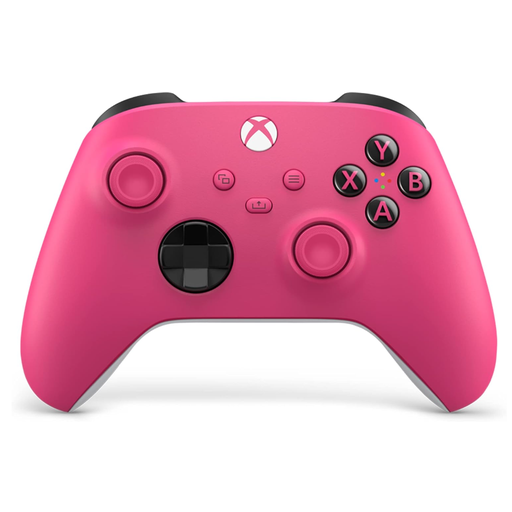
For a game that supports standard Xbox controls, this is an option for Xbox, Windows and compatible mobile play. Microsoft specifies Xbox Wireless, Bluetooth and button mapping for the standard controller; plan for AA batteries or a compatible rechargeable solution.
 No image available
Consider this full-size wireless Switch controller for games that support its control format. Do not assume it works with Nintendo Switch Sports: Nintendo UK specifies Joy-Con arrangements for that game.
 No image available
This is a controller to consider if you need to assess connection options across devices. Confirm the G3 V2’s connection modes, power arrangement and support for your exact game and platform before choosing it.
No. Nintendo UK says Nintendo Switch Pro Controllers and Nintendo Switch 2 Pro Controllers are not compatible with Nintendo Switch Sports. Check the supported Joy-Con arrangement for the sport you want to play; handheld mode is not supported either.
No. PlayStation says these features depend on game support, and haptic feedback on PC requires USB. Check the particular game and connection before choosing a controller for those features.
No. Xbox Support lists AA batteries and a compatible rechargeable battery pack as power options. It also says rechargeable AA batteries do not charge inside the controller.
Electrical products and batteries marked with the crossed-out wheelie-bin symbol should not go in household rubbish, according to GOV.UK guidance. Check the appropriate local collection option for the controller and its batteries.