Households keeping a second-room screen
If you are happy with the screen you already have, check for a usable HDMI input, accessible power and the apps you need before adding a player. Roku United Kingdom lists HDMI on its streaming sticks.


Keep a satisfactory second-room screen and add a streaming device if it has a usable HDMI input; choose a smart TV if you also need a display. Before buying either, check the exact model for your required services, room connections and power arrangements, and remember that a 4K player cannot make an HD-only screen display in 4K.
If you are happy with the screen you already have, check for a usable HDMI input, accessible power and the apps you need before adding a player. Roku United Kingdom lists HDMI on its streaming sticks.
If you need a display as well as streaming access, choose a screen size that suits the room and check the exact TV model for your required services. Samsung UK identifies the UE32F6000FKXXU as a Full HD smart TV, while Netflix Help Center describes support in terms of devices that offer its app.
If people may watch in both rooms at once, check each service’s simultaneous-viewing allowance; if subtitles or audio description matter, check the specific programme and device. Netflix Help Center notes that simultaneous screens depend on the membership plan and that some programme features may not be available for every title.
Decide whether you are keeping the existing display or adding a new one, then check that the exact setup will work with your services, connections and viewing needs.
Choose when: You have a satisfactory HDMI-equipped HD screen and want to add streaming without replacing it.
Trade-off: An HD model does not provide 4K output; check its power needs, app support and access to the HDMI socket.
Choose when: You are keeping a compatible 4K screen and want an HDMI add-on.
Trade-off: The display and content must support the picture format you want; check the exact model’s apps and power arrangement.
Choose when: You want a box-style player and can place it beside the TV; a built-in Ethernet option may suit a room with a cable connection.
Trade-off: Allow space beside the display and check whether the exact model needs a separate HDMI cable.
Choose when: You need a second screen, or the one you have no longer suits the room.
Trade-off: Buying a screen and streaming platform together still means checking the exact model’s apps, inputs and accessibility features.
| Concern | What to check when buying | Who this matters to |
|---|---|---|
| Essential service compatibility | Check every required service against the precise TV or player model and its supported software. | If I need particular apps in the second room, I want to confirm they work on the exact device; around 31% of consumers put essential service access first. |
| Reusing the existing screen | Check for a free HDMI input, accessible power and the player’s power requirements. | If my current screen still suits the room, I would rather add streaming than replace it; around 25% of consumers prioritise making an existing screen work. |
| Choosing a new screen | Check the screen size, resolution, inputs and essential apps on the exact TV model. | When I need a display as well as streaming, its size and built-in services both matter; around 19% of consumers prioritise a suitable new screen. |
| Watching in both rooms | Check each service’s simultaneous-viewing allowance for your intended use. | If people may want to stream in both rooms at once, I need to check the service’s allowance; around 13% of consumers make simultaneous viewing their main concern. |
| Accessible playback and controls | Check the device controls and the required feature on the specific service and programme. | If I rely on accessible navigation, subtitles or audio description, I want to check the complete setup; around 12% of consumers prioritise accessible playback and controls. |
A smart-TV label or streaming platform does not establish that every service you use works on that model. Netflix Help Center describes supported devices as devices that offer its app.
Check each must-have service against the complete model before choosing a TV or add-on.
A 4K-capable player does not make an HD-only display show a 4K picture.
Match the player’s output to the screen you intend to keep.
Connections and supplied accessories can differ between models and versions. Google says its TV Streamer requires a separately sold certified HDMI cable; Apple lists an HDMI cable as sold separately for Apple TV 4K (3rd generation).
Check the exact version, what is included, its power source and the cable route before setting up.
Some box-style setups need a separately purchased HDMI cable, so check the included accessories before installation.
Adding another device does not itself increase the number of simultaneous streams allowed by a service. Netflix Help Center says simultaneous screens depend on the membership plan.
If both rooms may be used at once, check the relevant service’s allowance for your account.
Roku’s UK streaming sticks are an add-on option for a television with HDMI.
Fire TV Stick HD is an HDMI add-on route for an existing display.
Google TV Streamer (4K) is a box-style HDMI option with built-in Ethernet.
The UK 32-inch F6000 is one example of a Full HD smart-TV route when you need another screen.
Apple TV 4K (3rd generation) is a box-style HDMI option, with separate Wi-Fi and Wi-Fi-plus-Ethernet versions.
These Joybuy product choices focus on smart TVs for households that need a display as well as streaming access. Check the exact model’s services, connections and features against your room and viewing needs.
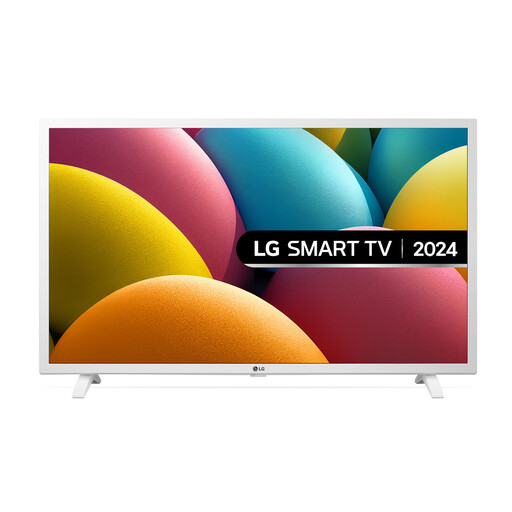 No image available
A 32-inch smart TV option if you need a display with built-in streaming for a smaller room.
The listing specifies a 32-inch Full HD display, two HDMI inputs and Wi-Fi 5, and names webOS, Netflix, Disney+ and Prime Video. Check that the services you need work on this exact model.
 No image available
Consider this option if a 40-inch display suits the room and you want a smart-TV platform built in.
The listing specifies Full HD, two HDMI inputs, Wi-Fi and LAN, and describes TiVo OS. It names Netflix, YouTube and Disney+; check your essential services on the exact model.
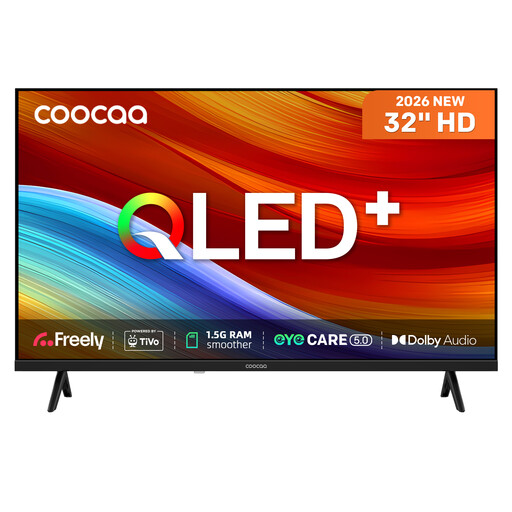 No image available
A 32-inch smart-TV option if you need a compact display with streaming and live-TV features.
The listing specifies an HD 1366 × 768 display, two HDMI inputs, Wi-Fi and LAN, and describes TiVo OS with Freely built in. It names Netflix, YouTube and Disney+; confirm the services and features you need for this model.
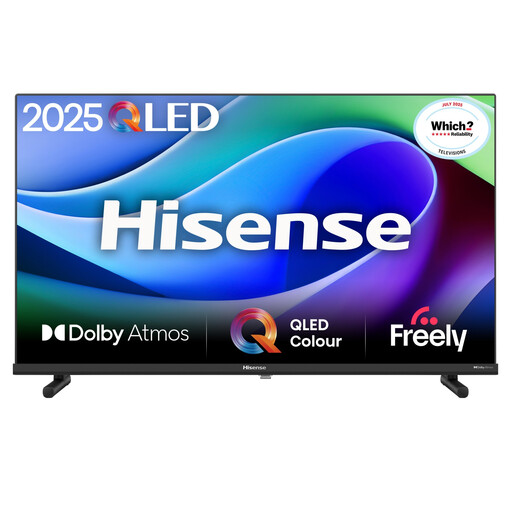 No image available
Consider this 32-inch smart TV if you need a second display and want a choice of wired or wireless network connection.
The listing specifies Full HD, Wi-Fi, Ethernet and HDMI and USB ports, and describes VIDAA OS. It names Netflix, Prime Video and YouTube; check the exact model for every service you rely on.
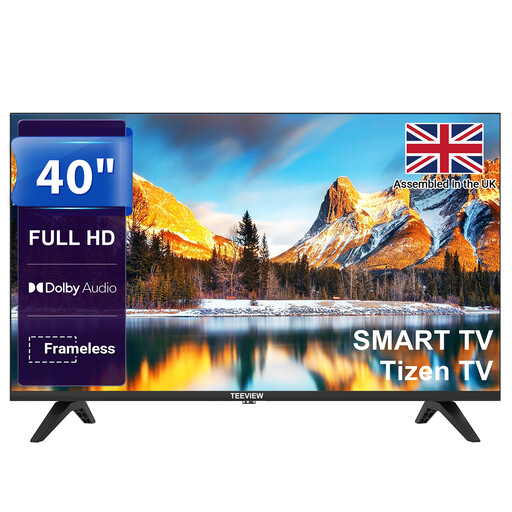 No image available
A 40-inch smart-TV option if the larger screen suits your second room.
The listing specifies Full HD, multiple HDMI ports and Wi-Fi, and describes Tizen OS. It names Netflix, Disney+, Prime Video, BBC iPlayer and YouTube; confirm your required apps on this exact model.
It can work if the TV has a free, usable HDMI input and the stick’s power requirements can be met. Check the exact device’s apps and the internet connection available in that room before choosing.
Registered devices and simultaneous viewing are different: Netflix Help Center says the number of screens that can watch at once depends on the membership plan. Check the applicable account arrangement before relying on two-room playback.
No; availability depends on the programme and the device. Netflix Help Center notes that some titles do not offer particular subtitle or audio-description options, so check the specific content and the controls on the intended setup.
For a household at one address, adding another room or device does not by itself mean another TV Licence is needed. GOV.UK says a licence is required to watch or record live TV or use BBC iPlayer; separate tenancy agreements can affect who needs their own licence.
Check the exact model’s connections and what is included. Google says its TV Streamer needs a separately sold certified HDMI cable, and Apple lists a separately sold HDMI cable for Apple TV 4K (3rd generation).