Joybuy monitor choices
These Joybuy choices include conventional desk monitors and portable displays for adding a screen to a laptop workspace.
 No image available
MSI MD272UPSW Smart Monitor, 27-inch 4K UHD
Consider it for a permanent desk setup where a 27-inch display and adjustable positioning suit the available space.
The listing specifies 4K UHD resolution, an IPS display, USB-C 65 W power delivery and an HDMI port. Its stand adjusts for tilt, height, swivel and pivot. Check that your laptop supports video through the chosen connection.
Joybuy
 No image available
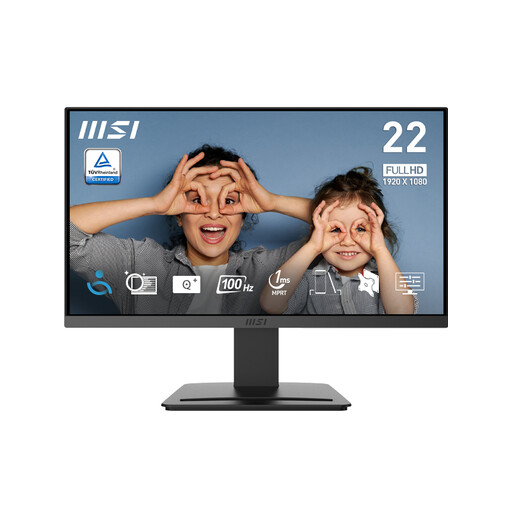
MSI PRO MP223 E2, 21.45-inch Full HD
Consider it when a conventional second screen with a smaller listed diagonal suits your desk.
The listing specifies a 1920 × 1080 display, 100 Hz, HDMI and DisplayPort inputs, a tilt-adjustable stand and 75 mm VESA mounting. Confirm that your laptop’s output matches the connection you plan to use.
Joybuy
 No image available
ASUS ZenScreen MB166CR FHD
Consider it if you need a portable second screen that can be moved or put away.
The listing specifies a 15.6-inch Full HD display, a weight of 780 g and USB-C with DisplayPort Alternate Mode for video and power. HDMI is not supported, and the laptop must support the required USB-C video connection.
Joybuy
 No image available
ASUS ZenScreen MB249C IPS USB-C
Consider it if you need a portable display with flexible placement options and have space for its listed size and weight.
The listing specifies a 23.8-inch Full HD display, USB-C with 60 W power delivery and HDMI. It describes a kickstand, C-clamp arm and partition hook options; check laptop compatibility and the setup requirements for the placement you choose.
Joybuy
 No image available
Samsung Essential S3 S31D (LS24D310EAUXXU)
Consider it for a conventional desk setup where a 24-inch Full HD screen suits the available space.
The listing specifies a 1920 × 1080 display, HDMI and VGA inputs, and a tilt-adjustable stand. Check that your laptop provides a compatible video output.
Joybuy
Frequently asked questions
Will any laptop USB-C port work with a USB-C monitor?
No. Check the manual for your exact laptop to confirm that the port supports video, then match it to the monitor and cable. If you also want to charge the laptop through the display, compare the monitor’s stated power delivery with the laptop’s charging requirement.
Can a portable second screen work with HDMI?
Only if the particular monitor has a compatible input and a suitable power arrangement. For example, ViewSonic’s VX1755 has mini-HDMI, and its manual describes a separate power connection when using that input.
How should I position an additional screen?
For prolonged desk use, the Health and Safety Executive advises positioning the top of the screen around eye level and about an arm’s length away. Arrange the laptop and display so you can work without sustained twisting, and consider suitable input devices for extended use.
Will a dock let every laptop run more external monitors?
No. The supported number depends on the laptop and display configuration. Apple says a supported hub does not increase the maximum number of external displays for a MacBook Air, so check the guidance for your exact model.
What should I check about returns when buying online?
For an applicable UK online consumer purchase, GOV.UK guidance describes a right to cancel up to 14 days after delivery without giving a reason. Faulty-goods remedies are separate; check the applicable seller terms and any manufacturer warranty independently.


