Households starting with everyday routines
If you want voice, app or timed control for lights and plugs, begin with the controls household members will actually use. Which? describes voice and app control as common ways to set up a smart home.


Choose the controls your household will use before choosing individual devices: a speaker or display can bring compatible voice-led routines together, while lights and plugs can handle simpler scheduling without starting with a camera. Add a camera or doorbell when remote viewing matters, or consider a local-capable controller if reducing reliance on separate cloud services is a priority. For each exact model, check controller compatibility, app and account requirements, the stated security-update period and any recording features that need a subscription.
If you want voice, app or timed control for lights and plugs, begin with the controls household members will actually use. Which? describes voice and app control as common ways to set up a smart home.
If visitor alerts or viewing an entrance while away matter to you, consider a camera or video doorbell. Check how the chosen model handles account access, recordings and any subscription-dependent features.
If you expect to expand the setup, prioritise controller compatibility and stated security-update support before adding devices. Home Assistant describes local control as a focus of its platform, but each intended device still needs a compatibility check.
Decide how the household will control its devices, then check support and account access for each exact model. A router’s guest-network options can also be worth checking as the setup grows, but they are not a substitute for device updates or account protection.
| Concern | Buying checks | Who this matters to |
|---|---|---|
| Shared control and routines | Check which app, voice assistant or controller works with every intended device, and whether routines require an online account. | If I want everyone at home to operate the same lights and plugs, I need controls they can use without juggling disconnected apps. Around 31% of consumers put straightforward shared control first. |
| Updates and account security | Find the exact model’s stated security-update end date and check the available account-protection options. | When a device will stay connected to my home network, I want its stated support period to fit how long I plan to use it. For around 31% of consumers, ongoing support and secure access are the primary concern. |
| Privacy and local control | Confirm compatibility with the intended controller and which essential functions, if any, need a vendor cloud account. | If I plan to connect several devices, I would rather know which controls can run through a compatible local controller. Roughly 23% of consumers make reduced cloud and account dependence their main priority. |
| Remote monitoring | Check which alerts, recordings and storage options the exact camera or doorbell includes, and which need a subscription. | If I need to see visitors while away, I care about access to the footage and alerts I will actually use. Around 15% of consumers put that monitoring need first. |
The UK rules require a stated minimum security-update period for relevant consumer connectable products; that period may still end before you intend to replace the device. The National Cyber Security Centre advises against buying devices that are already unsupported or nearing the end of support.
Compare the exact model’s stated support end date with your intended period of use.
A speaker, app or hub can bring controls together only when the devices are compatible with it. Otherwise, routines may remain split between apps.
Choose your primary controller or ecosystem, then check each proposed light, plug, camera or doorbell against it.
Some smart-doorbell features require a subscription, so live viewing and access to saved recordings should be checked separately.
Compare the exact model’s included alerts, storage and recording history with the features you need.
Keeping the recording history you want may require an ongoing subscription.
According to the National Cyber Security Centre, weak passwords can expose a smart device or home network.
Set a unique password, enable two-step verification where offered and keep device and app software updated.
Ring offers video doorbells and cameras, with UK support material covering software security updates and product-security documentation.
Google Nest spans speakers, displays, cameras and doorbells; Google publishes UK product-security statements for named products.
Home Assistant is an open-source home-automation platform for buyers considering a central controller with local-control options.
These plugs suit households starting with device control or schedules; the doorbells are for those who need to assess entrance monitoring. Whichever route you choose, confirm the exact model’s support period, account requirements and fit with your planned setup.
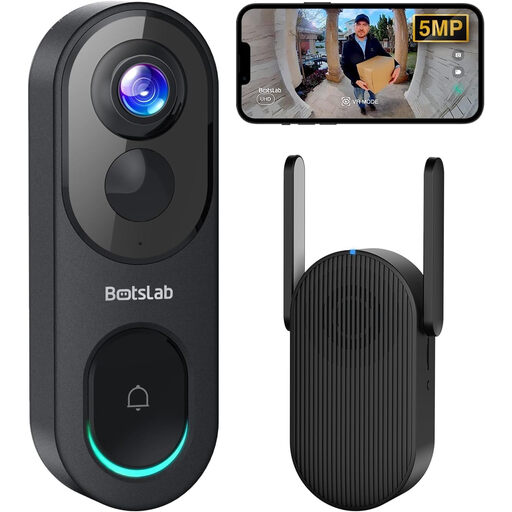 No image available
Consider this model if entrance monitoring and the listed SD-card storage option match your plans.
The product name specifies 5MP video and a 32GB SD card. Check which alerts and recording features need a subscription, along with the app requirements and stated security-update end date.
 No image available
This is a plug to consider when building routines around a compatible Matter controller.
The product name specifies power monitoring, Thread technology and a UK Type G plug. Check that your setup has the Matter controller and Thread Border Router needed for the intended Thread functions, and confirm the model’s update period.
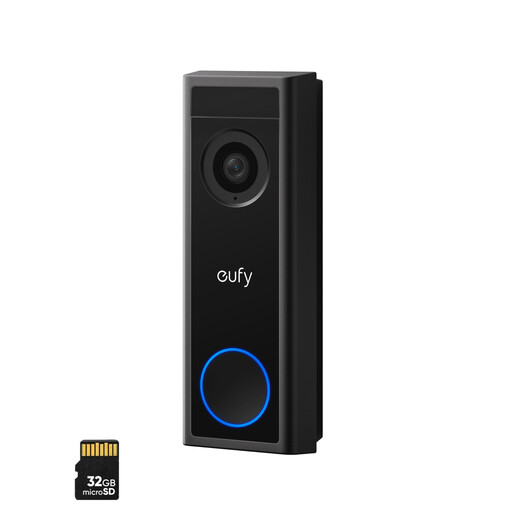 No image available
Consider this doorbell if you want to speak to visitors remotely and can choose an installation method that suits your entrance.
The product name specifies battery or hardwired power. The listed 24/7 recording and five-second pre-roll depend on hardwiring; check storage, account requirements and the stated security-update end date separately.
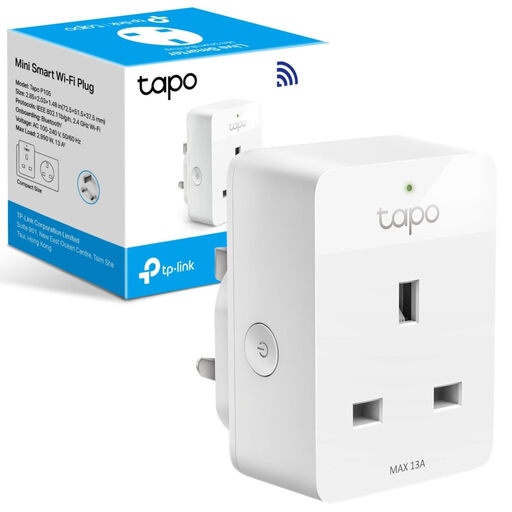 No image available
Consider this plug for app-controlled household routines if a Wi-Fi-based setup fits your chosen controls.
The listed setup uses 2.4GHz Wi-Fi. Before use, confirm that your network and the plug format suit the intended location, and check the exact model’s account requirements and update period.
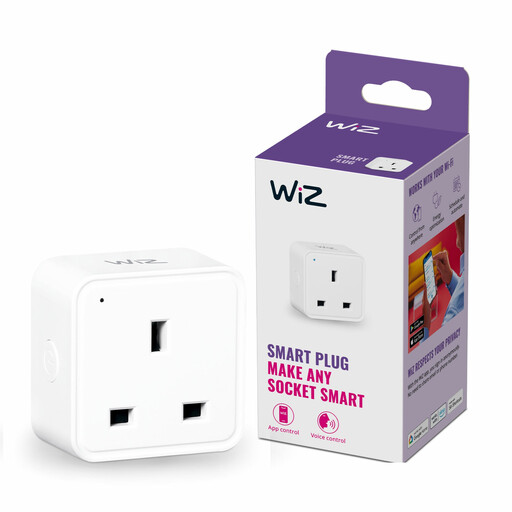 No image available
Consider this plug if smartphone control and schedules are the functions you need.
Check the plug format and compatibility with your intended controls. The listed use is restricted to dry environments or a suitably approved luminaire application; also confirm the model’s account requirements and update period.
Relevant consumer connectable products supplied to UK consumers have been subject to the Product Security and Telecommunications Infrastructure regime since 29 April 2024, according to UK government guidance. Coverage depends on the exact product and supply arrangement; products made available for supply in Northern Ireland where relevant Windsor Framework legislation applies need a separate scope check.
Check the exact model’s stated minimum security-update period and end date against how long you intend to use it. The UK Regulations define a support period with an end date, while the National Cyber Security Centre advises avoiding devices that are unsupported or nearing the end of support.
Many smart devices require an app and online account for setup or management, but you should check the requirements of the exact model. The National Cyber Security Centre advises buyers to expect that a smartphone or tablet and internet connection may be needed, particularly when choosing a device for someone who does not want to manage an app.
Yes, some additional smart-doorbell features require a subscription. Check the exact model’s included live view, alerts, recording history and storage before deciding whether it meets your monitoring needs.
Use a unique password and enable two-step verification where the app offers it. The National Cyber Security Centre also advises keeping smart-device software updated; check manufacturer support information as you add devices to the household.