What should you check before choosing?
Work from the mounting position outwards: establish a usable connection and power arrangement, then choose the recording setup and restrict what the camera captures.
| Priority |
What to check |
Your needs |
| Connection |
Check Wi-Fi at the actual mounting point, not just near the router. If it is unreliable, consider a camera with Ethernet, a nearer access point or mesh node, or PoE where a cable can be installed. TP-Link describes Ethernet backhaul between its Deco nodes as faster and more stable than a wireless connection between nodes. |
I want live viewing, alerts or recording to work from a distant garden or driveway. A Wi-Fi specification on its own cannot tell me how the connection will behave at that spot. |
| Installation |
Check where power and network cables could run, or how a battery would be charged. For a solar model, assess panel position and light exposure separately from the camera’s view. |
Running a cable may be difficult now, but I can still reach the camera for charging or maintenance. If uninterrupted recording matters more to me, a feasible wired installation deserves consideration. |
| Recording |
Confirm whether the exact model records to microSD, a hub, an NVR or a cloud service; check the required hardware and supported recording modes. TP-Link says its wired Tapo cameras cannot use Tapo Care cloud, local storage and NAS/NVR recording all at once. |
I want to know where footage will be kept and whether my chosen setup supports motion clips or continuous recording. If I prefer storage at home, I need to check the medium and whether it comes with the camera. |
| Privacy |
Aim the camera at the area you need and check whether masking can limit unwanted capture. The UK Information Commissioner’s Office says data-protection law applies when domestic CCTV captures another person’s property, public areas or communal spaces; it also recommends that systems should not normally record conversations between members of the public. |
My driveway or side passage may border a neighbour’s property or a public path. I need to consider the view and microphone separately rather than assuming an outdoor mounting position makes either setting appropriate. |
Relevant brand examples
These model-specific examples illustrate different connection and storage arrangements; the mounting conditions still determine which route is workable.
Tapo
For a location where Wi-Fi is uncertain but a network cable may be possible, TP-Link lists both Wi-Fi and Ethernet connections for the Tapo C320WS.
- TP-Link specifies 2K video and local microSD storage up to 512GB for the C320WS.
- TP-Link’s support guidance says its wired Tapo cameras cannot use Tapo Care cloud, local storage and NAS/NVR recording all at once; check the arrangement needed for your exact camera.
Reolink
The RLK8-800B4 is an example of a fixed PoE system for households prepared to route Ethernet to each camera.
- Reolink specifies an eight-channel NVR with a pre-installed 2TB hard drive and support for 24/7 recording on this system.
- Each camera needs an Ethernet connection to the NVR, making the cable route an essential part of the installation decision.
eufy
The SoloCam S340 illustrates a wire-free solar route for an outdoor position where permanent cabling is difficult.
- eufy specifies local storage and HomeBase S380 compatibility for the SoloCam S340.
- Its proposed position still needs workable Wi-Fi and suitable solar exposure or another practical charging arrangement.
Joybuy camera options
These outdoor camera options cover Wi-Fi models with stated wired alternatives and wire-free solar models. Check the connection, power and recording arrangement for the position you have in mind; the list is not a comparison with complete PoE systems or network-extension equipment.
 No image available
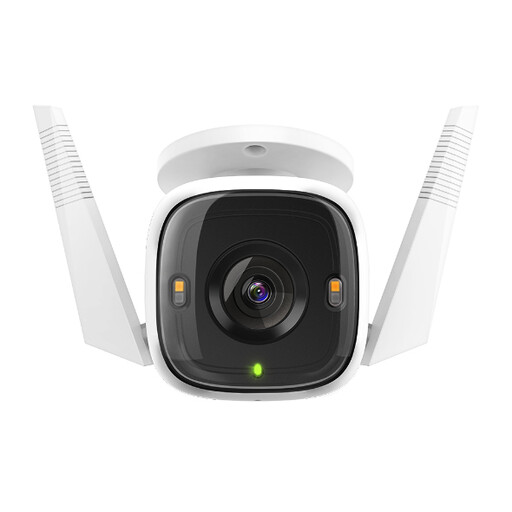
Tapo C320WS outdoor Wi-Fi camera
Consider the stated Ethernet alternative if Wi-Fi at the mounting point is uncertain; check the cable and power route before relying on it. The C320WS is listed with 2K QHD video, IP66 weather resistance and local microSD recording. Confirm the applicable card-capacity limit and recording mode for this offer before choosing a card; the card is listed as not included.
View on Joybuy
 No image available
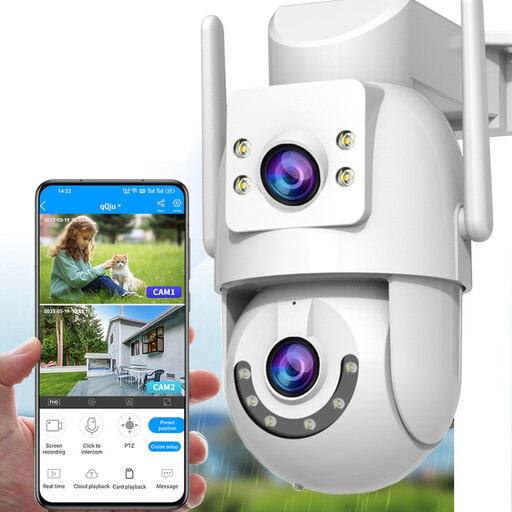
JOOAN outdoor dual-lens PTZ camera, 2.4 GHz and 5 GHz Wi-Fi
This listing states both Wi-Fi and a wired connection mode, which makes the cable arrangement worth checking for a distant fixed position. It also lists IP66 weather resistance and microSD support up to 256GB. Confirm how wired networking and power are provided, whether a card is included and which recording modes the chosen setup supports.
View on Joybuy
 No image available
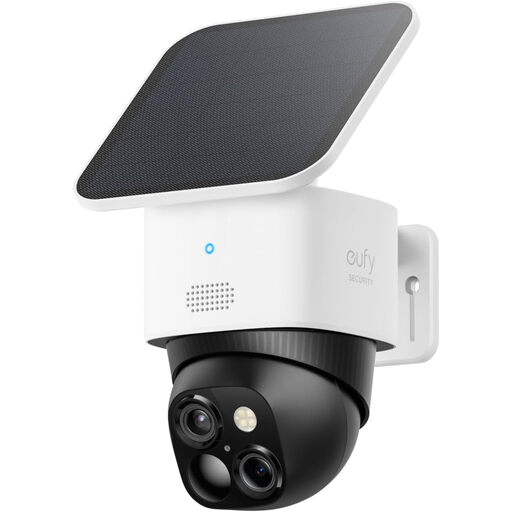
eufy Security SoloCam S340 wire-free solar camera
The wire-free design and removable solar panel may suit a position where permanent cabling is difficult, provided Wi-Fi and light exposure are workable there. The listing states 3K video, local storage and HomeBase S380 compatibility. Check the exact storage hardware, capacity and recording modes for the setup you intend to use.
View on Joybuy
 No image available
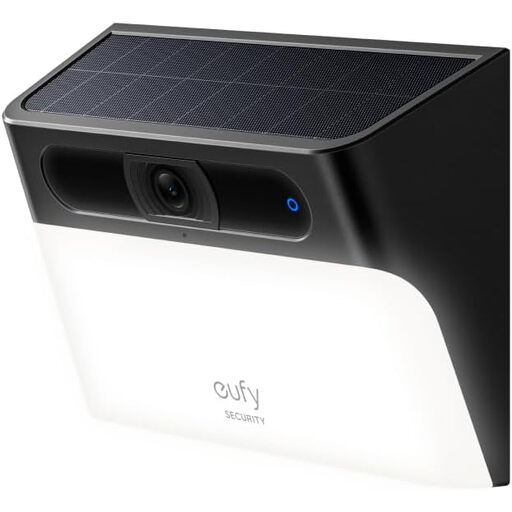
eufy Security Solar Wall Light Cam S120
This solar and battery-operated wall-light camera may suit a position where you also want motion-activated lighting, but it still needs usable Wi-Fi and suitable charging conditions. The listing states IP65 weather resistance and built-in storage for event footage. Its description and technical details differ on video resolution, so confirm the specification and required recording mode before purchase.
View on Joybuy
 No image available
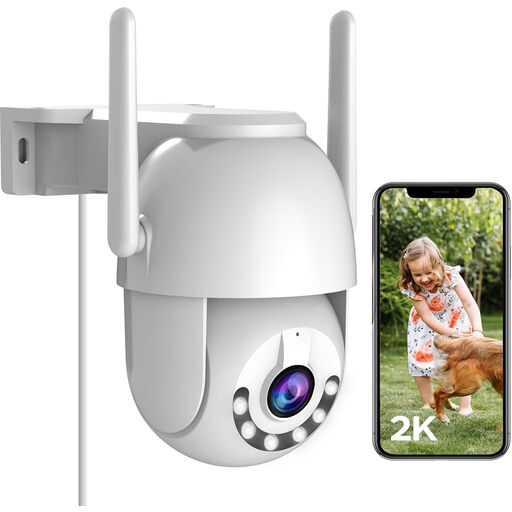
JOOAN 2K outdoor LAN PTZ camera
The stated wired connection mode offers an alternative to Wi-Fi for a fixed outdoor position, subject to checking its precise network and plug-in power requirements. The listing specifies IP66 weather resistance, microSD support up to 256GB and 24/7 local recording. A microSD card is listed as not included; confirm how the stated recording modes work with your chosen storage arrangement.
View on Joybuy
Common questions
Will a Wi-Fi camera fix a dead spot at the far end of my property?
No: it still needs a usable connection at its mounting point. Check coverage there before buying; if it is inadequate, consider an Ethernet-capable model, a nearer network node or PoE where cable installation is feasible. TP-Link describes Ethernet backhaul between its Deco mesh units as faster and more stable than wireless backhaul between the units.
When does PoE make sense for a distant camera?
PoE is worth considering when you can run Ethernet to the camera and want its power and network data carried over that cable rather than relying on the camera’s Wi-Fi link. Reolink specifies that each camera in its RLK8-800B4 system connects by Ethernet to an NVR that provides local recording; plan the cable and recorder locations as part of the choice.
Can I use cloud, local and NVR storage together?
Do not assume so; check the exact camera and storage combination. TP-Link’s support guidance says its wired Tapo cameras can use two of Tapo Care cloud, local microSD or Tapo Hub storage, and NAS/NVR/ONVIF recording together, but not all three simultaneously.
Does UK data-protection law apply to a home camera?
According to the UK Information Commissioner’s Office, it applies when domestic CCTV captures someone else’s property, a public area or a communal space. Position the camera to capture only your own property where possible, and assess any capture beyond that boundary under the applicable guidance.
Should I leave the camera microphone switched on?
Consider audio separately from video. The UK Information Commissioner’s Office recommends that CCTV systems should not normally record conversations between members of the public, so leave audio off if it could capture those conversations unless there is a clear, proportionate reason to use it.


