For photos and videos stored on a laptop, choose a direct HDMI connection if both devices have suitable ports and you want viewing that does not depend on Wi-Fi. An adapter needs a laptop port capable of video output; wireless sharing instead requires a compatible method at both ends, with the relevant network and permission settings in place. A separate TV receiver can add a wireless method when the television does not have it built in.
Who each connection suits
Households wanting a direct connection
If the photos or videos are on your laptop, check its video-output port and a free TV HDMI input before choosing a cable. Apple Support and Microsoft Support both emphasise matching the connection to the computer’s display output.
Windows users wanting to share without a cable
Mirroring from the sofa is an option when the Windows laptop and the TV or separate receiver support Miracast, as described by Microsoft Support.
Mac households with a wireless receiver
AirPlay or Google Cast may suit a Mac when the television or an attached receiver supports the chosen method. Check the network setup too: Apple Support and Google Cast Help describe same-network requirements for their usual connections.
What to check before buying
Start with the laptop’s output and the TV’s available inputs or wireless receiving methods. Then decide whether avoiding a cable matters more to you than the additional compatibility and network checks.
| Concern | What to check | Who this matters to |
|---|
| Ports and adapters |
Check the laptop’s video output, a free TV HDMI input and any adapter’s specified input and output. |
If I want to plug in and show stored files, I need a video connection that works with both devices. Around 36% of consumers put that connection certainty first. |
| Windows mirroring |
Confirm Miracast support on the Windows laptop and TV or receiver; check an external receiver’s HDMI and power needs. |
I would rather share my Windows screen from the sofa than run a cable across the room. For around 29% of consumers, cable-free Windows sharing is the primary need. |
| Mac sharing |
Check whether the exact TV supports AirPlay or whether an Apple TV is connected; confirm the required Wi-Fi arrangement. |
If my photos are on a Mac, I want to use an AirPlay receiver I already have or plan to add. Around 21% of consumers prioritise that Mac-to-receiver route. |
| Adding a receiver |
Match the receiver’s Cast, AirPlay or Miracast method to the laptop, and check TV HDMI, power and network requirements. |
My TV has an HDMI input but not the wireless sharing method I want, so I need to add the right receiver. That is the main concern for around 14% of consumers. |
Connection mistakes to avoid
-
Choosing a USB-C adapter by its plug shape
A USB-C socket alone does not establish that the laptop can send video through it. The laptop output, adapter and TV input must form a compatible connection.
Check the exact laptop model’s display-output specifications before choosing an adapter for the TV’s HDMI input.
-
Assuming every smart TV receives the same wireless signal
Miracast, Google Cast and AirPlay have different receiver requirements. A TV with Wi-Fi or streaming apps does not, by itself, establish support for the method your laptop uses.
Check the exact TV model for the wireless method you intend to use; otherwise, identify a compatible separate receiver.
-
Overlooking network discovery
For the Google Cast setup described by Google, the laptop must be able to discover the receiver on the local network. Chrome on some Macs also needs Local Network permission.
Check that the devices can join the required home network and that the necessary browser permissions can be enabled.
-
Skipping checks on powered accessories
Powered receivers and adapters introduce a power connection as well as a display connection. UK government product-safety alerts include an adaptors, plugs and sockets category.
Check the accessory’s power requirements and look for relevant official safety alerts or recalls before use.
Relevant brands for reference
Apple
AirPlay is relevant to Mac households with an AirPlay-compatible TV or an Apple TV 4K connected by HDMI.
- Apple describes sharing home videos and photos through AirPlay to Apple TV 4K or an AirPlay-enabled TV.
- Check the exact TV and Mac setup. Apple lists the HDMI cable for Apple TV 4K as sold separately.
Google
Google Cast is relevant to sharing a Chrome tab or laptop screen with a compatible TV or receiver.
- Google Cast Help describes casting from Chrome to a compatible receiver, including Google TV Streamer (4K).
- Receiver discovery depends on the network and permissions. Google lists a certified HDMI 2.1 cable for its Streamer as required and sold separately.
Microsoft
Microsoft’s wireless display adapter is a Miracast route for compatible Windows laptops.
- Microsoft Support specifies Miracast-enabled Windows 10 and Windows 11 devices for its 4K Wireless Display Adapter.
- The receiver uses the TV’s HDMI connection and requires USB power; confirm the particular laptop’s Miracast support.
Joybuy connection products
These products cover direct HDMI cabling, a USB-C-to-HDMI adapter and a wireless display device. Match any choice to your laptop and television before buying; the wireless device’s supported laptop-sharing method needs particular attention.
 No image available
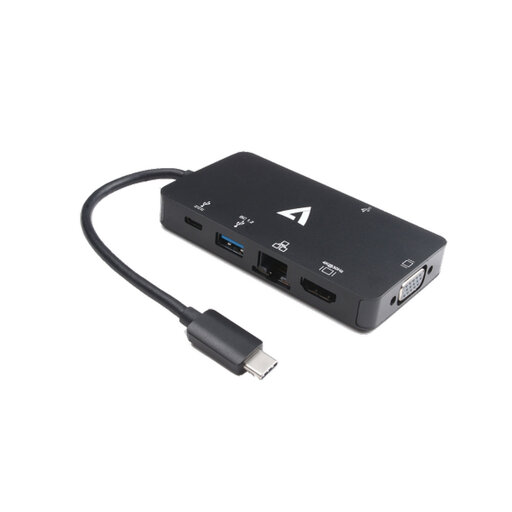
V7 V7UC-U3CRJ45HDVG-BLK USB-C adapter
Consider this for a wired TV connection if your laptop’s USB-C port supports display output and the TV has a free HDMI input.
The product name also lists VGA, Gigabit Ethernet, 100W Power Delivery and dual USB 3.0 ports. Check the laptop’s exact port capabilities before relying on the adapter’s video connection.
Joybuy
 No image available
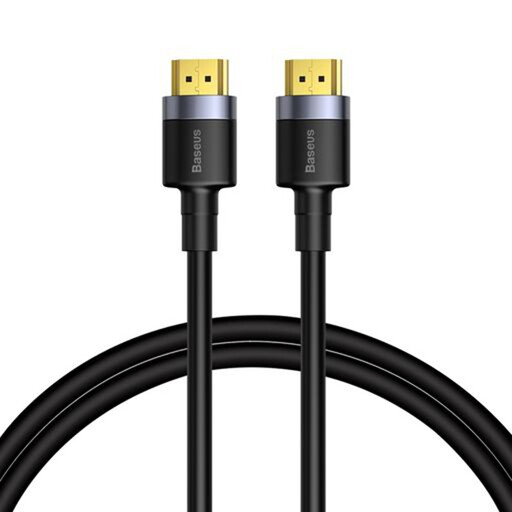
Baseus Cafule HDMI cable, 2m, black
This male-to-male HDMI cable is for a direct connection when the laptop has HDMI video output and the TV has a free HDMI input.
Check whether its stated 2m length reaches comfortably between the devices.
Joybuy
 No image available
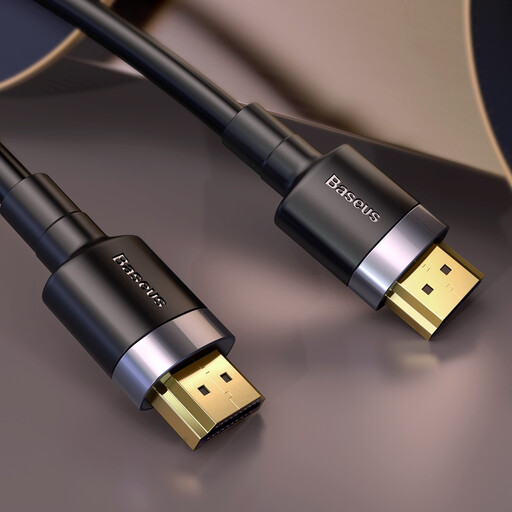
Baseus Cafule HDMI cable, 3m, black
This male-to-male HDMI cable suits a direct laptop-to-TV connection when both devices have the necessary HDMI ports.
The product name specifies 3m; confirm the selected length and its specifications before ordering, as the product description presents multiple lengths.
Joybuy
 No image available
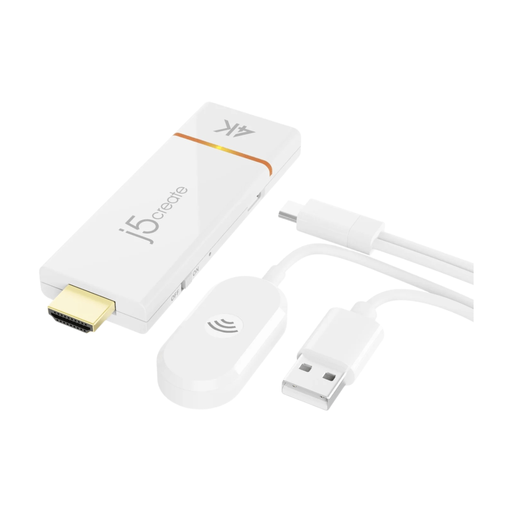
j5create JVAW56 ScreenCast HDMI wireless display, white
Consider this for sharing a laptop screen without a cable running between the laptop and TV, provided the laptop supports the device’s wireless method.
Confirm that method, compatible source devices, the TV’s HDMI connection and any power or network requirements before buying.
Joybuy
Frequently asked questions
Will any USB-C-to-HDMI adapter connect my laptop to a TV?
No: first check that your laptop’s particular USB-C or Thunderbolt port supports video output, then match the adapter to that output and the TV’s HDMI input. Apple Support and Microsoft Support both advise choosing the connection for the computer’s actual display port.
Do Google Cast and AirPlay need the same Wi-Fi network?
For the usual setups described by Google and Apple, the laptop and receiver need to be on the same network. Google also notes that Chrome on some Macs needs Local Network permission to discover a Cast receiver.
Can I cast a video stored on my laptop rather than online?
Google documents opening a local file in a Chrome tab and casting it to a compatible Google Cast receiver. Check your actual file and playback method beforehand: Google cautions that some plug-ins do not work through this route.


