Resident with a weak study room
Your connection works elsewhere in the home but becomes unreliable at your desk. Check whether the issue is confined to one room and whether your accommodation permits added network equipment.


Start by identifying whether the problem affects one room, several rooms, one computer or the shared connection: an authorised Ethernet socket can serve a fixed desk, while a permitted extender or mesh setup can address coverage, not a slow upstream service. If only one computer has trouble, check its operating system, port and network compatibility before considering a USB Wi-Fi adapter; if fixed access is unsuitable, check indoor mobile coverage, SIM compatibility and data costs before choosing a hotspot. In managed halls, the network operator’s rules may rule out equipment that would otherwise work technically.
Your connection works elsewhere in the home but becomes unreliable at your desk. Check whether the issue is confined to one room and whether your accommodation permits added network equipment.
You have an authorised room network socket and want to connect one fixed study or work device, possibly using an adapter. Check the computer’s port and any accommodation setup requirements.
You are considering a separate mobile connection because the accommodation network does not meet your needs. Check indoor coverage at the address, SIM compatibility and data-plan terms.
For study or work in shared accommodation, the right checks depend on whether the main problem is one room, one desk, several rooms, one computer or fixed access.
| Concern | What to check when buying | Who this matters to |
|---|---|---|
| Coverage in one study room | Check reception at the desk and a possible extender position; confirm permission and router compatibility for EasyMesh if that feature matters. | If only the room with my desk has weak Wi-Fi, I want to address that area rather than add equipment for the whole home. Around 29% of consumers put one-room coverage first. |
| A wired connection at one desk | Ask whether the socket is live, authorised and requires device registration; check that any adapter matches the computer. The University of Kent describes an account-based setup, while Warwick prohibits extending its ResNet with switches or wireless access devices. | At a fixed desk, I would rather connect one study or work device through an authorised socket than change the wider network. Around 22% of consumers prioritise a wired connection for one desk. |
| Coverage across several rooms | Confirm permission to connect to the existing router or an authorised wired network, along with unit placement and the number of units needed. | If several rooms have weak reception, I need to consider coverage across them rather than solving only the problem at one desk. Around 21% of consumers prioritise multi-room coverage. |
| Connectivity of one computer | Check the computer’s operating system and USB interface, then compare its connection with another device in the same room. | If other devices connect but one computer struggles, I want to check that computer before changing the shared network. Around 14% of consumers put one computer’s connection first. |
| Separate access from the fixed network | Check predicted indoor coverage for the intended mobile network, the hotspot revision, SIM compatibility, data allowance and charging needs. Ofcom’s checker provides provider-specific coverage predictions. | If fixed access is unsuitable for my study or work, I need a separate connection that works indoors at my address. Around 14% of consumers prioritise independence from fixed access. |
An extender relies on the existing Wi-Fi, and mesh access-point mode uses the existing network. Neither adds capacity to a slow shared internet service.
Compare the same task on a device near the existing access point and in the problem room, including at the times you usually need the connection, before choosing coverage equipment.
Rules differ by accommodation. Warwick’s ResNet policy permits a computer on its room outlet but prohibits extending that network with switches or wireless access devices.
Check the rules for your specific accommodation and distinguish permission to connect a device directly from permission to add a router, switch or access point.
TP-Link’s UK M7350 page specifies V9 with a 2,100 mAh battery, while a Joybuy M7350 listing identifies V4 with a 2,000 mAh battery. The shared model-family name does not make the revisions interchangeable.
Check the exact hardware revision, mobile-network compatibility and SIM requirements before choosing a hotspot.
NETGEAR says actual throughput and wireless coverage vary with network traffic, device limitations and building construction.
Use rated speeds to understand the stated product capability, but check compatibility and whether the problem is with the computer, room coverage or shared service.
Its UK-listed RE315 extender, Deco X50 mesh system and M7350 mobile Wi-Fi represent different ways to approach a connection problem; they are not interchangeable fixes.
Belkin’s UK Ethernet-adapter range includes an option for connecting a compatible laptop to an authorised room socket.
The A7500 is an example of a USB Wi-Fi adapter for a compatible Windows computer; it changes the device-side connection, not the building network.
The USB-AX56 is another USB Wi-Fi adapter reference for checking a particular computer’s compatibility.
These Joybuy options cover equipment for room or multi-room Wi-Fi coverage and a USB Wi-Fi adapter for one compatible computer. Mesh systems and extenders depend on suitable access to the existing network and permission to use them.
 No image available
For coverage across several rooms, this mesh system is relevant where you can connect it to an existing modem or gateway and the accommodation permits mesh equipment.
The product name specifies a three-pack, dual-band WiFi 7 system with BE3600 and 2.5Gbps Ethernet. It requires an existing modem or gateway and a high-speed internet connection.
 No image available
For a room with weak Wi-Fi, this extender is relevant where it can be placed within range of the existing router and its use is permitted.
The product name identifies a BE3600 Wi-Fi 7 range extender. Check the accommodation’s network rules before connecting it.
 No image available
For coverage across several rooms, this three-unit mesh system is relevant when the network operator permits the setup.
The product name specifies BE22 (3-Pack), BE3600 and Wi-Fi 7. Setup instructions require connecting a unit to a modem; check the accommodation’s network rules first.
 No image available
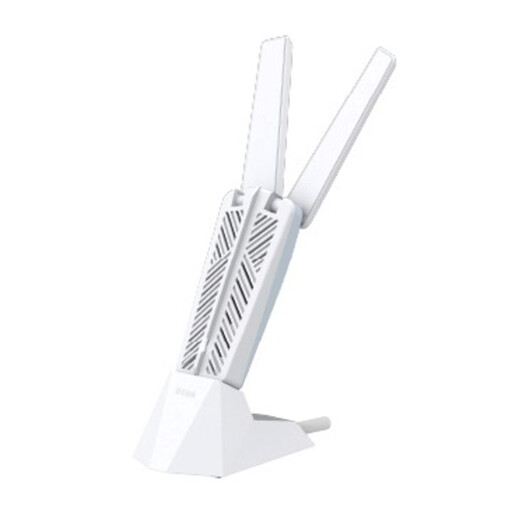
For a computer-specific Wi-Fi issue, this adapter is relevant if the computer meets the stated operating-system and USB requirements.
The listing specifies Windows 10 or Windows 11 and a USB 3.0 Type-A interface. Check these against the computer before buying.
 No image available
For a configurable mesh setup, this router is relevant where you have permission to manage the network and add compatible equipment.
The product name identifies a BE9500 Wi-Fi 7 smart mesh router, model M95. Check the accommodation’s rules before replacing or adding network equipment.
Check the specific accommodation’s network policy before connecting equipment. Warwick’s ResNet policy prohibits extending its outlet with switches or wireless access devices; a manufacturer’s access-point mode describes technical capability, not permission. In a private shared house, establish who controls the router and what the agreement permits.
Buying a loose Ethernet cable is different from carrying out physical work on a building. City of London Corporation guidance says an operator installing telecommunications equipment and cabling in a privately owned building must obtain the necessary rights from the owner. The England-and-Wales route discussed by the UK Government concerns operators seeking access when a landowner is repeatedly unresponsive; it is not blanket permission for a resident to drill or install cabling. Check the applicable tenancy, accommodation rules and proposed work before proceeding.
Compare the same task on another device in the room and in a better-covered area. If an authorised room Ethernet socket is available, follow the network operator’s setup instructions; the University of Kent, for example, describes an account-based setup. Check an extender’s placement guidance and do not assume it will help where the existing signal cannot reach.
Check a compatible SIM, the plan’s data terms, charging needs and predicted indoor coverage for the intended network at your address. TP-Link specifies that the M7350 V9 uses a 4G SIM and describes battery operation as up to eight hours, with duration dependent on conditions. Ofcom’s coverage checker provides provider-specific indoor predictions; check reception in the room where you plan to use the hotspot.
Official guidance from the UK Government’s Office for Product Safety and Standards says the Radio Equipment Regulations 2017 govern radio equipment placed on the Great Britain market, covering safety, electromagnetic compatibility and protection of the radio spectrum. Northern Ireland has separate guidance on how the rules apply there. These requirements do not establish that a particular listing or imported variant has passed assessment, so check the exact product information for its destination.