For a shared hall-booking desk, choose a monitor around the work staff do most often: a compatible USB-C hub setup can simplify laptop handovers, while a suitable QHD display may help when calendars and other windows need to sit alongside one another. Check charging, video and network connections against the actual laptops, and make sure each user can position the screen comfortably; the monitor alone does not determine the suitability of the workstation.
Who uses the shared desk?
Shared-desk booking coordinators
Staff who move between hall calendars, booking forms, email and documents need a readable screen that the next user can reposition. The Health and Safety Executive advises people who change desks regularly to carry out a basic workstation risk assessment.
Laptop-based desk switchers
Staff bringing a work laptop may want to connect the display, charge the laptop and use desk peripherals without reconnecting several separate cables. The laptop and the selected monitor must support the functions they intend to use.
Booking staff who handle video calls
Staff who also take remote calls may prefer a monitor with a camera, microphone and speakers, provided those devices meet their organisation’s requirements. LG lists these features on its 24BA850-B model.
What matters when choosing?
Start with the booking workflow and the devices that will connect to the desk, then check how the screen can be positioned for changing users.
| Concern |
What to check |
Who this matters to |
| Laptop handover |
Check USB-C video support, charging power and hub ports against the work laptops; check for RJ45 if the desk needs wired networking. |
When I bring a laptop to the desk, I want to start work without reconnecting a charger and several peripherals; around 23% of consumers put simpler laptop handover first. |
| Calendar workspace |
Try the booking system beside a typical email or form at a readable display scale; check the screen’s resolution and desk footprint. |
I need to see a hall schedule while updating a booking, without making text difficult to read. Around 31% of consumers prioritise workspace for that task. |
| Screen adjustment |
Check the stand’s height and angle adjustments, plus the screen position within the complete workstation. |
Because someone else uses the desk before me, I need to reset the screen to a comfortable position; around 31% of consumers make adjustability their primary concern. |
| Video-call equipment |
Establish whether calls are routine and whether an integrated camera, microphone and speakers meet device and privacy requirements. |
If I regularly handle booking enquiries by video, I want call equipment that works with our approved setup; around 15% of consumers put integrated call hardware first. |
What should you avoid overlooking?
-
Assuming every USB-C monitor replaces a dock
USB-C ports do not all provide the same charging power or network connections. LG lists 15W power delivery on the 24U421A-B, while Samsung lists 90W and LAN on the ViewFinity S60UD.
Check each laptop’s charging and video requirements, the monitor’s ports and the desk’s network needs before selecting a model.
A separate charger, dock or Ethernet adapter may still be needed if the chosen connection does not cover those tasks.
-
Choosing resolution without trying the booking workflow
A QHD screen and a 16:10 WUXGA screen offer different layouts, but neither establishes whether staff can read their particular booking system comfortably.
Try the calendar, a booking form and email together at the intended display scale, and check that the screen fits the desk.
-
Treating an adjustable stand as the whole workstation setup
The Health and Safety Executive says a workstation assessment considers equipment, furniture, working conditions, the job and individual needs, not just the screen.
Include screen position, chair, keyboard, mouse, lighting and available desk space in the shared-desk setup.
-
Adding built-in call equipment without a call requirement
LG lists a webcam, microphone and speakers on the 24BA850-B, but those features may not be useful at a desk used only for booking administration.
Decide whether video calls are routine and whether integrated devices meet organisational privacy and approved-device requirements.
Relevant brands to consider
Dell
Dell’s U2421E is a relevant reference for a shared desk needing a 16:10 WUXGA display, USB-C laptop charging and wired networking.
- Dell lists up to 90W USB-C power delivery, RJ45 and 150 mm of height adjustment for the U2421E.
- Check the exact Dell model and laptop compatibility; these features do not apply to every Dell monitor.
Samsung
Samsung’s ViewFinity S60UD provides a model to consider when booking calendars call for a QHD display alongside USB-C and wired-network connections.
- Samsung Business UK lists a 24-inch QHD display, 90W USB-C charging and LAN for the S60UD.
- Try the booking software at a comfortable scale and confirm compatibility with the laptops used at the desk.
LG
LG offers distinct FHD configurations for this type of desk: the 24BA650-B focuses on USB-C connection and adjustment, while the 24BA850-B also includes call equipment.
- LG lists 65W USB-C power delivery and stand adjustments on the 24BA650-B; it lists 90W, RJ45, a webcam, microphone and speakers on the 24BA850-B.
- Choose by the exact model’s ports and peripherals rather than assuming the two monitors have the same functions.
Joybuy monitors for this setup
These monitors offer different starting points for booking work, from compact WUXGA and Full HD screens to larger high-resolution options. Check the intended desk position and laptop connections before choosing.
 No image available
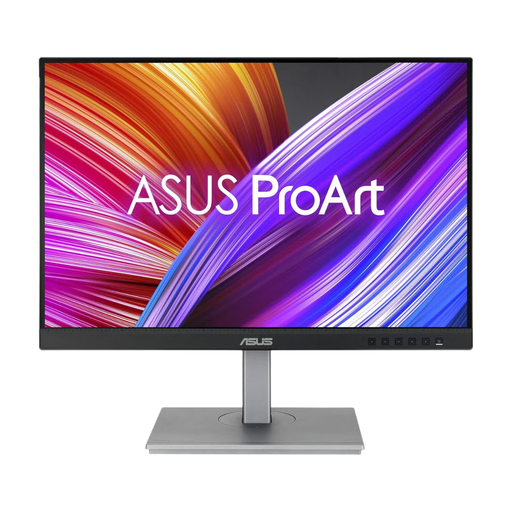
ASUS ProArt PA248CNV IPS WUXGA
Consider this model when booking calendars and documents need a WUXGA workspace. Confirm the required laptop video, charging and network connections against the complete product details.
View on Joybuy
 No image available
ASUS ZenScreen MB249C IPS USB-C
Consider this USB-C model where screen placement and laptop handovers both matter. Check that its mounting arrangement fits the desk and that its connections meet the laptop’s requirements.
View on Joybuy
 No image available
Dell P2425 24-inch monitor
This 24-inch model is an option for booking and document work at a shared desk. Check its screen adjustments and the exact USB-C functions before relying on it for laptop handovers.
View on Joybuy
 No image available
ASUS ProArt PA278CV IPS WQHD
Consider this WQHD model if the booking workflow benefits from viewing several windows together. Check the desk fit, readable display scale and USB-C connection requirements.
View on Joybuy
 No image available
MSI MD272UPSW 27-inch 4K UHD Smart Monitor
This 27-inch model is an option when the desk can accommodate a larger high-resolution screen. Its title specifies 65W USB-C power delivery; check that this meets the laptop’s needs and that text remains comfortable to read at the chosen scale.
View on Joybuy
Frequently asked questions
Does buying an adjustable monitor complete a shared desk’s DSE assessment?
No. The Health and Safety Executive says employers must assess workstations used for display screen equipment as a normal part of work for continuous periods of an hour or more each day. The assessment covers the wider workstation, work conditions and individual requirements, not just the monitor.
What should staff adjust when they arrive at the shared desk?
Staff should check the screen position as part of their workstation setup. The Health and Safety Executive advises placing it directly in front of the user, with its top around eye level and the screen about an arm’s length away; people who change desks regularly should also carry out a basic risk assessment.
Will any USB-C monitor charge a laptop and provide wired networking?
No. USB-C functions vary by model: LG lists 15W power delivery on the 24U421A-B, while Samsung lists 90W and LAN on the ViewFinity S60UD. Check the chosen monitor’s video, charging and network functions against the work laptop and desk requirements.
When does a monitor with a built-in webcam make sense?
It makes sense to consider one when video calls are a routine booking task and integrated devices meet the organisation’s privacy and approved-device requirements. LG lists a webcam, microphone and speakers on the 24BA850-B; for occasional calls, compare that setup with a monitor and approved separate peripherals.


