What to check before buying
Decide how many computers need the reader before comparing ports. Then match the reader’s connection and data path, followed by any power, charging or display needs.
| Concern |
What to check |
Who this matters to |
| Moving the reader between computers |
Check the number of host connections and how the switch selects which computer can use the reader. Access is sequential, not simultaneous. |
If different laptops need the same reader, I want to hand it over without unplugging cables; around 50% of consumers put switching between hosts first. |
| Reader connection and data path |
Match the reader’s plug and card format to the available ports. If transfer speed matters, compare the stated data capability of the reader, hub port and host connection. |
With a particular reader and card format to use, I need a connection that fits and a data path suited to my transfers; around 30% of consumers prioritise reader compatibility. |
| Power and workstation connections |
Check the power needs of connected devices and whether the hub has its own supply. For charging or a display, check the laptop’s USB-C capabilities as well as the hub’s specifications. |
When my laptop also connects to a display and other accessories, I need the desk connections and power to work together; around 20% of consumers put workstation connections and power first. |
Joybuy hubs for one active laptop
These hubs and multiport adapters suit a desk where one laptop uses the card reader or built-in card slots at a time. Choose a peripheral-sharing switch instead if the reader must remain connected while users switch between computers.
 No image available
Baseus Metal Gleam Series II 10-in-1 Hub, Cosmic Black
Consider this for one USB-C laptop needing SD/TF access alongside other desk connections.
The title specifies HDMI outputs, a 10Gbps USB-A port, a 10Gbps USB-C port, two 480Mbps USB-A ports, RJ45 and a USB-C Power Delivery connection. Check the laptop’s charging and display capabilities before using those functions; this hub does not provide controlled switching between computers.
View on Joybuy
 No image available
USB-C Multiport Adapter with 2 HDMI, DP and SD/TF
Consider this when one laptop needs card slots as well as connections for other desk equipment.
The title lists two USB 3.0 ports, two USB 2.0 ports, RJ45, Power Delivery and audio alongside the display and card connections. Check the laptop’s charging and video support and match the intended data port to an external reader. This is not a multi-computer sharing switch.
View on Joybuy
 No image available
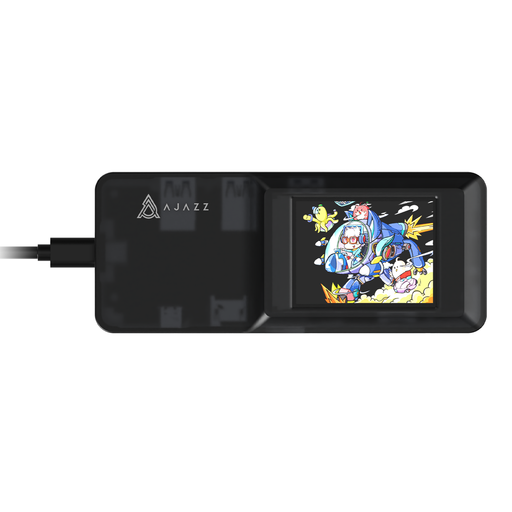
AJAZZ AKP01E Visualization Hub 8-in-1
Consider this for one laptop when access to SD or TF cards is part of the desk setup.
The title identifies SD/TF slots and a USB-C connection. The SD and TF slots cannot be used simultaneously. Check the laptop’s capabilities before relying on charging or display functions; the hub does not switch a reader between computers.
View on Joybuy
 No image available
Mokin 2USBC to TB+ Hub with SD/TF and HDMI
Consider this for a single-laptop desk needing card slots and additional USB connections.
The title lists two USB-A 3.0 ports, one USB-C 3.0 port, SD/TF and HDMI 4K60Hz. Confirm the exact upstream connection against your laptop before buying, particularly if the HDMI output matters. It does not provide controlled sharing between host computers.
View on Joybuy
Common questions
Can two laptops use the same card reader through an ordinary USB hub?
An ordinary USB hub does not provide controlled sharing between two laptops. It connects peripherals to one active host; if the reader must stay plugged in while laptops take turns, look for a USB peripheral-sharing switch or a dual-host dock with a stated switching function.
Does a card reader need a powered USB hub?
Not necessarily. Check the reader’s power requirements and everything else connected to the hub. Apple notes that some desktop smart-card readers may require a powered hub, so a suitable self-powered model matters particularly when the desk also has other power-drawing devices.
Will any USB-C hub charge my laptop and connect a monitor?
No: those functions depend on the hub and the laptop port supporting the required modes. For its relevant multiport models, Anker directs users to check host Power Delivery support for charging and DisplayPort Alt Mode support for HDMI output. Check both devices’ specifications before choosing a hub for either function.
What should I check when buying a mains-powered hub or dock?
Check the exact product, supplied power equipment, documentation and seller details. GOV.UK’s guidance on the Electrical Equipment (Safety) Regulations 2016 addresses requirements for relevant electrical equipment placed on the Great Britain market; do not assume that guidance establishes the position for a purchase in Northern Ireland.


