Who is this for?

Shared-desk bill organisers

People handling household, club or small-business bills on a device used by more than one authorised person. Separate sign-ins and a reliable habit of locking the screen help keep one person’s statements and open sessions from the next user.

Spreadsheet-heavy payment planners

People who review payment dates, receipts and statements in desktop spreadsheets or finance software. Screen space, keyboard comfort and the connections needed at the desk shape their choice.

Web-only household account users

People who manage bills through browser portals, cloud documents and reminders. A Chromebook is worth considering if those services meet their needs and each user can work from a separate Google account.

What matters when choosing?

Windows laptop

Choose it when: Bill tracking depends on Windows desktop software or you need to manage BitLocker encryption manually on an eligible Windows edition.

Check before buying: Windows edition and encryption support vary by device; Windows Home alone does not establish either manual BitLocker availability or Device Encryption support.

Chromebook

Choose it when: Every bill portal, document and spreadsheet you need works in the browser or an approved web app.

Check before buying: Desktop Windows software will not meet that requirement, and the remaining automatic-update period depends on the exact Chromebook model.

ConcernWhat to checkWho this matters to
Separate accounts and locking Plan an individual account for each authorised user and a screen-lock routine for breaks and handovers. When several people take turns at the desk, I want my statements and signed-in browser session kept apart from theirs. Around 33% of consumers put account separation and quick locking first.
Room to review bills Compare the exact display resolution and aspect ratio; check display-output connections if you will attach a monitor. To reconcile dates and receipts alongside a spreadsheet, I need enough room to read the information without constant window switching. For around 27% of consumers, that workspace is the primary concern.
Stored-record protection Check the exact Windows device’s encryption support and edition before relying on Device Encryption or manual BitLocker management. If statements and exported records stay on the laptop, I want a way to protect stored files beyond locking an open session. Secure handling of those records comes first for around 27% of consumers.
Space on the shared desk Compare the model’s dimensions and connections with the space available for both the laptop and any accessories. I need to clear the desk after using it, so a laptop I can move and store matters more to me than a larger built-in screen. Around 13% of consumers prioritise a compact desk setup.

Mistakes to avoid

  • Using one account for everyone

    A shared sign-in can leave files and active browser sessions available to the next person. Microsoft supports separate Windows accounts, and Google supports multiple Chromebook users.

    Give each authorised person their own account. Lock the screen when stepping away, and sign out when the next person needs their own session.

  • Assuming every Windows laptop has the same encryption options

    Microsoft distinguishes device-dependent Device Encryption from manual BitLocker Drive Encryption, which is available on Windows Pro, Enterprise and Education.

    Confirm the exact Windows edition and device’s encryption support before purchase. Keep any recovery key accessible to the appropriate account holder or organisation.

  • Overlooking a Chromebook’s final update date

    Google’s automatic-update policy does not give every Chromebook the same remaining support period when you buy it.

    Look up the exact model’s automatic-update schedule before deciding whether it will serve the desk for as long as you need.

  • Treating a product-family specification as a fixed configuration

    Windows edition, display, ports and security hardware can differ within a business-laptop family. Acer explicitly says TravelMate P2 14 specifications vary by model or region.

    Match the retailer’s part number to the manufacturer’s specification for the configuration you intend to buy.

Relevant brands to consider

Lenovo

The 14-inch ThinkPad E14 Gen 6 line is a starting point for a Windows laptop that can be used at a desk and moved elsewhere.

  • Lenovo describes memory and storage on the line as upgradeable.
  • Check the chosen variant’s Windows edition, security hardware and upgrade options rather than assuming they are identical across the line.

HP

The ProBook 440 14-inch G11 family is relevant if you want a compact Windows business laptop for desk-based records.

  • HP lists Windows 11 Pro, 32 GB RAM, a 512 GB SSD and a 1920 × 1200 display for configuration A23P1EA#ABU.
  • Those specifications and any included security software need checking against the particular configuration you choose.

Acer

The TravelMate P2 14 line is worth examining if desk connections and a 14-inch display matter to your bill-tracking setup.

  • Acer lists HDMI, RJ-45 and Thunderbolt 4/USB4 connections, alongside security-hardware options, for the line.
  • Acer says specifications vary by model or region; confirm the ports and security features on the exact part number.

Joybuy products for this task

These laptops cover browser-based bill tracking on ChromeOS and one Windows 11 Home option. Choose by the software your desk users need, then check each model’s account, update or encryption requirements.

Acer Chromebook Plus 514 CB514-5H, Intel Core 5 120U, Iron

Acer Chromebook Plus 514 CB514-5H, Intel Core 5 120U, Iron

Consider this ChromeOS model if everyone’s recurring-bill work can be done through browser-based services; check its model-specific automatic-update end date.

  • 14-inch WUXGA display, 1920 × 1200
  • 8GB RAM and 512GB SSD
View on Joybuy
Acer Chromebook Plus 514 CB514-5H, Intel Core i3-1315U, Iron

Acer Chromebook Plus 514 CB514-5H, Intel Core i3-1315U, Iron

This ChromeOS configuration suits a browser-based bill workflow rather than software that must run as a Windows desktop application. Check its model-specific automatic-update end date.

  • 14-inch WUXGA display, 1920 × 1200
  • 8GB RAM and 256GB SSD
View on Joybuy
HP OmniBook Ultra Flip 14-fh0006na 2-in-1

HP OmniBook Ultra Flip 14-fh0006na 2-in-1

Choose a Windows setup if your bill-tracking workflow needs Windows software or separate Windows accounts. This model lists Windows 11 Home, so confirm Device Encryption support for the exact device if stored-record encryption matters to you; Home does not provide manual BitLocker Drive Encryption.

  • 16GB RAM and 1TB SSD
  • Windows 11 Home
View on Joybuy
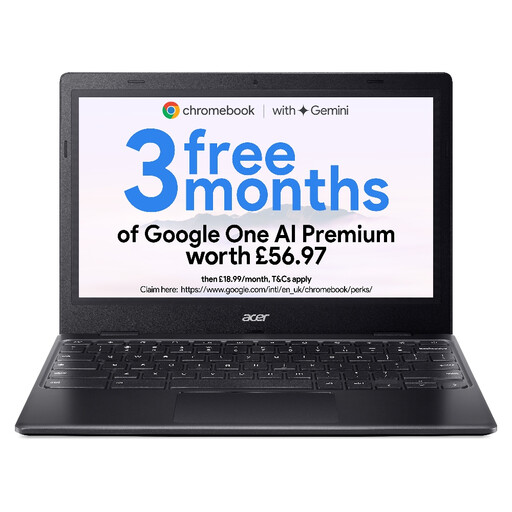
Acer Chromebook 311 CBOA311-1H, Intel Celeron N4500, Black

Acer Chromebook 311 CBOA311-1H, Intel Celeron N4500, Black

Consider this Chromebook when the laptop needs to be cleared from the desk and bill work stays in the browser. Its 11.6-inch display offers less on-device viewing space than the 14-inch models shown here; check the model’s automatic-update end date.

  • 11.6-inch HD display, 1366 × 768
  • 4GB RAM and 64GB eMMC storage
View on Joybuy

Frequently asked questions

Should everyone using the shared laptop have a separate account?

Yes, give each authorised user a separate account rather than sharing a signed-in profile. Microsoft says Windows accounts can keep users’ settings, documents and applications separate; lock the screen before stepping away and sign out when handing the laptop to another user.

Can Windows 11 Home provide encrypted storage?

It can on a device that supports Device Encryption, but the Windows edition alone does not confirm support. Microsoft distinguishes this from manual BitLocker Drive Encryption, which is available on Windows Pro, Enterprise and Education; check the exact laptop before relying on either option.

Will a Chromebook work for shared bill tracking?

A Chromebook can work if all required bill portals, documents and spreadsheets run in the browser and each user has a separate Google account. Google supports multiple signed-in Chromebook users, though some settings are shared between active users and Android-app access in a multi-user session is limited; check the exact model’s final automatic-update date too.

Does UK GDPR apply when the laptop is used for household bills?

Purely personal or household bill administration does not, by itself, fall under UK GDPR: the Information Commissioner’s Office excludes processing carried out by individuals purely for those activities. If an organisation uses the laptop to process other people’s personal information, assess the applicable security duties against that processing and its risks; the ICO identifies encryption as a measure that may be appropriate depending on the circumstances.