Side-by-side holiday planners
If you keep fares, accommodation, dates and a cost sheet open together, prioritise readable window space over gaming features you will not use for this task.


For comparing fares, dates and a cost spreadsheet at a shared desk, consider a 27-inch 4K monitor with a height-adjustable stand if both users can read the text comfortably at their preferred scaling. Choose USB-C after checking each laptop's video and charging requirements; a hub-equipped model makes sense when the desk also needs its extra connections. If the desk is used regularly for work, the monitor is only one part of an adjustable workstation.
If you keep fares, accommodation, dates and a cost sheet open together, prioritise readable window space over gaming features you will not use for this task.
If different laptops take turns using the screen, check their display connections before choosing a USB-C setup intended to reduce cable changes.
If the desk also sees sustained work use, look for a screen position that each person can adjust. The Health and Safety Executive's display screen equipment guidance also addresses hot-desking in applicable workplace settings.
Start with a readable arrangement for the booking pages and cost sheet, then choose connections that work with the laptops at the desk. Check how each user will position the screen before deciding whether extra hub functions are useful.
| Concern | What to check | Who this matters to |
|---|---|---|
| Readable comparisons | Compare screen size and native resolution, then check text size with each user's preferred display scaling. | If I keep fares, dates and a cost sheet open together, I need to read them without constantly rearranging windows; around 40% of consumers put readable side-by-side comparison first. |
| Laptop connections | Check each laptop's video output and the monitor's inputs. For USB-C, also check charging requirements and the required cable. | When we take turns connecting laptops, I want fewer cable changes without assuming every USB-C port works the same way; roughly 30% of consumers prioritise a straightforward laptop connection. |
| Shared-desk adjustment | Look for documented height and tilt adjustment, or check mounting compatibility if you plan to use an arm. | For regular use by people with different viewing positions, I need to move the screen rather than leave one setup fixed; about 30% of consumers put shared-desk adjustability first. |
LG specifies display, data and charging up to 90W for the 27UP850K-W using its included USB-C cable, but the intended laptop must also support the necessary connection.
Check the laptop manual for USB-C video output, compare its charging requirements with the monitor's stated power delivery and confirm which cable is needed.
A shared screen may need repositioning between users. For applicable UK workplace use, the Health and Safety Executive says employers must assess display screen equipment workstations and reduce risks; hot-desking is included in its guidance.
Check stand adjustment or a suitable mounting arrangement. If this is an employer-provided desk used regularly for sustained work, consider the full workstation in the relevant assessment.
Dell specifies 90W USB-C power delivery and 1GbE Ethernet for the P2725QE. Those connections address a different desk setup from one that only needs a display input.
List the laptop inputs, wired-network needs and peripherals for both users before deciding between a hub-equipped monitor and an HDMI or DisplayPort connection.
Joybuy's listing for the LG 27UP850K-W says that particular model is no longer available. A similar-looking model may have different connections or stand adjustments.
Check current availability and the complete model number, then review the specifications again if you consider an alternative.
Dell's P2725QE is a reference point for a shared desk that needs a 27-inch 4K USB-C hub monitor with wired networking.
LG's 27UP850K-W illustrates a 27-inch 4K IPS route with an adjustable stand and a documented USB-C laptop connection.
Samsung's ViewFinity S7 S70H material provides a reference for a 4K monitor route using conventional display inputs.
These 27-inch 4K models relate to comparing booking pages and a cost sheet at a shared desk. The BenQ option names USB-C and a height-adjustable stand; the other listed models need their laptop connections and positioning checked against the desk setup.
 No image available
For users comparing booking windows and a cost sheet on one screen, this model combines a 27-inch 4K IPS display with a height-adjustable stand.
Its name specifies USB-C; check the laptop's video output and charging needs before planning a single-cable setup.
 No image available
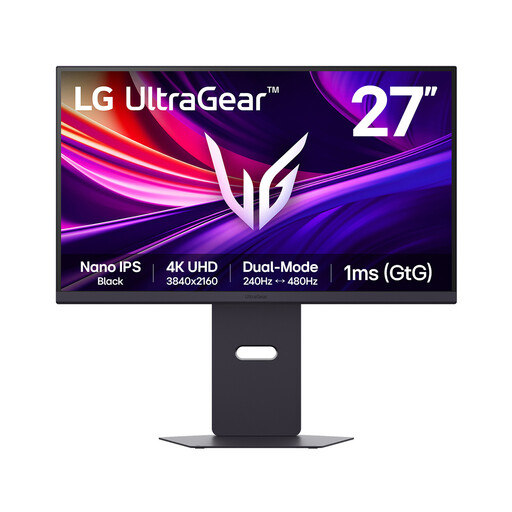
For a shared desk using conventional display connections, its 27-inch 4K Nano IPS screen is relevant to viewing booking pages alongside a cost sheet.
The model name specifies HDMI 2.1 and DisplayPort 2.1. Check which connection each laptop can use and how the screen will be positioned for both users.
 No image available
If both desk users need to compare fares and totals on one display, this model specifies a 27-inch 4K IPS screen.
Check the connection required by each laptop and the screen adjustments needed at the shared desk.
 No image available
For keeping holiday pages and a spreadsheet on a shared screen, this model specifies a 27-inch 4K UHD display.
Confirm the display connection for each laptop and whether the screen can be positioned as both users need.
 No image available
For a desk connecting laptops by HDMI or DisplayPort, this model specifies a 27-inch 4K IPS display for comparing booking pages and a cost sheet.
Its name also specifies 60Hz and built-in speakers. Confirm the exact HDMI port count before relying on a particular multi-device arrangement.
No: choose 4K if its native resolution helps you arrange booking pages, dates and a spreadsheet while keeping text comfortable to read at your preferred scaling. Dell UK and LG UK specify 3840 × 2160 for the cited 27-inch models; screen size, viewing distance and scaling still affect your choice.
No: the laptop must support the display connection, and its charging needs must suit the monitor's stated power delivery. LG UK specifies display, data and charging up to 90W for the 27UP850K-W using the included USB-C cable; check your own laptop's documentation before relying on that arrangement.
For employer-provided workstations, the Health and Safety Executive says display screen equipment rules apply to workers who use it daily for continuous periods of an hour or more. Employers must assess workstations and reduce risks; its guidance includes hot-desking and advises a basic risk assessment when workers change desks regularly.
Check availability before planning around that exact model: Joybuy's LG 27UP850K-W listing says it is no longer available. If you consider another monitor, confirm its full model number, connections and stand adjustments rather than assuming they match.