Spreadsheet-heavy holiday planners
If you compare dates, accommodation quotes and total-cost sheets alongside booking pages, screen resolution is a useful starting point. QHD and 4K models give you different amounts of space for that work.


Start with a 27-inch QHD monitor if the shared desk is mainly used to compare booking pages and holiday-cost spreadsheets: it offers more pixels than Full HD without making 4K the default. If people regularly swap laptops, check that each one supports the monitor’s USB-C video connection and charging output; choose 4K or a fuller hub when dense documents or desk connections warrant them. Screen adjustment matters when users change.
If you compare dates, accommodation quotes and total-cost sheets alongside booking pages, screen resolution is a useful starting point. QHD and 4K models give you different amounts of space for that work.
If different people connect laptops at the same desk, check USB-C video compatibility, charging requirements and how easily the screen can be repositioned. A USB-C socket alone does not establish that the monitor can replace every laptop charger.
If the desk already has suitable video connections and does not need charging, Ethernet or peripherals through the monitor, a display-only setup may be enough. Check that its resolution still suits the width of the tables you use.
For holiday-cost work at a shared desk, decide which need takes priority: room for comparisons, laptop connections, screen positioning or a straightforward display.
| Concern | What to check | Who this matters to |
|---|---|---|
| Comparison space | Compare Full HD, 2560 × 1440 QHD and 3840 × 2160 4K at the screen size you want. Check that the computer can output the chosen resolution. | If I keep fares, dates and totals visible together, I want fewer trips between windows or across a wide sheet. Around 36% of consumers put comparison space first. |
| Laptop connections | Check USB-C video support on each laptop and compare its charging requirement with the monitor’s stated power delivery. | When I change laptops at a hot desk, reconnecting video and charging needs to be manageable. For around 29% of consumers, laptop connections are the primary concern. |
| Screen positioning | Check stand adjustment or compatibility with a suitable monitor arm; consider the whole workstation for regular display-screen work. | If several people use the desk, I need to position the screen for my own seating arrangement. Screen positioning comes first for around 21% of consumers. |
| Necessary features | Decide whether the desk needs a display only or a hub. Match its video inputs to the computers already in use. | If I mainly compare browser pages on an existing computer, I would rather avoid connections I will not use. Around 14% of consumers prioritise a straightforward display. |
USB-C video and charging are separate checks. LG specifies up to 15W power delivery for the 27U631A-B, BenQ specifies 65W for the GW2790QT, and Dell specifies 90W for the P2725QE.
Check each laptop’s USB-C video support and charging requirement before relying on one cable.
A separate laptop charger or dock may still be needed.
The ViewSonic VA2732-H-2 has a 1920 × 1080 Full HD panel, while the cited 27-inch QHD models have 2560 × 1440 panels. That resolution difference matters when a holiday-cost table is wide.
Compare resolution alongside screen size, especially if several columns or windows need to remain visible.
Display features do not establish whether the screen, seating and desk position fit each person. The Health and Safety Executive’s display-screen equipment guidance addresses workstation assessment for workers who use a screen daily for continuous periods of an hour or more.
Check how the screen can be positioned for different users and assess the complete workstation where the guidance applies.
Positioning the screen may require a compatible arm or a different stand.
The GW2790QT is a reference point for a shared desk that needs QHD resolution, laptop connections and screen adjustment.
The P2725QE illustrates a 27-inch 4K hub monitor for dense documents and desks needing laptop charging and wired networking.
The 27U631A-B is a QHD example for a shared desk that needs USB-C display connectivity but not necessarily a laptop-charging hub.
The VA2732-H-2 illustrates a basic display route where the desk already uses HDMI or VGA.
These monitors offer QHD or 4K options for comparing holiday costs at a shared desk. Their screen sizes and connections differ, so match each model to the computers, desk space and amount of screen adjustment needed.
 No image available
Consider this larger 4K screen if the desk is used for detailed tables and needs a height-adjustable monitor.
The product name specifies USB-C and a Mac-focused design. Check video, data and charging compatibility with every computer expected to use the desk.
 No image available
Consider its 4K screen for dense cost tables, while checking whether a large curved display fits the shared desk.
The product name specifies a USB hub and 65W USB-C. Its title says 32 inches while the technical details say 31.5 inches; confirm the exact dimensions, laptop video support and charging needs before buying.
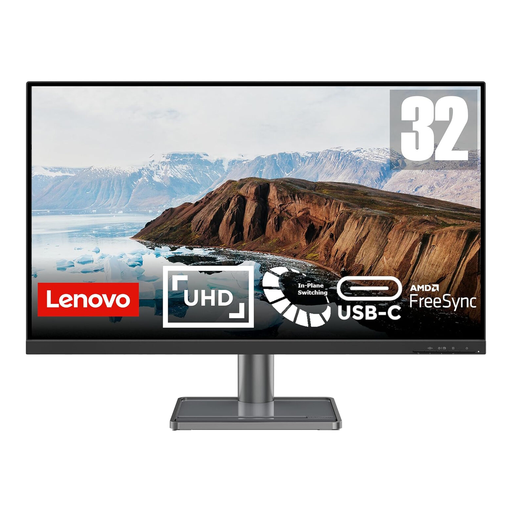 No image available
The 31.5-inch 4K screen is an option for comparing detailed sheets and booking pages at one desk.
Its product name specifies USB-C. If laptop charging is part of the plan, confirm the power-delivery rating against each laptop’s requirements.
 No image available
This WQHD option is relevant when the shared desk is used to compare spreadsheets and several booking pages.
Check the exact regional version’s USB-C video support and charging output before planning a single-cable laptop setup.
 No image available
Consider this 27-inch 4K screen for detailed comparison tables where HDMI or DisplayPort suits the computer.
The product name specifies a 60Hz panel, built-in speakers, HDMI and DisplayPort. Confirm connection needs separately if the desk is intended to charge laptops through the monitor.
Not necessarily: a 27-inch QHD screen is a practical starting point for holiday-price tables and booking pages. Consider 4K when particularly dense spreadsheets or detailed documents make the additional pixels useful, and check that the computer can output the chosen resolution.
Only when the laptop supports the required USB-C video connection and the monitor supplies enough power for that laptop. LG specifies up to 15W for the 27U631A-B, BenQ specifies 65W for the GW2790QT, and Dell specifies 90W for the P2725QE; the presence of USB-C alone does not settle charging suitability.
Each person needs a screen position that fits their workstation, so check stand adjustment or a suitable monitor arm rather than relying on display features alone. The Health and Safety Executive’s display-screen equipment guidance addresses workstation assessment for workers using a screen daily for continuous periods of an hour or more.