What matters when choosing?
For a shared survey-planning desk, check how readily each person can position the screen before deciding whether extra workspace, laptop connections or meeting equipment should drive the choice.
| Concern | What to check | Who this matters to |
|---|
| Resetting the screen |
Check the supplied stand’s height and tilt adjustment; consider swivel or pivot if the desk layout calls for them. The Health and Safety Executive advises keeping the screen directly ahead, with its top around eye level and roughly an arm’s length away. |
If different people take turns at the desk, I need to reposition the screen without working at an awkward angle. Around 33% of consumers put that shared-desk adjustment first. |
| Document workspace |
Compare FHD with QHD or 4K for dense, side-by-side work, then check computer output, desk space and comfortable text scaling. |
When I compare survey forms, source documents and spreadsheets, I need room to see the material together. Document workspace comes first for around 25% of consumers. |
| Laptop connections |
Check whether each laptop supports USB-C video output and whether the monitor’s power delivery meets its charging needs. |
If laptops rotate through the desk, I want to avoid reconnecting several cables each time. Around 25% of consumers prioritise a simpler laptop connection. |
| Online meetings |
For regular calls, check camera privacy, conferencing compatibility and whether the room calls for a separate headset. |
When I regularly coordinate online from this desk, I need a practical camera and audio setup. Built-in meeting equipment is the primary concern for around 17% of consumers. |
Joybuy monitor choices
These monitors are options to consider for shared-desk survey and document work. Choose by the screen workspace you need, then check stand adjustment and laptop connections for the particular model.
 No image available
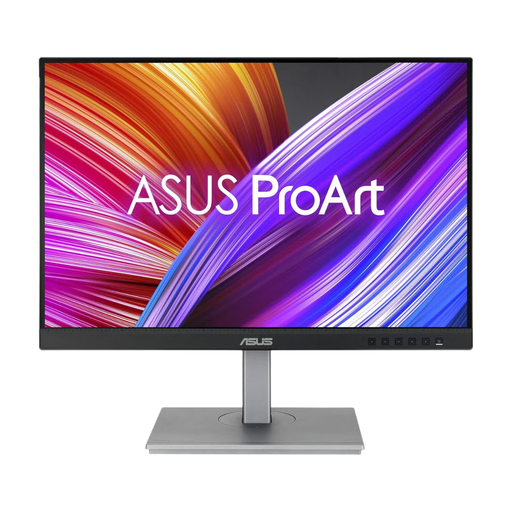
ASUS ProArt PA248CNV IPS WUXGA monitor
Consider its IPS WUXGA display for survey forms and ordinary document work at the shared desk.
If laptop docking is important, confirm the exact USB-C port configuration before choosing this model; also check the laptop’s video and charging compatibility.
View on Joybuy
 No image available
ASUS ProArt PA278CV IPS WQHD monitor
Its IPS WQHD display is worth considering when survey planning involves frequent document and spreadsheet comparison.
Check desk space and comfortable text scaling for the intended users. If laptop charging through the monitor matters, confirm the power-delivery rating against the laptop’s requirements.
View on Joybuy
 No image available
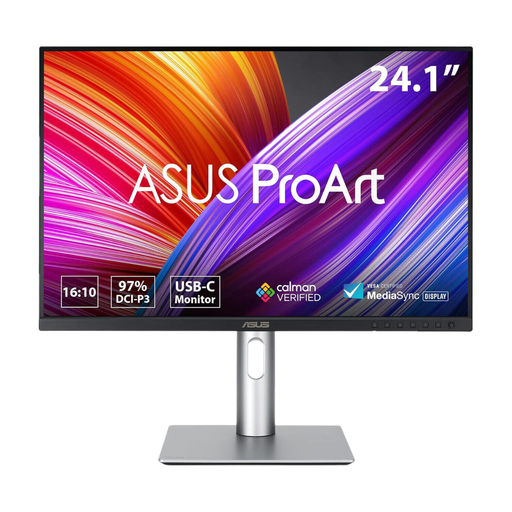
ASUS ProArt PA248CRV IPS WUXGA monitor
Consider its IPS WUXGA display when the shared desk is mainly used for forms and everyday documents rather than dense multi-window layouts.
If you plan to connect a laptop through USB-C, check that its video output and charging requirements match the monitor and cable.
View on Joybuy
 No image available
ASUS ZenScreen MB249C IPS USB-C monitor
For a desk where laptops change hands, consider whether this IPS USB-C model meets each user’s connection needs.
Confirm the laptop’s USB-C video support and compare any required charging power with the monitor’s stated rating before relying on a single cable.
View on Joybuy
Frequently asked questions
Does a shared desk need a special monitor?
Not necessarily: the important point is whether each person can position the screen comfortably. The Health and Safety Executive advises placing it directly ahead, with the top around eye level and the screen roughly an arm’s length away, so check the stand’s adjustment range.
When should I choose QHD instead of FHD for survey planning?
Choose QHD if you regularly need more pixel workspace for spreadsheets and reference documents side by side. Dell’s researched P2425DE is QHD, while the P2425HE is FHD; check desk space and comfortable text scaling as well as resolution.
Will any USB-C monitor display from and charge my laptop?
No: the laptop must support the required USB-C video function, and charging depends on its requirements and the monitor’s power delivery. Compare the specifications for both devices and the cable before planning a one-cable setup.
Does an employer need to assess a shared screen workstation?
The Health and Safety Executive says employers must assess workstations used by workers who use display screen equipment daily as part of normal work for continuous periods of an hour or more. Its guidance covers hot-desking; that work-use condition should not be treated as a rule for occasional personal use.
Should the monitor have a built-in webcam?
Consider one if calls from the shared desk are frequent and integrated equipment suits the room and its privacy needs. Lenovo’s ThinkVision T24mv-30 includes a 5MP camera, microphones and speakers; for occasional or confidential calls, check whether separate equipment would be more practical.


