What matters when choosing?
Decide which computers will connect and how many documents need to be visible, then check whether the stand and desk can be adjusted for the people who use them.
| Concern |
What to check |
Who this matters to |
| Value for routine work |
Compare native resolution and inputs with the computers used for budgeting; check whether the stand offers the adjustment the desk needs. |
If my work is mainly spreadsheets, invoices and email, I would rather keep the monitor choice focused on those tasks than pay for connections I will not use. Around 29% of consumers put that value concern first. |
| Shared-laptop connections |
Check each laptop’s video output and, if using USB-C, its video support and charging requirement against the monitor and cable. |
When several people bring laptops to one desk, I need each person to connect without repeated adapter or charger changes. For around 36% of consumers, that connection need comes first. |
| Workstation adjustment |
Check stand movement, desk depth and reflections; consider the whole workstation for regular display-screen use. |
If I share a working position, I need to reposition the screen rather than inherit someone else’s setup. That is the primary concern for around 21% of consumers. |
| Room for documents |
Compare native resolution and screen size with the number of windows you need open and the space available on the desk. |
I need to see budget figures alongside quotes and schedules without constantly switching windows. Around 14% of consumers place that extra workspace first. |
Joybuy monitors for this work
These monitors cover Full HD options for routine documents and QHD options to consider when more screen workspace matters. Check each model’s connections and physical setup against the computers and shared desk before choosing.
 No image available
iiyama ProLite XB2492HSU 24-inch Full HD monitor
A 24-inch Full HD option to consider for budgets, invoices and other routine office documents.
Check the stand adjustments and supplied cable against the shared desk and office computers.
View on Joybuy
 No image available
ASUS ProArt PA278CV IPS WQHD monitor
Consider this WQHD option if the budgeting work calls for more visible document space than a Full HD setup.
If laptops will connect by USB-C, confirm video compatibility, charging output and the supplied cable for this exact model.
View on Joybuy
 No image available
ASUS ProArt PA24ACRV IPS QHD monitor
This QHD option is worth considering when several planning documents need to remain on screen.
For a shared laptop desk, check USB-C video compatibility and which connection cable is supplied for the variant ordered.
View on Joybuy
 No image available
ASUS ZenScreen MB249C IPS USB-C monitor
Consider this USB-C model if the shared desk needs a laptop connection and its intended mounting arrangement suits the space.
Check laptop video and charging requirements, the mounting contents and the supplied power adapter before ordering.
View on Joybuy
 No image available
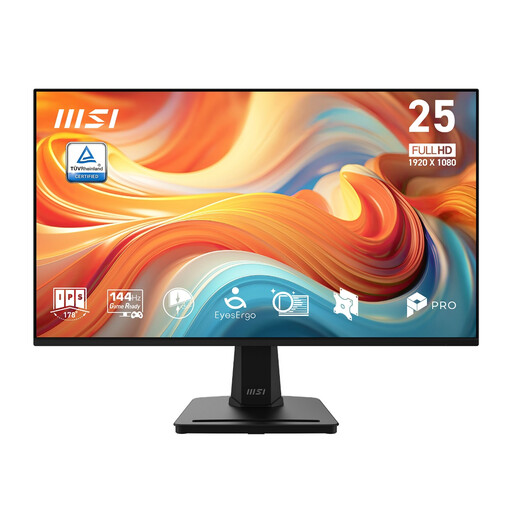
MSI PRO MP251 E14L 24.5-inch Full HD IPS monitor
A 24.5-inch Full HD option for routine budgeting documents; its stated 144 Hz refresh rate need not drive an office-document decision.
Check whether the stand can be positioned for different users and whether the required power cord is supplied.
View on Joybuy
Common questions
When does a shared-office monitor need a DSE assessment?
The Health and Safety Executive says employers must assess the workstation if workers use display screen equipment daily as part of normal work for continuous periods of an hour or more. The assessment considers more than the monitor, including work conditions and individual requirements.
Is an adjustable monitor stand enough for a shared desk?
No. An adjustable stand helps users position the screen, but the Health and Safety Executive says the whole workstation must be considered where a display-screen assessment is required. Desk layout, lighting and reflections also matter when the working position changes.
When is USB-C charging worth considering?
USB-C charging is worth considering when the intended laptops support video over USB-C and the exact monitor provides suitable power delivery. LG specifies up to 65 W for its 24BA650-B, while Dell specifies up to 90 W for its P2423DE; check each laptop and cable rather than treating either rating as universal compatibility.
How should the office arrange disposal of an old monitor?
Check an appropriate electrical-equipment collection or recycling route with the supplier or the office’s business-waste provider. UK government guidance identifies the Waste Electrical and Electronic Equipment Regulations 2013, as amended, as the legislation underpinning measures for recovery, reuse and recycling of electrical products.


