What matters when choosing?
Start with the number of computers that need to be connected, then check how the screen fits the desk and whether each laptop can use the intended display and charging connections.
| Concern |
What to check |
Who this matters to |
| Two-computer switching |
Check for a built-in KVM switch and compatible connections for both computers and the shared peripherals. |
If I move between two connected computers, I want to keep using one keyboard and mouse without reconnecting them; around 36% of consumers put that switching need first. |
| Document workspace |
Compare native resolution and screen size, then check desk fit and comfortable text scaling on the connected computer. |
When I enter details from a receipt into a warranty portal or spreadsheet, I want the records to remain easy to read; roughly 29% of consumers prioritise document workspace. |
| Shared-user positioning |
Check stand adjustment, desk depth and lighting; for a clamp-mounted model, check the desk edge too. |
Because someone else may use the desk after me, I need to place the screen comfortably for my own session; about 21% of consumers make adjustability their primary concern. |
| Compact laptop setup |
Check the monitor’s footprint and whether its USB-C display and charging capabilities match the laptop. |
If the desk usually holds one laptop, I would rather preserve space than choose switching features I will not use; around 14% of consumers put a straightforward compact setup first. |
Joybuy monitor choices
These monitors offer different screen sizes and resolutions for working with warranty records at a shared desk. Check each model’s connections, physical fit and positioning options against the people and laptops that will use it; the list is not a selection of verified two-computer KVM setups.
 No image available
ASUS ProArt PA278CV IPS WQHD Monitor
Consider this for document work when a WQHD display suits the desk and connected computer.
The product name identifies an IPS WQHD panel. Check the exact USB-C functions, laptop charging requirements and stand adjustments before relying on a one-cable or frequently repositioned setup.
View on Joybuy
 No image available
iiyama ProLite XUB2792UHSU-B6 27-inch 4K UHD Monitor, Matte Black
Consider this 4K option if reading detailed warranty documents is a priority and a 27-inch screen fits the desk.
Its product name specifies a 16:9 LED monitor. Confirm the connection, charging and stand adjustments needed by each user before planning a USB-C laptop setup.
View on Joybuy
 No image available
ASUS ProArt PA248CRV IPS WUXGA Monitor
Consider this WUXGA model for a one-laptop warranty-record desk if its screen and physical setup suit the available space.
The product name identifies an IPS WUXGA panel. Check the laptop’s USB-C video and charging requirements and the stand’s adjustment options before choosing it for shared use.
View on Joybuy
 No image available
Lenovo L32p-30 31.5-inch 4K UHD IPS USB-C Monitor
Consider this larger display when warranty portals and supporting documents need screen space and the desk can accommodate it.
The product name specifies a 31.5-inch 4K UHD IPS screen and USB-C. Check the USB-C charging capability and how far the screen can be repositioned for different users.
View on Joybuy
 No image available
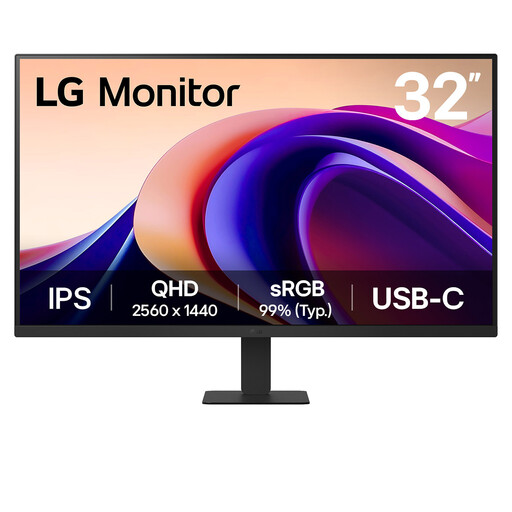
LG 32U631A 32-inch QHD IPS Monitor, Matte Black
Consider this 32-inch screen for warranty records if its size works with the desk and each user’s viewing position.
The product name specifies QHD 1440p, 100Hz, 5ms, USB-C and HDMI. Check USB-C video and laptop charging compatibility separately, along with the positioning available from the stand.
View on Joybuy
Common questions
Does a shared desk need a monitor with a built-in KVM?
No: a built-in KVM is relevant when two connected computers need to share a keyboard and mouse. Samsung describes that function on its S65UC; for a desk normally used with one laptop, concentrate on the display, connection and positioning requirements instead.
When does a shared workstation need an assessment?
In the UK, the Health and Safety Executive says employers must assess a workstation when a worker uses display screen equipment daily as part of normal work for continuous periods of an hour or more. Its guidance includes hot-desking and calls for consideration of the workstation, working conditions and individual requirements.
What should I adjust when taking over a shared desk?
Set up the screen and surrounding workstation for your own position and the current lighting. The Health and Safety Executive says display screen equipment training should cover furniture and screen arrangement, including avoiding reflections and glare; an adjustable monitor does not replace those wider checks.
Does a monitor guarantee replace consumer rights?
No: nidirect’s guidance for Northern Ireland says a guarantee provides added protection rather than replacing consumer rights. Keep the order details and guarantee terms, and distinguish a claim under optional cover from an issue you need to raise with the seller about the goods.
Can I cancel an online monitor order if it does not suit the desk?
An online order may be cancellable even when the monitor is not faulty. GOV.UK says distance-sale customers have a limited time to cancel; check the applicable conditions promptly, and keep a change-of-mind cancellation separate from a complaint about faulty, damaged or misdescribed goods.


