What to consider before buying
Decide whether you need video first. If you do, assess the camera’s installed view and privacy controls before comparing alerts or recording options.
| Concern |
What to check when buying |
Who this matters to |
| Limiting the camera view |
Check the mounted view, compatible aiming adjustments and privacy masking. Confirm masking and motion notifications separately. |
I want useful footage of my doorway without unnecessarily capturing a neighbour’s home or shared space; around 31% of consumers put limiting capture beyond the entrance first. |
| Seeing visitors and deliveries |
Assess the actual view of the visitor and parcel area, and check which alerts and recording options the exact model offers. |
If I need to see who is at the door or check a delivery, visibility is my priority; around 25% of consumers put visitor and delivery visibility first. |
| Security support |
Match the exact model and hardware version to UK documentation, including the vulnerability-reporting contact and stated security-update period. |
I want clear security information for the connected product I am considering; around 19% of consumers put documented security support first. |
| An alert without video |
Choose between a local chime and a remote smartphone alert. For a retrofit, check the existing bell and installation requirements. |
If I only need to know that someone has pressed the bell, I would rather avoid recording video; around 13% of consumers put camera-free alerts first. |
| Charging and recording setup |
Check how a battery-powered model is charged, whether a memory card is included and whether cloud recording requires a subscription. |
I want a recording setup I can maintain and understand; around 12% of consumers put charging and recording arrangements first. |
Joybuy product options
These options are camera-based video doorbells for entrance monitoring. Compare their listed views, recording arrangements and installation needs; before choosing a connected model, check its exact UK documentation for applicable product-security scope, a vulnerability-reporting contact and the stated security-update period. GOV.UK guidance and the National Cyber Security Centre describe requirements and checks for relevant connected products.
 No image available
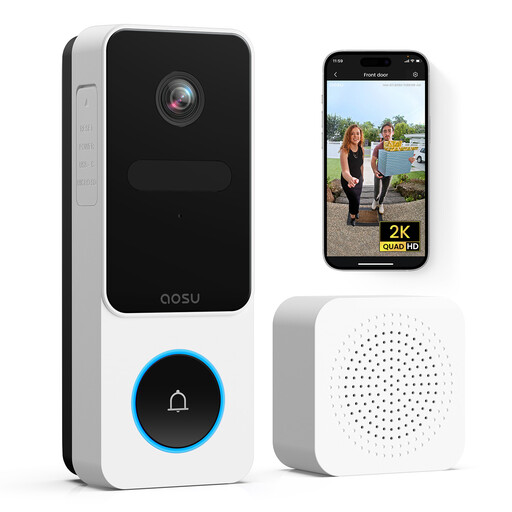
aosu 2K HD Doorbell with Camera, 170° View
Consider this listing if you want video, two-way audio and package detection at the entrance.
The listing specifies a 170° view, 2K HD video and 2.4 GHz Wi-Fi compatibility.
View on Joybuy
 No image available
BOTSLAB R810 5MP Video Doorbell Camera
Consider this listing if you want visitor and parcel monitoring with local recording hardware described as included.
The listing specifies a 1:1 head-to-toe view, two-way audio and a pre-installed 32GB SD card.
View on Joybuy
 No image available
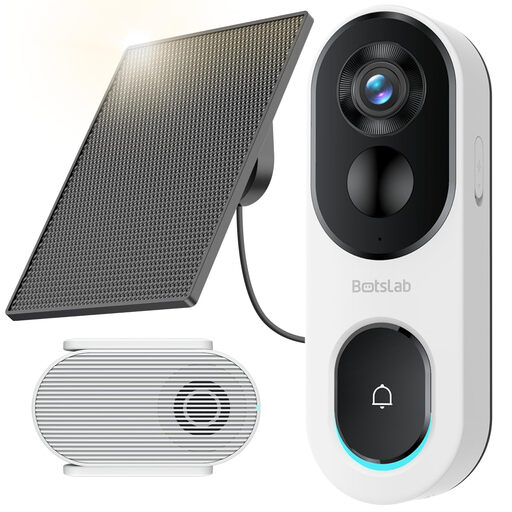
BOTSLAB R810SE 2K Solar-Powered Doorbell Camera
Consider this listing if you want a video doorbell with a solar panel and a local-recording base station.
The listing describes a 2K head-to-toe view, package detection and a solar panel with an adjustable bracket and 3-metre cable. It says the memory card is not included.
View on Joybuy
 No image available
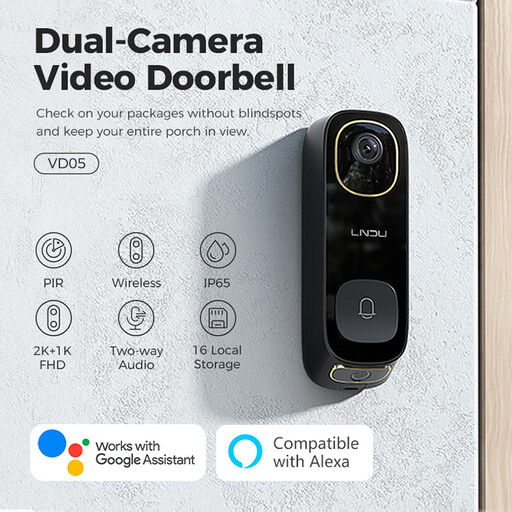
LNDU VD05 2K HD Video Doorbell
Consider this listing if you want a video doorbell supplied with an indoor monitor and chime.
The listing specifies dual cameras, two-way audio and 8–24V AC power compatibility. It says a TF card is required for video recording.
View on Joybuy
 No image available
Tapo D230S1 Smart Battery Video Doorbell
Consider this listing if you want a battery-powered video doorbell with an indoor chime and a choice of recording methods.
The listing specifies 2K 5MP video, a 160° diagonal view and microSD or cloud recording. It describes cloud storage as a subscription option and microSD recording as requiring a card.
View on Joybuy
Frequently asked questions
Does a video doorbell facing a pavement or shared area automatically break the rules?
The key issue is what the installed camera captures: UK data-protection law applies when footage includes areas beyond the private domestic boundary. The Information Commissioner’s Office advises limiting the view where possible, so assess the actual installation rather than relying on a product’s privacy features alone.
Are privacy zones the same as motion zones?
No. Ring describes privacy zones as obscuring parts of the image, while motion may still be detected behind those areas. Check and adjust image masking and notification settings separately.
What UK security information should I check for a connected doorbell?
Check the exact model and hardware documentation, its applicable UK product-security scope, vulnerability-reporting contact and stated minimum security-update period. GOV.UK says the consumer connectable-product security regime took effect on 29 April 2024, but its scope and exemptions depend on the product and region. The National Cyber Security Centre describes password security, vulnerability reporting and update-period disclosure as relevant requirements; a published support period does not by itself confirm the security status of a particular device.
Can Tapo D230S1 recordings be stored without cloud storage?
The listing describes microSD recording as an option, with a card required, and cloud storage as a separate subscription option. Check the included components and the recording method for the specific product before buying.
Does a battery doorbell avoid ongoing maintenance?
No. Tapo’s UK installation guidance says the battery-powered D235 needs to be detached and charged when its battery is low. Check that you can reach the installed unit and follow the model’s mounting instructions.


