What matters when choosing?
Settle how the flat will find live and missed programmes first. Then assess the room, listening needs and device connections on the exact TV rather than assuming every model on a smart platform works alike.
| Concern | What to check | Who this matters to |
|---|
| Live TV and catch-up |
Check Freeview Play or the specific UK apps needed on the exact model, plus the internet connection required for catch-up. |
If I regularly miss a quiz show, I want to find it without hunting through several services. Around 36% of consumers put guide and catch-up access first. |
| Room fit |
Measure the space, including the stand footprint; check dimensions and mount compatibility if wall placement is planned. |
A shared screen has to fit the lounge without getting in everyone's way. For about 29% of consumers, room fit is the primary concern. |
| Clear, quiet viewing |
Assess dialogue at the usual volume and check subtitle controls and audio outputs. Programme-level access services can vary. |
When others need quiet, I still need to follow the questions and answers. Roughly 21% of consumers prioritise clear, low-disturbance viewing. |
| Device sharing |
Check the HDMI inputs and the exact model's mirroring support against the devices housemates intend to use. |
We sometimes want to put a phone or another device on the communal screen. Around 14% of consumers make easy device sharing their first concern. |
Joybuy TVs for shared viewing
These TVs offer different screen sizes and named smart-TV platforms for a shared viewing setup. Match the flat's required services and available space to the exact model before choosing.
 No image available
LG 32LQ63006LA 32-inch webOS TV
Consider the 32-inch size where the shared room has limited space. The title identifies webOS and Freeview HD; check the exact model's catch-up apps and display resolution before choosing, as the supplied title and description give conflicting resolution details.
View on Joybuy
 No image available
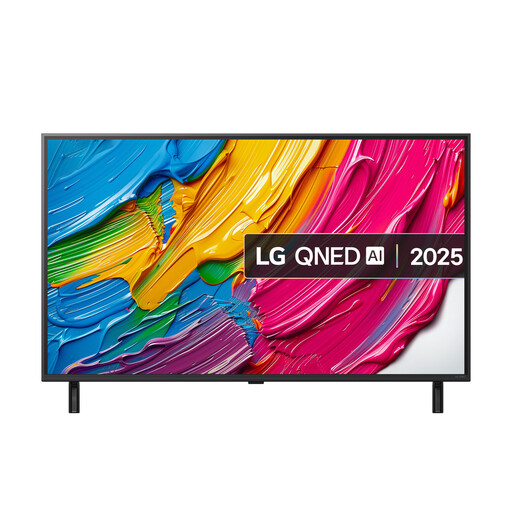
LG 43QNED80A6A 43-inch QNED 4K TV
Consider this webOS model if a 43-inch screen fits the communal space and housemates want to check its device-sharing options. Its title lists an AI Magic Remote and eARC; confirm the required UK apps and casting compatibility on the exact model.
View on Joybuy
 No image available
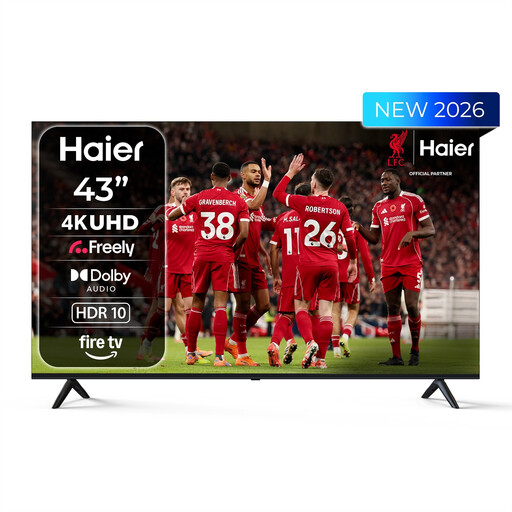
Haier H43K85GUF 43-inch 4K TV with Freely and Fire TV
Consider its Freely viewing route if the flat intends to use connected services. The title also specifies HDR10 and an Alexa Voice Remote; check the required channels and apps, internet setup and room fit.
View on Joybuy
 No image available
Coocaa 40CTQH38ZUK 40-inch Full HD TV
The 40-inch size is worth measuring against a smaller shared-room setup. Its title identifies Freely and TiVo as well as a QLED display; confirm the flat's required services and check dialogue clarity at the usual volume.
View on Joybuy
 No image available
Haier H50S80GUF 50-inch 4K QLED TV with Freely and Fire TV
Consider the 50-inch screen only after checking the lounge and installation space. The title also lists HDR10+ and an Alexa Voice Remote; confirm the required Freely channels and apps and assess sound at the flat's usual volume.
View on Joybuy
Common questions
Does a shared flat need a TV Licence for a live quiz show?
Yes, watching a live quiz show requires TV Licence cover. TV Licensing says one licence can cover people living at the same address; establish whether the flat is already covered before watching.
What if we only watch quiz shows on demand?
TV Licensing says on-demand viewing outside BBC iPlayer does not, by itself, require a TV Licence. BBC iPlayer requires one for both live and on-demand viewing, so check which service the flat will use.
Is Freeview Play useful for a shared-flat TV?
Freeview Play can suit housemates who want live TV and supported catch-up viewing in one setup. Freeview says its connected experience needs a Freeview Play TV or recorder and an internet connection; check the exact model and services.
Can everyone mirror their phone to the TV?
Not necessarily: compatibility depends on the TV and phone. Samsung says its described mirroring setup requires a phone with a mirroring function and both devices on the same Wi-Fi network.
How can we follow quiz shows without turning up the volume?
Check dialogue at the flat's normal volume, the TV's subtitle controls and its audio outputs. Ofcom identifies subtitles and audio description as access services, but their availability depends on the programme and service as well as the TV interface.


