Flatmates sharing several seats
If people watch from a sofa and nearby chairs, consider how the picture looks away from the centre seat as well as whether everyone can see the screen comfortably.


Measure the sofa-to-screen distance and the space available for the TV before choosing a 4K screen size. OLED is worth considering when evening viewing and off-centre seats matter most; QLED or Mini LED is worth comparing when daylight and reflections are the bigger concern. Whichever route you choose, check the exact model’s apps, accessibility settings, energy label and mounting dimensions.
If people watch from a sofa and nearby chairs, consider how the picture looks away from the centre seat as well as whether everyone can see the screen comfortably.
If daylight, windows or lamps face the screen, compare brightness and reflection handling on the exact TVs you are considering. Samsung UK identifies these as reasons to investigate QLED.
Check the services everyone uses and whether subtitles or audio description are easy to access. Ofcom identifies subtitles and audio description as access services, but their availability should be checked for the programme and TV setup you intend to use.
Consider it when: Evening viewing and seats spread across the room make dark-scene contrast and wide-angle viewing priorities. Samsung UK’s display guidance distinguishes OLED on both points.
Trade-off: For a room with strong daylight or troublesome reflections, compare the brightness and screen finish of individual models rather than assuming OLED will suit the space.
Consider it when: Daylight or reflections are the main obstacle. Samsung UK positions QLED around brightness, while TCL lists brightness and local-dimming features on particular Mini LED models.
Trade-off: A technology label does not establish dark-room black levels or the view from a side seat; compare those characteristics on the exact models.
For travel programmes watched with flatmates, start with physical fit, then decide whether seating angles or room light should drive the display choice. Treat streaming and accessibility as checks on the exact model, not on its smart-TV label.
| Concern | What to check | Who this matters to |
|---|---|---|
| Screen size and room fit | Measure the seated viewing distance and check the full dimensions with stand. Sony UK’s minimum 4K distances include approximately 90 cm for 43-inch, 1 m for 55-inch and 1.2 m for 65-inch TVs; use them as starting points, not comfort guarantees. | If the sofa is close to the screen or the TV unit is narrow, I need a size that fits both the room and the usual seats. Around 31% of consumers put room fit first. |
| Visibility from side seats | Compare the exact models’ viewing-angle information and, where possible, how the picture looks from the seats people will use. | When flatmates sit away from the centre, I do not want the shared picture choice to suit only one seat. For around 25% of consumers, visibility from side seats is the primary concern. |
| Daylight and reflections | Check window and lamp positions, then compare model-specific brightness and anti-reflection information. Do not infer either from QLED or Mini LED alone. | If we watch while the communal room is bright, I need to see the programme without a window dominating the screen; around 25% of consumers prioritise bright-room visibility. |
| Streaming and accessibility | Confirm the required UK apps on the exact model and check its subtitle, audio-description and volume controls. | When several residents use the same TV, I want the services and viewing controls we need to be straightforward to find. Everyday streaming and accessibility come first for around 19% of consumers. |
A screen can fit the wall yet overwhelm the usual seating distance, while its stand may not fit the TV unit.
Measure the seated distance, stand footprint and available wall or unit space. Use Sony UK’s 4K distance guidance as a starting point, then account for comfort and side seats.
App availability can differ by model and platform, so a service listed for another TV in the range may not be available on yours.
Check the exact UK model for the services the flat uses. TCL UK lists BBC iPlayer for its C805K, but that does not establish availability on other TCL models.
If a required app is unavailable, using it may involve a separate streaming device or a different viewing setup.
OLED, QLED and Mini LED identify different approaches, not identical brightness, reflection handling or side-seat performance across every model.
Use the room’s light and seating layout to shortlist a route, then compare the exact models’ screen finish, viewing-angle information and relevant picture specifications.
TV Licensing says a licence is needed for live TV and for watching or downloading programmes on BBC iPlayer. Replacing a TV also leaves an electrical item that needs appropriate disposal.
Check the flat’s licence arrangements before using those services. If replacing an old TV, GOV.UK describes like-for-like retailer take-back when buying a new electrical product.
LG’s UK OLED B5 materials make this model relevant to viewers comparing evening contrast and smart-TV features.
Samsung UK’s QLED guidance is useful when comparing TVs for a brighter shared room.
TCL’s named UK C805K and Q9BK models offer specifications to examine when considering Mini LED or QLED.
Sony UK offers 4K viewing-distance guidance that can help with sizing; its BRAVIA range also includes Mini LED models.
These Joybuy choices include QLED, Mini LED and Direct LED 4K smart TVs in 50-inch, 55-inch and 65-inch sizes. Compare each one against the flat’s seating distance, light and required apps; their inclusion does not establish how they perform from a side seat or in your room.
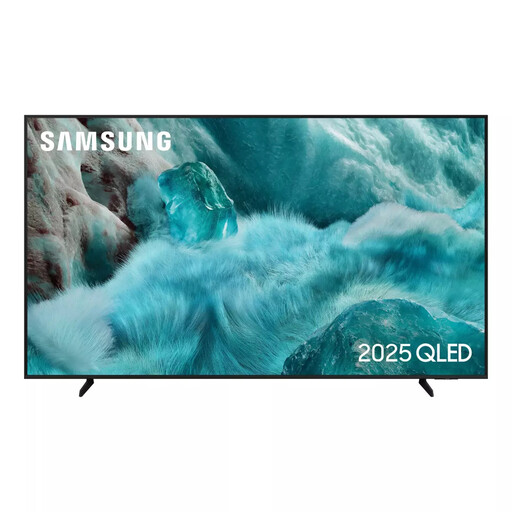 No image available
Consider this 55-inch option if that size fits the usual viewing distance and TV unit.
The product name specifies a 4K Ultra HD smart TV with Wi-Fi. Check the exact model’s UK apps, viewing angle and reflection handling for the flat’s setup.
 No image available
Consider its 50-inch size if a larger screen would be difficult to accommodate in the shared room.
The product name specifies QD-Mini LED, HDR and Google TV. Confirm the apps you need and assess reflection handling and side-seat viewing for this exact model.
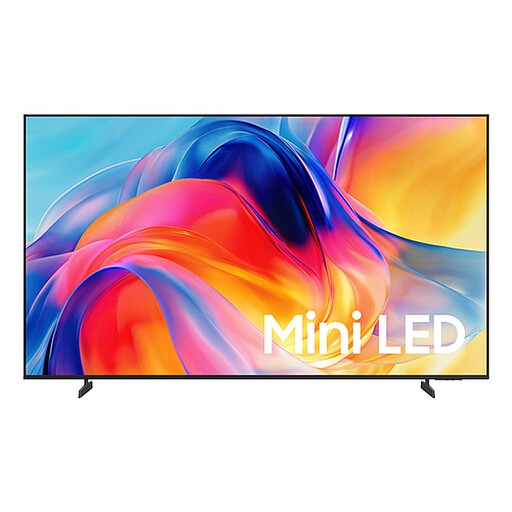 No image available
Consider this 65-inch option if the room and viewing distance can accommodate a larger shared screen.
The product name specifies Mini LED and 4K. Check its full dimensions, the UK apps your flat uses and how the picture looks from off-centre seats.
 No image available
Consider this 55-inch model if its dimensions and seating-angle suitability work for the communal room.
The product name specifies Direct LED, 4K HDR and Google TV. Check the stand dimensions and required UK apps; assess side-seat viewing rather than relying on a general panel claim.
 No image available
Consider this 65-inch model if the seating distance, TV unit and wall space allow for a larger screen.
The product name specifies QD-Mini LED, 4K HDR and Google TV. Confirm its dimensions and UK apps, and compare model-specific information on bright-room and off-centre viewing.
Measure from the usual seated position to the proposed screen location, then check the TV’s full dimensions with its stand. Sony UK gives minimum 4K viewing distances of approximately 90 cm for 43-inch, 1 m for 55-inch and 1.2 m for 65-inch TVs; these are starting points, so allow for comfort, furniture and side seats.
Investigate OLED if evening contrast and wide-angle seating are priorities; compare QLED or Mini LED models if daylight and reflections are more troublesome. Samsung UK describes the broad OLED–QLED trade-off, but the screen finish, brightness and viewing angle still need checking on the individual TVs.
Do not assume so: check BBC iPlayer on the exact UK model you intend to buy. TCL UK lists it for the C805K, which does not establish app availability on a different model or platform.
TV Licensing says a licence is needed to watch live TV or to watch or download programmes on BBC iPlayer. Check the flat’s existing licence arrangements before using either; the programme’s subject alone does not determine whether a licence is needed.
Compare the energy label and product information sheet for the exact TV models under consideration. GOV.UK’s guidance says an energy label must be displayed at the point of sale for products within the labelling rules, including on a website; do not judge energy use by screen size or model year alone.