Families sharing one console
When children of different ages use the same device, the key question is whether one set of restrictions works for everyone or each child needs their own settings.


Start with the console already at home: a supported device may meet the household’s needs once its family accounts and controls are set up. Nintendo Switch and Switch 2 apply parental restrictions to the console, while Xbox and PlayStation offer controls through family members and child accounts; that difference matters when children need different rules. Consider new hardware if the existing platform cannot provide the arrangement your household needs, and check online-play requirements for the games the children intend to use.
When children of different ages use the same device, the key question is whether one set of restrictions works for everyone or each child needs their own settings.
Communication, multiplayer and privacy settings need attention alongside game-content restrictions, particularly when a child asks to play online.
Setting up child accounts, adult management and play-time routines on a supported device may address the problem without replacing the hardware.
Begin with how each child will be managed on the console already available, then check content, contact, spending and play-time settings before considering a different platform.
| Priority | What to check | Your needs |
|---|---|---|
| Shared or individual rules | Nintendo UK says Switch and Switch 2 restrictions apply to the console and everyone using it. Xbox Support describes settings for individual family members; PlayStation UK describes controls for child members of a family. | One rule set could work for our shared console, or the children may need different settings as they grow. |
| Existing console | Identify the model and the accounts already in use. Check whether an adult can set up the required Nintendo controls, Microsoft family group or PlayStation family and child accounts. | If the console we own can provide the rules we need, I would rather set it up before replacing it. |
| Games and apps | Check the game’s PEGI age rating and the platform’s content restrictions. PEGI says its rating concerns age suitability of content, not how difficult a game is. | I want to review which games each child can access without assuming an age label covers every household rule. |
| Online contact | Review communication and multiplayer settings separately from content restrictions. Xbox Support describes member-specific controls, while PlayStation UK lists online-communication controls for child accounts. | Who can contact my child matters as much as which games appear on the screen. |
| Spending controls | Check purchase approvals, stored funds and gift cards. Xbox Support says a child can still purchase with gift cards or Microsoft-account funds; PlayStation UK lists a child-account monthly spending limit. Review Nintendo Account eShop restrictions separately from console controls. | I need to know where a purchase request goes and whether money already on a child’s account changes the rule. |
| Play-time routines | Decide whether a console-wide limit or a schedule for each child is needed. Check how the platform lets an adult review activity and respond to requests for more time. | A single household schedule may be enough; otherwise, I need different limits for different children. |
| Online membership | Check the intended game rather than assuming one rule covers online play. Nintendo UK says many games require Nintendo Switch Online but some free-to-play titles do not; PlayStation UK says most PS4 and PS5 online multiplayer requires PlayStation Plus. Xbox UK says free-to-play multiplayer is open to every Xbox player. | Before choosing a console for multiplayer, I want to know what the particular game requires. |
Nintendo UK says Switch and Switch 2 parental restrictions apply to the console, so they affect everyone using it. Xbox and PlayStation organise key controls around family members or child accounts instead.
List everyone who will use the device. If one shared rule set will not work, check an account-based platform and set up a separate child account rather than using an adult profile.
Xbox Support says a child account can still make purchases using gift cards or funds already in its Microsoft account when Ask to buy is enabled.
Review stored funds, gift cards and payment access for each child account, as well as the purchase-approval setting.
Nintendo UK says many online games require Nintendo Switch Online, with some free-to-play exceptions. PlayStation UK says most PS4 and PS5 online multiplayer requires PlayStation Plus; Xbox UK distinguishes free-to-play multiplayer from games that need an eligible plan.
Check the intended game’s online-play requirements before deciding which console arrangement suits the household.
PEGI ratings indicate age suitability of game content, not difficulty. A rating does not set a child’s communication, purchase or play-time permissions.
Use the rating when choosing a game, then review the relevant account and console settings for the child.
Nintendo Switch and Switch 2 offer console-level parental controls, with further management through the Nintendo Switch Parental Controls app.
Xbox One and Xbox Series X|S use Microsoft family groups for controls associated with individual members.
PS4 and PS5 family controls use an adult family manager and child members, with mobile management through the PlayStation Family app.
These Xbox Series X, PlayStation 5 and Nintendo Switch 2 options represent three different approaches to family controls. Decide whether setting up a console you already own would meet your needs before choosing new hardware.
 No image available
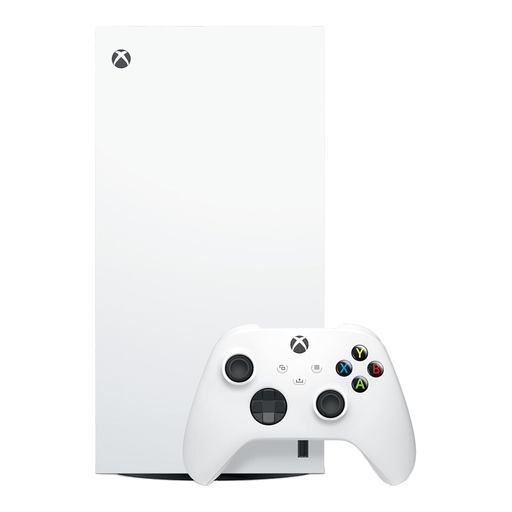
For a shared home needing different rules for different children, Xbox family settings can manage screen time, content and online interaction by member. This is the 1TB Digital Edition; check that the household’s intended games suit a digital edition. A child account needs to be linked to an adult Microsoft account, and Xbox purchase approval does not block spending from gift cards or existing account funds.
 No image available
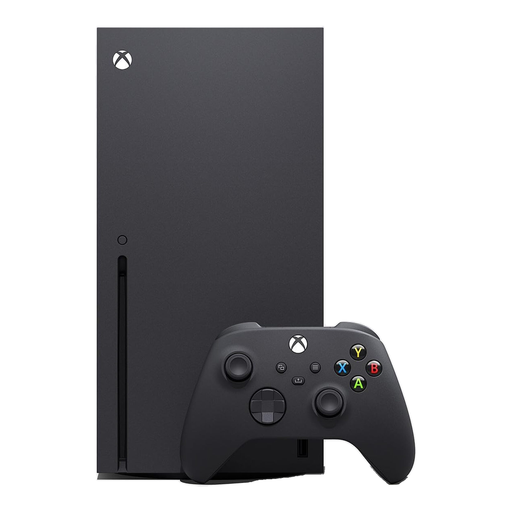
This Xbox Series X belongs to the account-based route for households that need separate settings for each child. The listed console is the black 1TB variant. Set up an adult-managed family group and child accounts; check stored funds and gift cards alongside purchase approval.
 No image available
PlayStation family controls can assign game, communication and spending restrictions to a child member. This is the PS5 Slim Disc Edition. An adult must establish the PlayStation family before managing a child account; PlayStation UK says most PS5 online multiplayer requires PlayStation Plus.
 No image available
This PS5 Digital Edition uses PlayStation’s family-and-child-account approach to content, communication and spending controls. Check that the Digital Edition suits the games the household intends to use. Set up the family before adding a child member, and check each game’s online-membership requirement.
 No image available
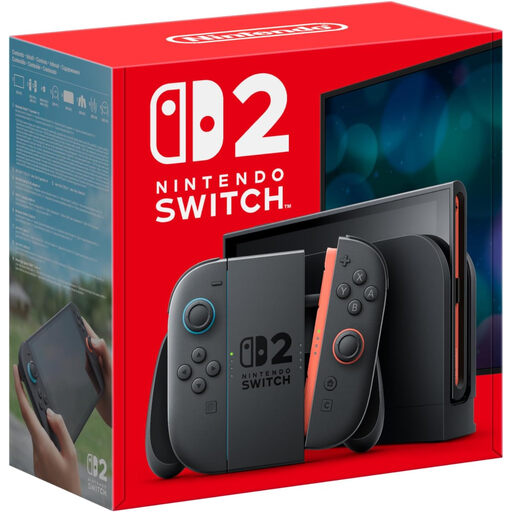
This Switch 2 suits a household that can use one set of parental restrictions for everyone on the console. Nintendo describes app-based play-time routines and activity review, but says restrictions apply to the console rather than individual users. Check the intended game’s online-membership requirement.
Yes, if the console already at home is a supported model and its controls meet your household’s needs. Nintendo documents controls for Switch and Switch 2, Xbox Support covers Xbox One and Xbox Series X|S family settings, and PlayStation UK covers PS4 and PS5 family management. Set up the required adult and child accounts for account-based controls.
That depends on the platform. Nintendo UK says Switch and Switch 2 parental restrictions apply to everyone using the console. Xbox Support describes settings for individual family members, while PlayStation UK describes controls for child members; check the account setup before relying on separate rules.
Do not treat purchase approval alone as a complete spending block. Xbox Support says a child can still purchase using gift cards or money already in their Microsoft account. PlayStation UK lists a monthly spending limit for child members; for Nintendo, review Nintendo Account eShop restrictions as well as console controls.
Check the specific game and platform. Nintendo UK says many Switch and Switch 2 games require Nintendo Switch Online for online cooperative or competitive play, though some free-to-play games do not. PlayStation UK says most PS4 and PS5 online multiplayer requires PlayStation Plus; Xbox UK says free-to-play multiplayer is open to every Xbox player.
No. PEGI says its ratings indicate age suitability of content, not game difficulty. Use them when choosing games, then set the household’s rules for online communication, purchases and play time through the relevant console and accounts.